

Memory Keep is our top pick for families and pet owners who want a private, multimedia-rich memorial with keepsake options — free to start, with a one-time $15 upgrade for unlimited features. For obituary-focused memorials with planning tools, Ever Loved is a strong alternative. GatheringUs suits families who want collaborative storytelling, while ForeverMissed works well for those seeking a long-established community presence. All four serve US users. The comparison table below will help you match your needs to the right platform.
Table of Contents
How the best memorial websites compare at a glance
| Provider | Best for | Price model | Media support | Guestbook / community | Livestream support | Customization | Data ownership / export | Privacy controls | Fundraising |
|---|---|---|---|---|---|---|---|---|---|
| Memory Keep | Families & pet owners, keepsakes | Free + paid | Photo, video, audio | Visitor messages, collaborative uploads | Not primary focus | Excellent | Downloadable keepsakes, photo books | Private links, access controls | No |
| Ever Loved | Obituary + planning + fundraising | Free + paid tiers | Photo, video | Guestbook | Limited | Moderate | Moderate | Moderate | Yes |
| GatheringUs | Collaborative family storytelling | Paid subscription | Photo, video | Collaborative | Limited | Moderate | Moderate | Moderate | Limited |
| ForeverMissed | Community-style legacy archiving | Free + paid | Photo, video | Community guestbook | No | Basic | Basic | Basic | No |
| Keeper Memorials | Simple pages, easy guest contributions | Free + paid | Photo | Guestbook | No | Basic | Basic | Basic | No |
| Farewelling | Storytelling + service coordination | Free + paid | Photo, video | Guestbook | Limited | Moderate | Moderate | Moderate | No |
| Find a Grave | Genealogy, burial records | Free | Photo | Community contributions | No | Minimal | No export | Public | No |
| Willowise | Full-featured paid memorial service | Paid subscription | Photo, video, audio | Guestbook | Yes | Good | Moderate | Good | Limited |
| Funeral Stream | Livestreaming funeral services | Paid | Photo | Limited | Yes (primary) | Minimal | Minimal | Moderate | No |
| Virtual Memorial Gatherings | Virtual event hosting + memorial pages | Paid | Photo, video | Event-based | Yes | Moderate | Moderate | Moderate | No |
| iMemories | Digitizing old film, tapes, photos | Paid (per project) | Photo, video, audio | No | No | Minimal | Yes (digital files) | Good | No |
| Memories.net | Template-driven memorial pages | Free + paid | Photo, video | Guestbook | No | Basic | Basic | Basic | No |
| Gather | Memorial and tribute pages | Free + paid | Photo | Guestbook | No | Basic | Basic | Basic | No |
| Ecorial | Alternative memorial formats | Paid | Photo, video | Limited | No | Moderate | Moderate | Moderate | No |
| Remembered.com | Simple pages + obituary support | Free + paid | Photo | Guestbook | No | Basic | Basic | Basic | No |
| MuchLoved | Tribute-focused memorial pages | Free + paid | Photo, video | Guestbook | No | Moderate | Basic | Basic | No |
| HeavenAddress | Long-established memorial hosting | Free + paid | Photo | Guestbook | No | Basic | Basic | Basic | No |
| Online-Tribute | Multi-platform comparison option | Free + paid | Photo, video | Guestbook | No | Excellent | Good | No |
Reading this table:
-
Free + paid means the free tier is functional but a subscription or one-time fee adds features.
-
One-time means you pay once, not monthly.
-
All providers listed serve US users.
How we chose these top memorial sites
Every provider on this list was evaluated against six core criteria: ease of setup, media support (photos, video, audio), privacy and access controls, data ownership and export options, pricing transparency, and US availability. Those six axes reflect what grieving families most often ask about when choosing where to honor someone they love.
The evaluation process involved a feature checklist review for each platform, a pricing scan to confirm free vs. paid tiers, and a sample memorial setup to estimate realistic setup times. Providers with no clear US availability, no publicly listed pricing, or no meaningful media support were excluded.
Criteria used in selection:
-
Ease of use and estimated setup time (15–60 minutes as a benchmark)
-
Media support: photos, video, audio at minimum
-
Privacy controls: who can view, who can contribute
-
Data ownership: can you export or download your memorial content?
-
Pricing transparency: clear free vs. paid distinction, no hidden fees
-
Customer support: help documentation, email or chat support available
-
US availability confirmed
Pricing and features change. Always verify current plans directly on each provider’s website before committing.
Detailed reviews of the best memorial website providers
Memory Keep
Best for: Families and pet owners who want a private, multimedia-rich memorial with lasting keepsake options.

Memory Keep offers one of the most complete feature sets at the lowest long-term cost of any provider on this list. The free plan lets you upload photos, write tributes, and share a unique memorial link with family and friends. The one-time $15 upgrade unlocks unlimited photo and video uploads, audio tributes, collaborative family contributions, an interactive life-events map, downloadable keepsake photo books, slideshow videos, and QR codes you can attach to a headstone or memorial card. There are no monthly fees after that single payment.
Pet memorials are a genuine priority here, not an afterthought. Memory Keep’s pet memorial pages support the same full feature set as people memorials, which matters when you’re honoring a dog or cat with the same care you’d give a person. Setup typically takes 20–40 minutes for a basic memorial; a fuller tribute with photos, audio, and a life map can take an hour or two spread across a few sessions.
Pros: Free memorial with no recurring fees after upgrade; slideshow, timeline view, QR codes for physical memorials; downloadable keepsakes; pet memorial support; collaborative uploads; grief support resources. Cons: Livestreaming is not a primary feature; fundraising is not built in.
Ever Loved
Best for: Families who need obituary hosting, funeral planning tools, and integrated donation collection in one place.
Ever Loved combines a memorial page with practical planning features: funeral home search, cost comparison, and a fundraising tool for memorial expenses or charitable donations. The free tier covers a basic memorial page and obituary; paid plans add more customization and storage. Setup is straightforward, typically 30–45 minutes for a complete page. Support is available via email.
Pros: Integrated fundraising; funeral planning tools; obituary focus; free starting tier. Cons: Less emphasis on multimedia depth or keepsake downloads; customization is moderate.
GatheringUs
Best for: Families who want to build a shared legacy story collaboratively, with multiple contributors adding memories over time.
GatheringUs centers on storytelling. Family members can each add their own memories, photos, and reflections, building a collective portrait of the person they’ve lost. The platform runs on a paid subscription model, so it’s a better fit for families committed to maintaining a memorial long-term. Setup takes roughly 30–60 minutes to get a meaningful page live.
Pros: Strong collaborative features; storytelling-first design; multiple contributors supported. Cons: Subscription cost; no livestreaming; fundraising is limited.
ForeverMissed
Best for: Users who want a community-style memorial with a long track record and both free and paid options.
ForeverMissed has been part of the online memorial community for years and appears consistently in top memorial-site roundups. The free plan supports a basic memorial page with a guestbook and photo gallery. Paid plans add more storage and features. It’s a solid choice for families who want a familiar, established platform without a steep learning curve. Setup is quick, usually under 30 minutes.
Pros: Long-established community; free tier available; guestbook and photo support. Cons: Design feels dated compared to newer platforms; no livestreaming; export options are limited.
Keeper Memorials
Best for: Anyone who wants a simple, no-frills memorial page where family and friends can leave messages and photos without technical complexity.
Keeper Memorials (also known as MyKeeper.com) keeps things uncomplicated. You create a page, invite guests, and they contribute. There’s no steep learning curve, and the guestbook feature works well for families who want a shared space for condolences and memories. Setup takes 15–20 minutes.
Pros: Very easy to set up; guestbook-centered; free entry tier. Cons: Limited media support; minimal customization; no export or keepsake options.
Farewelling
Best for: Families who want a narrative-driven tribute alongside service coordination features.
Farewelling leans into storytelling and service support, offering tools to help families write meaningful tributes and coordinate memorial events. The platform includes a guestbook and moderate customization. It’s a good middle-ground option for families who want more than a photo gallery but don’t need a full subscription platform. Setup typically takes 30–45 minutes.
Pros: Storytelling focus; service coordination tools; guestbook included. Cons: Livestreaming is limited; fundraising not built in; data export options are moderate.
Willowise
Best for: Families who want a full-featured, professionally designed memorial service and are comfortable with a paid subscription.
Willowise positions itself as a premium memorial platform with good customization, livestreaming support, and privacy controls. It’s one of the few providers on this list that actively supports virtual services alongside a memorial page. The paid subscription model means ongoing costs, but the feature depth justifies it for families who want a polished, long-term memorial. Setup takes 30–60 minutes.
Pros: Livestreaming support; good customization; strong privacy controls. Cons: Subscription cost; no free tier; fundraising is limited.
Funeral Stream
Best for: Families whose primary need is high-quality livestreaming of a funeral or memorial service, with a simple page as a secondary feature.
Funeral Stream does one thing very well: it broadcasts services reliably to remote family members. The memorial page features are minimal. If livestreaming is your main concern, this is the most focused option on the list. Setup for a stream is typically 30–60 minutes with technical support available.
Pros: Dedicated livestreaming; reliable broadcast quality; technical support. Cons: Minimal memorial page features; no keepsakes; no guestbook depth.
Virtual Memorial Gatherings
Best for: Organizers who need integrated virtual event hosting alongside a memorial page, particularly for larger or geographically dispersed families.
Virtual Memorial Gatherings combines event hosting tools with memorial pages, making it useful when the gathering itself is as important as the permanent tribute. It supports video and photo uploads and includes event-based community features. Setup time varies by event complexity, typically 45–90 minutes.
Pros: Virtual event integration; video support; community features. Cons: Paid only; not ideal as a long-term memorial archive; limited customization depth.
iMemories
Best for: Families who have old VHS tapes, film reels, or printed photos they want digitized and preserved as part of a memorial.
iMemories is a digitization service, not a traditional memorial page builder. You send in physical media, and they convert it to digital files you can download, share, or incorporate into another memorial platform. It’s a meaningful complement to a platform like Memory Keep, not a standalone memorial site. Pricing is per project.
Pros: Professional digitization; supports film, tape, and photos; good data ownership (you get the files). Cons: Not a memorial page builder; no guestbook; no community features; per-project cost adds up.
Memories.net
A template-driven memorial page service with a free entry tier and basic guestbook support. Best for users who want a quick, simple page without much customization. Setup takes under 20 minutes.
Gather
A memorial and tribute page provider with a free tier and basic guestbook. Straightforward to set up, with limited media and customization options. Suitable for users comparing multiple providers before committing.
Ecorial
An alternative memorial format provider with moderate customization and paid plans. A reasonable option for users who want something visually distinct from the standard memorial page template.
Remembered.com
Simple memorial pages with obituary support and a guestbook. Free and paid tiers available. Best for families who want a clean, uncomplicated tribute page without extra features.
MuchLoved
Tribute-focused memorial hosting with a guestbook and moderate customization. Free and paid tiers available. Suited to users who want a straightforward page centered on written tributes and condolences.
HeavenAddress
One of the older memorial platforms still in operation, HeavenAddress offers basic photo and guestbook support across free and paid tiers. Best for users who prefer a long-established platform, though the design and feature set reflect its age.
Online-Tribute
A memorial platform that appears in multiple top-10 comparisons. Offers free and paid tiers with basic photo and guestbook support. Online-Tribute has user reviews on Trustpilot, which can help you gauge current user experience before signing up.
Pro Tip: Before committing to any platform, test the privacy settings on a sample memorial. Create a private page, share the link with one trusted person, and confirm they can access it as expected. Also check whether you can download your photos and content before paying for an upgrade. A platform that locks your memories behind a paywall for export is a red flag worth catching early.
How to choose the right memorial website for your situation
Privacy, data ownership, and media support are the three criteria that matter most, and the right weight for each depends on your specific situation. A family keepsake memorial needs strong privacy controls and export options. A public tribute benefits from community guestbook features. A pet memorial often prioritizes photo galleries and keepsake downloads. A fundraising memorial needs donation integration.
Step-by-step decision checklist:
-
Define your primary purpose: private family keepsake, public tribute, pet memorial, or fundraising.
-
Confirm US availability for your chosen provider.
-
Check the free tier: does it offer enough to create a meaningful memorial before you pay?
-
Review privacy settings: can you control who views and who contributes?
-
Verify data ownership: can you download your photos, videos, and content at any time?
-
Estimate your setup time: most providers take 20–60 minutes for a basic page.
-
Check for hidden fees: storage limits, annual renewal costs, or export paywalls.
-
Test customer support: send a pre-purchase question and note the response time.
For guidance on creating a lasting memorial, Memory Keep’s resource library walks through the setup process step by step.
Questions to ask customer support before committing:
-
What happens to my memorial if I stop paying?
-
Can I export all my photos and content at any time?
-
Is the memorial URL permanent, or does it expire?
-
Who can see my memorial by default?
-
Is there a mobile app for managing the page?
Red flags to watch for:
-
No clear export or download option for your content
-
Vague language about how long the memorial will remain online
-
Surprise renewal fees not disclosed on the pricing page
-
No privacy controls beyond “public” or “private”
-
No customer support channel beyond a contact form
Quick decision flow:
-
Free, simple tribute with a guestbook: Keeper Memorials, Remembered.com, or Memories.net
-
Multimedia-rich family or pet memorial with keepsakes: Memory Keep
-
Obituary + planning + fundraising: Ever Loved
-
Collaborative family storytelling: GatheringUs
-
Livestreaming a service: Funeral Stream or Willowise
-
Genealogy and burial records: Find a Grave
Pro Tip: For pet memorials specifically, look for platforms that treat pets as first-class memorial subjects, not a secondary category. Features like QR codes for pet memorials let you attach a scannable tribute to a collar tag, garden stone, or memorial card, which many families find deeply meaningful.
When public memorial databases are the right choice
Archival sites like Find a Grave are the right tool when you’re searching cemetery records or building a genealogical record. Dedicated memorial pages are better when you want a private, multimedia tribute with a guestbook and family contributions.
| Feature | Archival databases (e.g., Find a Grave) | Dedicated memorial pages (e.g., Memory Keep) |
|---|---|---|
| Primary purpose | Cemetery records, genealogy research | Personal tribute, family remembrance |
| Ideal use case | Locating burial sites, family history | Sharing memories, photos, and stories |
| Media support | Limited (photos only, community-added) | Full (photos, video, audio) |
| Community contributions | Open community transcription | Invited family and friends |
| Export / data ownership | No export | Varies; Memory Keep offers downloads |
| Privacy controls | Mostly public | Private or public, user-controlled |
Find a Grave hosts a very large community-created memorial collection built since 1995, making it the largest archival database of its kind. That scale is invaluable for genealogical research, but it also means memorials are public by default and built around cemetery records rather than personal storytelling.
When an archival database is the right choice:
-
You’re researching a family member’s burial location
-
You want to add a grave photo or transcription to a public record
-
You’re building a family tree and need historical death records
-
The person passed decades ago and no close family is managing a tribute
When a dedicated memorial page is the better fit:
-
You want to share photos, videos, and personal stories with family
-
Privacy matters: you want to control who can view and contribute
-
You want a guestbook where friends can leave condolences
-
You’re honoring a pet and want a keepsake-quality tribute
-
You want to download your content or create a photo book
For families thinking about digital memory keepsakes beyond a memorial page, there are meaningful formats worth exploring, from audio recordings to printed photo books.
Key Takeaways
Memory Keep is the strongest choice for families and pet owners who want a multimedia-rich, private memorial with lasting keepsakes at a one-time cost of $15.
| Point | Details |
|---|---|
| Match platform to purpose | Choose based on your primary need: keepsakes, obituary, fundraising, livestreaming, or genealogy. |
| Free tiers are real starting points | Most top providers offer a functional free plan; upgrade only when you need more storage or features. |
| Data ownership matters most | Always confirm you can export your photos and content before committing to any platform. |
| Archival vs. tribute distinction | Use Find a Grave for burial records and genealogy; use a dedicated platform for personal, multimedia tributes. |
| Memory Keep for families and pets | Freemium entry with a one-time $15 upgrade covers unlimited media, QR codes, and downloadable keepsakes. |
What we’ve learned from helping families remember
The conventional wisdom in memorial-site comparisons is to rank platforms by feature count. More features, higher ranking. But that framing misses what actually matters to a grieving family sitting down to create a tribute for the first time.
What we’ve seen, working with families and pet owners, is that the most meaningful memorials are rarely the most feature-heavy ones. They’re the ones that were easy enough to start on a hard day, private enough to feel safe, and permanent enough to trust. A platform that overwhelms a grieving person with options in the first five minutes has already failed them.
The other thing worth saying plainly: pet memorials deserve the same care as people memorials. The grief is just as real. Platforms that treat pets as a footnote, or that bury pet memorial options three clicks deep, are not built for the people who need them most.
Data ownership is the sleeper issue in this category. Many families don’t think to ask about export rights until they’re trying to leave a platform, and by then their photos and tribute text may be locked behind a paywall or simply inaccessible. The question “Can I download everything I’ve uploaded?” should be the first thing you ask, not the last.
Memory Keep : a gentle place to start honoring someone you love
When you’re ready to create a memorial, Memory Keep gives you a quiet, dignified space to begin. You can start for free, upload photos and write a tribute at your own pace, and share a unique link with family anywhere in the world. The one-time $15 upgrade adds unlimited storage, audio tributes, QR codes, a life-events map, and downloadable keepsake photo books — no subscription, no recurring fees.
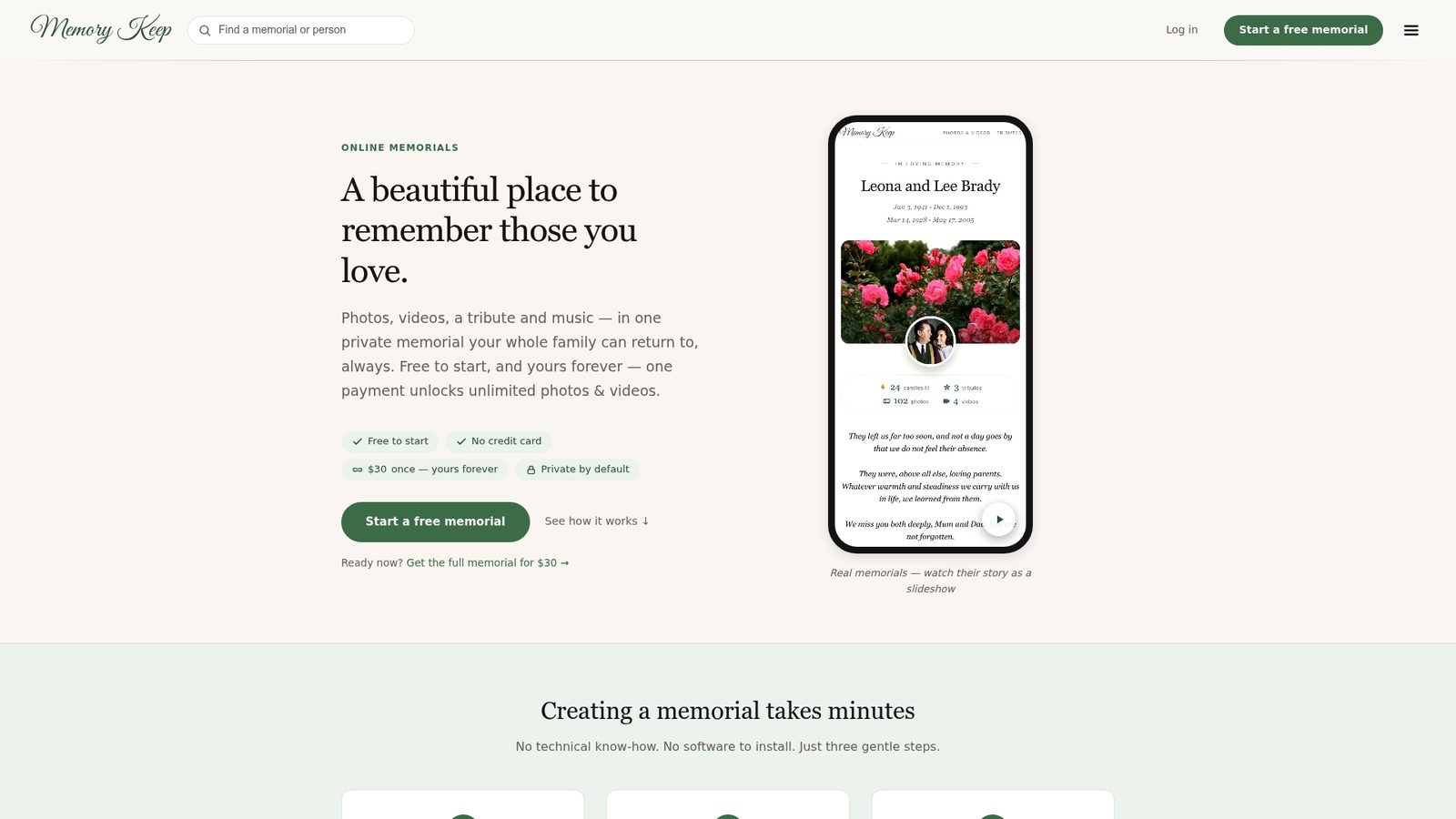
Whether you’re honoring a person or a beloved pet, Memory Keep’s full feature set is built to hold your memories with care. Visit Memory Keep to create a memorial today, or explore the help center if you have questions about getting started.
Useful sources and further reading
-
Find a Grave — The largest community-built cemetery record database; use it for genealogical research and locating burial sites.
-
Memory Keep Blog: Grief & Remembrance Guides — Practical articles on grief, memorial writing, and honoring loved ones.
-
Benefits of an Online Memorial — Memory Keep’s guide to why families create digital memorials and what they offer.
-
Digital Memory Keepsakes: Your 2026 Guide — An overview of keepsake formats (audio, video, prints) for families preserving memories.
-
How to Plan End-of-Life Memory Keepsakes — Practical planning steps for families thinking through legacy preservation.
-
GriefShare — A grief support network with local groups and online resources for those mourning a loss.
-
Hospice Foundation of America — Authoritative guidance on grief, end-of-life care, and bereavement support.