

A living memorial is a permanent online memorial page, not a one-time obituary, and it works because it invites people back. The single highest-impact step is choosing a page with a stable link, easy contributor access, and clear privacy settings from the start. Get that foundation right, and everything else, photos, video, rituals, is easy to add over time.
TL;DR:
- Choosing a memorial page with a stable link and easy contribution access is essential to ensure ongoing visitor participation and content updates.
- Incorporating multimedia elements like photo timelines, short videos, audio messages, and playlists creates a more vibrant, personal tribute that visitors feel connected to.
- Setting specific participation prompts and regular reminders encourages richer contributions and helps maintain the memorial’s activity over time.
- Privacy settings should align with the deceased’s public profile and family comfort, with public pages for known figures and invite-only options for private families.
- Keeping a memorial active requires minimal maintenance through scheduled prompts and shared admin permissions, avoiding burnout and ensuring long-term relevance.
Table of Contents
- Living Memorial Ideas For a Page That Feels Alive
- How To Set Up a Living Memorial Page Today
- Keeping a Memorial Active Without Burning Out
- Choosing Privacy Settings That Protect the Memorial
- Copy-Ready Prompts and Text for Contributors
- What To Know Before Planting or Posting
- Memory Keep’s Take on What Actually Keeps a Memorial Alive
- Where Memory Keep Fits Into Your Plan
- Sources
- FAQ
Living Memorial Ideas For a Page That Feels Alive
A memorial page only feels alive when people keep adding to it. That means building in ways for family and friends to contribute, not just view. Research on collective digital memorial systems backs this up: personalization, accessibility, and easy contribution flows are what separate a memorial people revisit from one that gets bookmarked and forgotten.
Here are living memorial ideas organized by how visitors interact with them.
Multimedia that tells the fuller story
- A photo timeline arranged by life chapters, not just chronological order, helps visitors see a whole life or a pet’s whole personality.
- Short video tributes (60 to 90 seconds) from different family members create a mosaic no single obituary could capture.
- Audio messages, a voicemail, a recorded story, a laugh, preserve something photos never can.
- A curated playlist of songs that meant something to the person or pet gives visitors a way to feel close, even from far away.
Participation that turns visitors into contributors
- A collaborative “photo quilt” mosaic where family members upload their own favorite images builds a visual archive no one person could assemble alone.
- Themed memory prompts (“Share a time they made you laugh”) work better than a blank guestbook because specific prompts elicit specific, durable anecdotes.
- Open guestbook threads let people respond to each other’s memories, not just leave isolated notes.
- A fundraising or memorial-gift link, where appropriate, gives visitors a concrete way to act on their grief.
Rituals that give the page a rhythm
- An anniversary time capsule, messages written now and released a year later, gives the memorial a reason to be revisited.
- Scheduled virtual gatherings on a birthday or anniversary turn the page into a meeting place, not just an archive.
- Timed message releases on meaningful dates keep the memorial feeling present rather than frozen in the past.
Tangible-digital links that bridge the physical and online
- A QR code printed on a memorial service program, a headstone plate, or a sympathy card lets anyone scan their way straight to the page.
- Tying the memorial to a durable identifier like a QR code meaningfully increases long-term findability, so the page doesn’t become a dead link buried in an old text thread.
- A shareable card with the unique page link works well for out-of-town relatives who can’t attend in person.
Accessibility that widens who can participate
Captions on video, alt text on photos, multilingual prompts for blended families, and mobile-first layouts all matter more than they sound. A memorial that only works on desktop, or only in one language, quietly excludes the people most likely to want in.
Pro Tip: Don’t try to fill every category at launch. Add one multimedia element, one participation prompt, and one ritual idea, then let contributors fill in the rest over the following weeks.
How To Set Up a Living Memorial Page Today
You can have a working memorial page live within an hour if you follow this order.
- Decide public or invite-only, and name a moderator. This single choice shapes every setting after it.
- Gather starter media. One cover photo, a two or three sentence bio, and two or three additional photos or a short video are enough to launch.
- Set contribution prompts and moderation rules. Decide whether posts need approval before they appear, especially on a public page.
- Generate and test your share link and QR code. Send it to one family member first and confirm it opens correctly on a phone.
- Set a “done for now” checkpoint. Pick a stopping point for today, then delegate ongoing updates to at least one co-admin.
- Plan your backup schedule. Decide now, not later, how often you’ll export photos and messages.
Pro Tip: Starting small outperforms trying to build a perfect archive on day one. A single photo, short bio, and open guestbook launched today tends to grow into a fuller tribute faster than a page held back for months while someone tries to perfect it.
Keeping a Memorial Active Without Burning Out
A memorial page doesn’t need daily attention to stay alive. It needs a light, repeatable rhythm.
- Set anniversary reminders (birthday, date of passing, adoption day for pets) to send a gentle prompt inviting new memories.
- Share admin permissions with at least one other family member so the memorial doesn’t depend on a single gatekeeper.
- Turn on moderation for public pages so you can review contributions before they post, without needing to check the page constantly.
- Download and archive backups of photos, videos, and messages on a regular schedule, not just once at the start.
- Keep one permanent link for the life of the memorial. A page that changes URLs or gets rebuilt loses the printed cards and QR codes pointing to it.
Small, scheduled prompts do more for a memorial’s longevity than sporadic bursts of effort. That kind of micro-engagement keeps a page feeling present without turning it into a chore for whoever manages it.
Choosing Privacy Settings That Protect the Memorial
Public, invite-only, and password-protected pages each fit different situations, and the right choice usually depends on how public the person’s life was and how comfortable the family is with strangers contributing.
- Choose public for well-known community members, veterans with suicide awareness resources, or public figures where broad participation adds value.
- Choose invite-only or password-protected for more private families, young children, or situations where the family wants to control who sees what.
- Turn on moderation whenever the page is public, so contributed posts can be reviewed before they appear.
- Be transparent about any donation or fundraising links attached to the memorial. State clearly who receives the funds and why.
- Before investing hours building out a page, ask the platform directly about permanence, account transfer to another family member, and export formats. A memorial you can’t export isn’t really yours.
Copy-Ready Prompts and Text for Contributors
Give visitors specific language to work with, and they’ll contribute far more than if you leave the guestbook blank and hope.
- “Share a specific moment when [name] made you laugh.”
- “What’s one thing you learned from [name]?”
- “Describe [name]'s favorite walk, trick, or comfort ritual.” (for pets)
- A simple video script: “Say your name, how you knew [name], and one memory in 15 to 30 seconds.”
- Virtual gathering invite: “Join us online on [date] at [time] to share memories and celebrate [name]'s life together, wherever you are.”
Specific prompts like these consistently produce richer, more usable contributions than an open-ended “leave a message” box.
What To Know Before Planting or Posting
Physical tributes and digital ones both carry small legal and ethical responsibilities worth thinking through before you act.
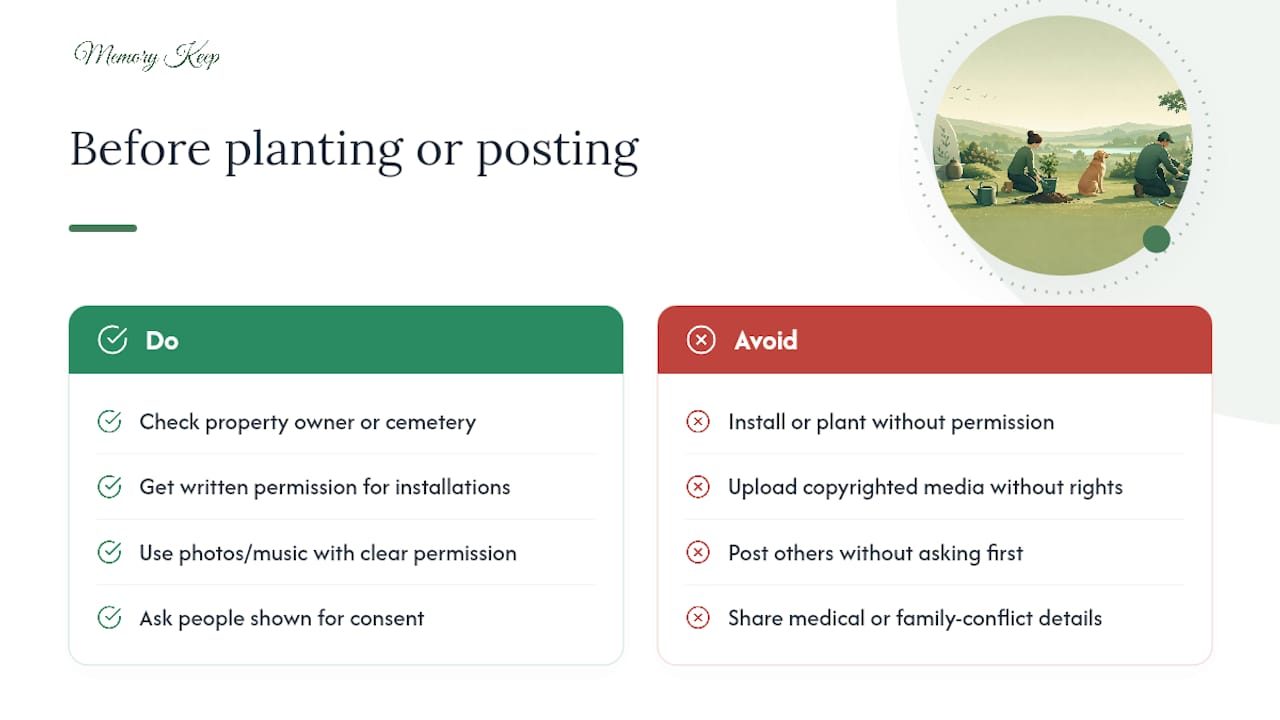
If a family wants to pair a digital memorial with something physical, like a tree, a bench, or a plaque, check with the property owner or cemetery first. Most cemeteries, parks, and municipalities require written permission before anything is planted or installed, even something as modest as a small marker. Skipping that step risks having the tribute removed later.
Copyright matters just as much for the digital side. Photos, videos, and music uploaded to a memorial page should generally come from the family or from people who gave clear permission to share them. Using copyrighted music in a video tribute, for instance, can trigger a takedown notice on some platforms, even when the intent was purely personal.
Consent extends to the people appearing in the content too. If cousins, coworkers, or friends appear in shared photos or videos, it’s worth a quick check that they’re comfortable being included, especially on a public page. The same goes for sensitive details, medical history, family conflicts, or anything the deceased might not have wanted shared publicly. A good rule of thumb: if you’d hesitate to say it at the memorial service, hesitate to post it too.
None of this should feel like a legal minefield. It’s closer to basic courtesy, extended to a digital space that often outlives the printed program from the service itself.
Memory Keep’s Take on What Actually Keeps a Memorial Alive
Most families overbuild the plan and underbuild the habit. A memorial doesn’t need a launch date with every feature filled in. It needs shared admin access, a couple of specific prompts, and permission for others to add their own memories on their own timeline. Platforms that support pet and person memorials alike with shareable links and collaborative uploads work precisely because they treat the page as unfinished by design. Export options matter too, not as an afterthought, but as insurance against the day the platform, the admin, or the family’s needs change.
— Memory Keep
Where Memory Keep Fits Into Your Plan
If everything above sounds right but building it yourself feels like one more task on an already heavy week, Memory Keep gives you a ready-made version of it. Every memorial gets a permanent, shareable link, room for unlimited photos, video, and audio, and open collaboration so family and friends can add their own memories without needing an account of their own.
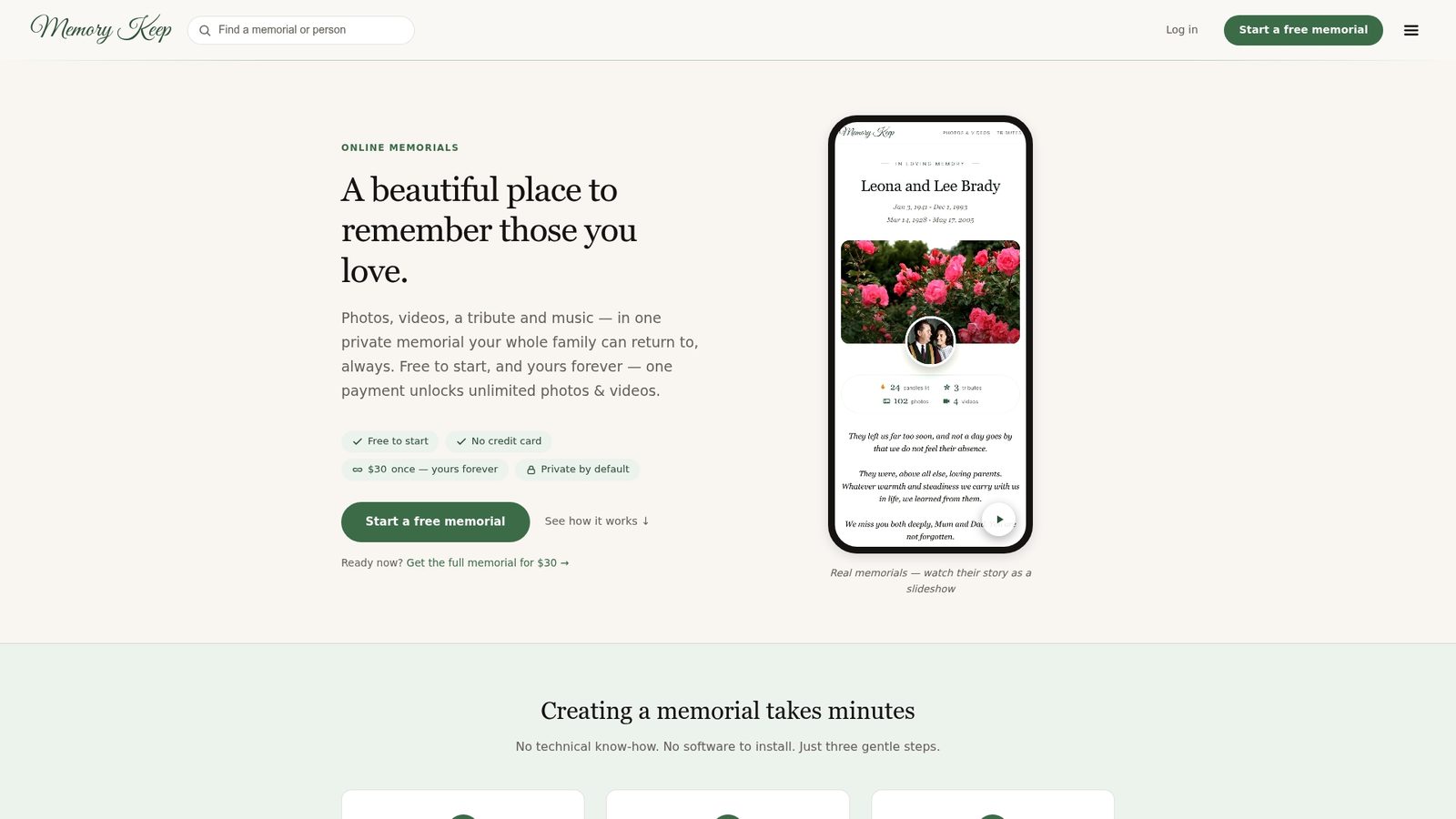
Pages support both people and pets, with the same privacy controls, moderation options, and export tools covered above. The free plan gets a memorial started; an upgrade unlocks unlimited storage and full features for that memorial, with no recurring fee to keep it running. You can see the full feature set, including interactive maps and collaborative uploads, and start building a page today at Memorykeep.
Sources
This article draws on grief-technology research from the Counseling Today archive, practical guidance from Funeral.com, and usability findings from the IHC proceedings on digital memorial design.
FAQ
What Makes an Online Memorial “Living” Rather Than Static?
A living memorial invites ongoing contributions, photos, stories, messages, rather than staying frozen after a single upload, which is why collaborative access and contributor prompts matter more than any one feature.
Can I Make a Memorial Page for a Pet, Not Just a Person?
Yes. Pet memorials use the same tools as memorials for people, including shareable links and photo uploads, with prompts adjusted for things like favorite walks or comfort rituals.
Should a Memorial Page Be Public or Invite-Only?
That depends on how public the person’s life was and how much control the family wants over who sees or posts content; invite-only or password-protected pages suit families who prefer a smaller, more private circle.
How Do I Keep a QR Code Linked to a Memorial From Breaking Over Time?
Use a platform with one permanent, unchanging link tied to the memorial, since a QR code only stays useful if the destination URL never moves.
Do I Need Permission to Use Photos or Video Someone Else Took?
Generally yes. Media uploaded to a memorial should come from the family or from people who’ve agreed to share it, and copyrighted music in tribute videos can trigger removal on some platforms.