

If you need a permanent online memorial page for someone you love, Memory Keep is the most complete alternative to Smilebox. It combines mobile-first family contributions, clear data ownership, and long-term archival in a single compassionate platform built specifically for remembrance.
TL;DR: Memory Keep suits most families creating lasting tributes for people or pets. If you need absolute server-level control, a self-hosted gallery is worth the technical effort. If you only need a short-lived tribute slideshow, a general card maker may suffice.
Before choosing any platform, check these criteria first:
- Privacy and data ownership: Does the platform state clearly who owns your content?
- Permanence and export options: Can you download your memorial if the service closes?
- Mobile collaboration: Can family members upload photos and messages from their phones?
Table of Contents
- How do Smilebox alternatives compare for memorial pages?
- What should a memorial-first platform actually offer you?
- How do you pick the right memorial platform for your needs?
- Why do specialized memorial platforms outperform general slideshow tools?
- When does a DIY slideshow still make sense?
- Which platform fits your situation?
- What kind of support can you expect from memorial platforms?
- How do memorial platforms connect with social media and obituary sites?
- How much design control do memorial platforms give you?
- What do users say about these alternatives?
- Key Takeaways
- Why permanence should shape every choice you make
- A permanent memorial is one click away with Memory Keep
- Useful sources and further reading
How do Smilebox alternatives compare for memorial pages?
The table below maps three platform categories across the features that matter most for a permanent tribute.
| Feature | Managed memorial platforms | Self-hosted photo galleries | General slideshow/card makers |
|---|---|---|---|
| Best for | Families wanting a permanent, private tribute | Tech-savvy users needing full data control | Short-lived event tributes or printed keepsakes |
| Photos/video/audio/guestbook | All four, purpose-built | Photos/video; guestbook requires custom build | Photos/video; no guestbook |
| Privacy & sharing | Invite-only or public; admin controls | Password protection, expiring links | Limited; often public by default |
| Permanence/export/data ownership | Archival-first; export included | Full ownership; export depends on setup | No permanence guarantee; weak export |
| Mobile/collaboration | Mobile-first collaborative uploads | Possible but requires configuration | Desktop-oriented editors |
| Pricing model | Freemium; one-time upgrade | Free software; server costs ongoing | Free tier or subscription |
| Ease of setup | Minutes; no technical skill needed | Hours to days; server knowledge required | Minutes; limited customization |
The managed memorial platform column is the only category that balances permanence with ease of use. Families grieving a loss rarely have the time or energy to configure servers or worry about subscription renewals. A purpose-built platform removes that burden entirely.
What should a memorial-first platform actually offer you?
Memory Keep
Memory Keep is designed from the ground up for lasting remembrance. Every memorial supports unlimited photo, video, and audio uploads, a guestbook for visitor messages, collaborative uploads so family members anywhere can contribute, and an interactive life-events map. Each page gets a unique shareable link and a QR code you can print on a headstone marker or memorial card. A one-time $15 upgrade unlocks unlimited storage and all features, with no recurring subscription. Downloadable keepsake photo books and slideshow videos mean your tribute lives beyond the platform itself.

Privacy: You control whether the memorial is public or invite-only. Memory Keep does not sell your data or display third-party ads on tribute pages.
Pros: Purpose-built for grief; mobile-first; QR codes; export options; transparent pricing. Cons: Requires an account to create a memorial.
Self-hosted photo galleries
Tools like Chevereto and Slink give you complete ownership of every file. Slink adds password-protected shares, expiring links, and guest upload options. The trade-off is real: you manage server maintenance, security patches, and backups yourself. For a family in the middle of grief, that technical burden can feel heavy.
Privacy: Total control, but only as secure as your own server setup.
Pros: Full data ownership; no recurring fees for the software itself. Cons: Requires technical skill; no built-in guestbook or tribute tools; ongoing maintenance.
General slideshow and card makers
Platforms built around digital invitation tools and online greeting card makers are convenient for quick, event-focused tributes. They are not designed for permanence. Most lack archival guarantees, and their editors tend to be desktop-oriented with dated templates.
Privacy: Often public by default; limited admin controls.
Pros: Fast to set up; familiar interface. Cons: No permanent hosting guarantee; subscription friction; no guestbook.
Pro Tip: Before committing to any platform, download a test export of your content. If the platform does not offer an export option at all, treat that as a firm red flag.
How do you pick the right memorial platform for your needs?
Data ownership comes first. Ask directly: “If this service closes tomorrow, can I download everything?” A platform without a clear export path puts your tribute at risk.
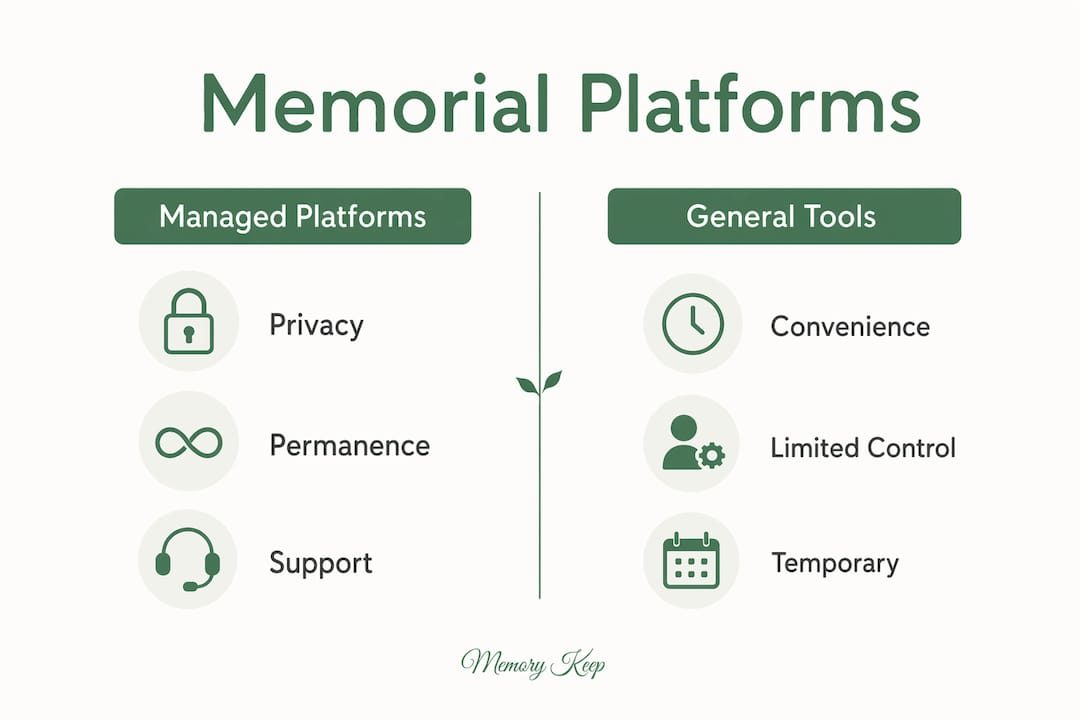
Permanence means more than uptime. Verify that the platform commits to stable URLs and an explicit archival policy. A memorial link shared in an obituary or printed on a card needs to work years from now.
Privacy controls protect your family’s grief. Invite-only settings let you share the memorial with loved ones without exposing it to the public internet. Clear data-ownership language and non-public options matter most to families who want a dignified, private space.
Mobile collaboration is no longer optional. Families expect to contribute memories from their phones at services and wakes, not just from a desktop later. Test the upload flow on a phone before you commit.
Evaluation checklist:
- Check export options: can you download all photos, videos, and messages?
- Verify the privacy policy: who owns your content, and is third-party access restricted?
- Test mobile uploads: does the contribution flow work smoothly on iOS and Android?
- Confirm pricing and renewal terms: is there a subscription, or a one-time fee?
- Review example memorials or testimonials to judge design quality and emotional tone.
Red flags to watch for:
- No export or download option
- Opaque or missing pricing page
- Ad-supported guestbooks
- Mobile-unfriendly editors
Why do specialized memorial platforms outperform general slideshow tools?
The core difference is intent. Photo-sharing sites focus on rapid sharing; memorial platforms emphasize long-term organization and access for family members. That distinction shapes every design decision, from storage policies to the tone of the interface.
Specialized platforms build for archival first. They offer structured timelines, life-event maps, and tribute prompts that turn scattered photos into a coherent story. General slideshow tools produce a single file or a time-limited link.
Collaborative storytelling is another meaningful gap. Memorial-first platforms support collaborative uploads and tribute writing tools, creating a compassionate environment where multiple family members contribute. A slideshow tool typically accepts one editor at a time.
Key technical reasons to choose a memorial-first platform:
- Downloadable export formats (photo books, slideshow videos)
- Explicit backup and archival policies
- Admin controls for privacy and contributor access
- Guestbook and tribute writing built in
Pro Tip: Ask the platform directly: “Is this URL permanent?” If the answer is vague or conditional on a paid subscription, your memorial link may disappear when a payment lapses.
When does a DIY slideshow still make sense?
Use a general card maker or slideshow tool when the tribute is temporary by design: a memorial service presentation, a printed keepsake, or a short video to share at a gathering. For those purposes, the convenience outweighs the limitations.
The limitations become serious the moment you want the tribute to last. General e-card and invitation platforms often lack permanent hosting guarantees and archival features. Subscriptions lapse, URLs break, and content disappears.
If you prefer the DIY route, protect yourself:
- Export a local copy of every file immediately after creating it.
- Keep backups on an external drive or cloud storage you control.
- Pair the slideshow with a permanent memorial page so the lasting tribute lives somewhere stable.
Pro Tip: Treat any slideshow or card tool as a presentation layer, not an archive. The permanent home for your memories should always be a platform built to last.
Which platform fits your situation?
- Permanent family memorial: Create a Memory Keep page, invite contributors via the mobile link, and enable the one-time upgrade for unlimited storage and export.
- Pet memorial: Memory Keep’s dedicated pet memorial pages support photos, audio, and a guestbook, with QR codes for garden markers or keepsake cards.
- Tech-savvy user who wants full control: Choose a self-hosted gallery like Chevereto, plan your backup schedule before you upload anything, and accept the ongoing maintenance commitment.
- Quick event tribute: Use a slideshow tool, export a local copy immediately, and consider pairing it with a permanent memorial page for the long term.
Whatever path you choose, prioritize privacy and permanence. A tribute that disappears is a second loss.
What kind of support can you expect from memorial platforms?
Support quality varies sharply between platform categories. Managed memorial platforms like Memory Keep offer a dedicated help center with guided setup resources, making it straightforward to get a memorial live without technical knowledge. Self-hosted tools rely on community forums and GitHub documentation, which can feel distant when you are grieving and need a quick answer. General card makers typically offer email support, though response times and memorial-specific expertise vary widely. When evaluating any platform, look for a searchable help center, clear contact options, and resources written with sensitivity to loss.
How do memorial platforms connect with social media and obituary sites?
Sharing a memorial beyond the platform itself matters to most families. Memory Keep generates a unique shareable link and a QR code for headstones or printed cards, making it easy to post the link in a Facebook tribute post, an obituary on Legacy.com, or a printed funeral program. Self-hosted galleries can be linked anywhere but require manual sharing setup. General slideshow tools often produce embeddable players or social share buttons, though those links may expire with the subscription. For integration with obituary sites like Legacy.com, Tributes.com, or ForeverMissed, a stable permanent URL is the prerequisite; any platform that cannot guarantee URL persistence will create broken links in published obituaries.
How much design control do memorial platforms give you?
Memory Keep uses a warm, clean aesthetic designed for dignity and reflection, with customizable tribute text, photo layouts, and life-event mapping. The interface requires no design skill. Self-hosted galleries like Chevereto and Lychee offer white-labeling and theme customization, but those options require CSS or template editing. General card makers provide the widest template libraries, which is their strength for event invitations and online greeting card makers, but their templates are built for celebration rather than remembrance. For a memorial, tone matters as much as aesthetics. A platform whose default design feels festive or commercial can undercut the dignity of the tribute.
What do users say about these alternatives?
Smilebox’s common complaints center on desktop-oriented editors, dated templates, and subscription friction for occasional users. Those pain points are exactly what drives families toward memorial-first platforms. Memory Keep’s example memorials, including a public tribute to Albert Einstein and a pet memorial for Buddy, demonstrate the platform’s tone and feature depth in practice. Self-hosted tools receive strong reviews from technical users who value ownership but draw consistent criticism for the setup burden. For families who want a dignified, lasting tribute without technical complexity, the reputation pattern points clearly toward managed memorial platforms. Pairing a memorial page with a memorial keepsake service is one way families extend the tribute into a physical form alongside the digital page.
Key Takeaways
For a permanent, private tribute, a managed memorial platform is the most reliable choice because it combines archival-first storage, mobile collaboration, and transparent data ownership in one place.
| Point | Details |
|---|---|
| Choose memorial-first platforms | Managed platforms like Memory Keep are built for permanence, not just sharing. |
| Verify export and ownership | Always confirm you can download your content before committing to a platform. |
| Prioritize mobile collaboration | Family members should be able to contribute photos and messages from any phone. |
| Self-hosting requires commitment | Self-hosted galleries offer full control but demand ongoing backups and security maintenance. |
| Memory Keep balances all three | A free memorial with a one-time $15 upgrade covers unlimited storage, QR codes, and export. |
Why permanence should shape every choice you make
Most guides about Smilebox alternatives focus on features and price. We think the more important question is: will this memorial still be here in ten years? General slideshow tools and digital invitation platforms were designed for events with an end date. A memorial has no end date. When a subscription lapses or a platform pivots, the tribute disappears, and that loss compounds grief in a way no one anticipates when they are setting up a page in the days after a death.
We built Memory Keep around the opposite assumption: that a tribute should outlast the platform’s business decisions. That means explicit export options, stable URLs, and pricing that does not punish families for choosing permanence. It also means designing for the moment when a cousin uploads a photo from a funeral reception on her phone, or a grandchild finds the QR code on a headstone years later and reads the messages left behind. Those moments are what a memorial is for.
Explore the benefits of an online memorial and the grief resources on our blog if you want more guidance on the remembrance process itself.
A permanent memorial is one click away with Memory Keep
When you are ready to create a tribute that lasts, Memory Keep offers a free memorial page you can build in minutes, with no design skill required. The one-time $15 upgrade unlocks unlimited photos, videos, audio, and the full export archive so your memories are always yours to keep.
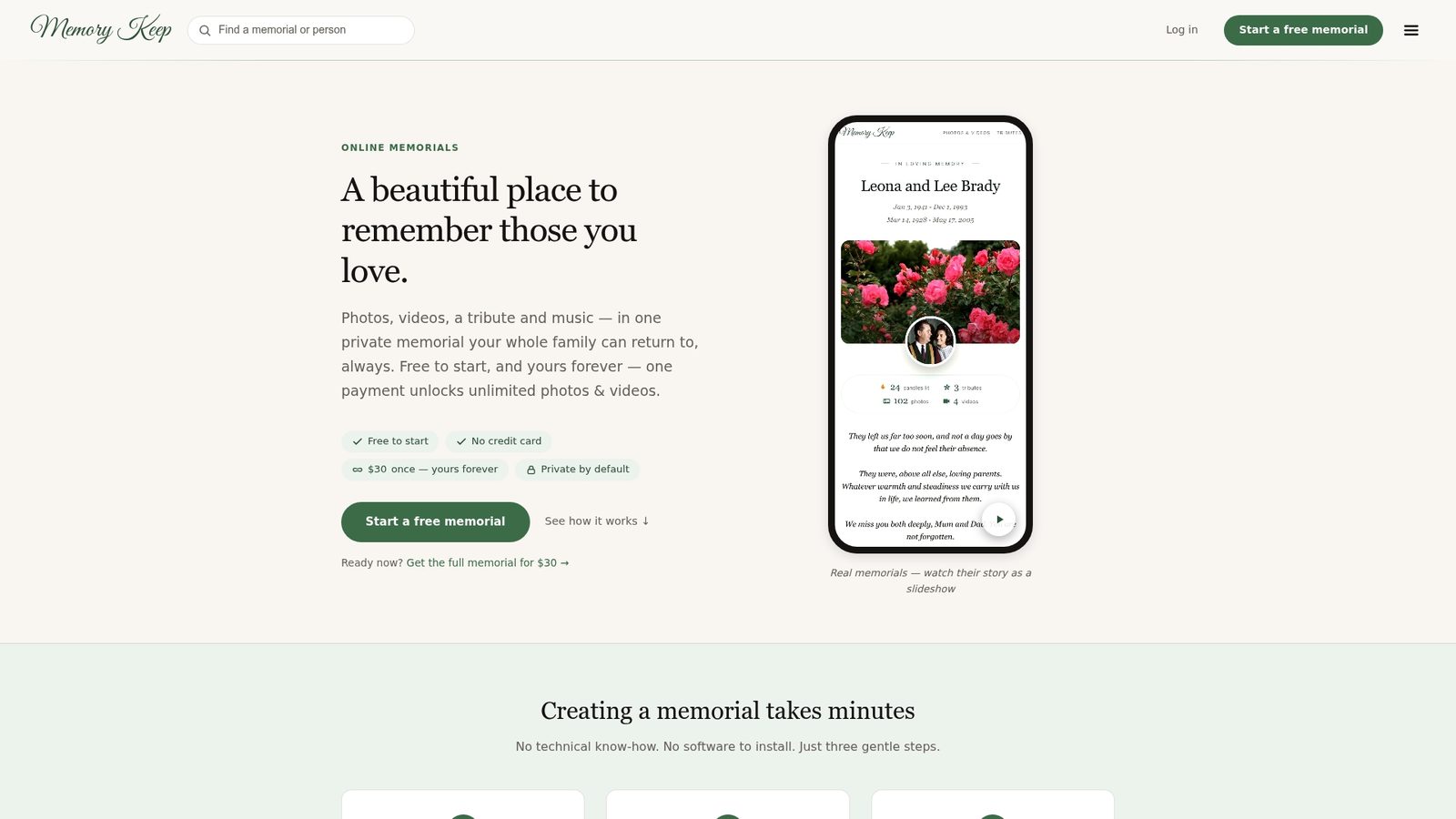
Three steps to get started:
- Create your free memorial and add the first photos and tribute text.
- Share the unique link or QR code so family and friends can contribute from their phones.
- Enable export settings to download a keepsake photo book or slideshow video at any time.
Visit the Memory Keep features page to see every tool in detail, or check the help center if you have questions about setup.
Useful sources and further reading
- Smilebox Alternatives — InviteDrop blog: Overview of why families seek memorial-focused alternatives to slideshow tools; supports mobile-first and permanence claims throughout this article.
- Chevereto on GitHub: Documentation for self-hosted gallery software; supports the self-hosted trade-off discussion.
- Slink on GitHub: Privacy-first self-hosted sharing tool with password protection and expiring links.
- PicPeak: Self-hosted photo sharing with professional features; supports the privacy and data-ownership discussion.
- Creating a Lasting Digital Memorial — Memory Keep: Step-by-step guidance for building a permanent memorial page.
- Essential Grief Insights — Memory Keep: Grief-centered context for families navigating loss while making memorial decisions.
- What Is a Memorial Keepsake Service? — Indian Life Memorial: Partner resource explaining how physical keepsakes pair with online memorials.