

The fastest way to make a memorial website is to create a page, add your loved one’s name with three to five photos and a short biography, and publish it so you can share the link today. That is the whole first step. Everything else, the videos, the guestbook, the timeline of a life well lived, can be added over the following days and weeks.
Here is a micro-checklist you can finish in under fifteen minutes:
- Create an account on a memorial platform and choose a template.
- Add the essentials: full name, a two to three sentence tribute, and your best photos.
- Publish and share the link with immediate family before opening it to a wider circle.
Memory Keep is built specifically for this moment. You can start a memorial page in a few minutes, and every page works on a phone by default, which matters when grieving relatives are checking it from a hospital waiting room or an airport gate.
Pro Tip: If you’re not ready for the world to see it yet, use an invite-only setting. You can always open it up later once the biography feels complete.
Key Takeaways
A memorial website works best when you publish a simple page immediately and refine the biography, galleries, and privacy settings over the following weeks.
| Point | Details |
|---|---|
| Publish first, refine later | Get a name, photos, and short biography live, then build out the rest over days or weeks. |
| Set privacy before sharing | Choose invite-only, password-protected, or public based on where the family is emotionally. |
| Test on mobile before sending links | Confirm fonts, navigation, and upload buttons are clear since most visitors arrive by phone. |
| Use structured prompts for contributors | Ask for one photo, a date, and a short memory to get concrete, specific submissions. |
| Assign a long-term steward | One family member should own backups, renewals, and annual updates. |
| Memory Keep offers a ready-made option | Free to start, with a one-time upgrade unlocking unlimited photos, video, QR codes, and keepsake exports. |
Table of Contents
- How Do You Create a Memorial Website Step by Step?
- What Should Every Memorial Website Include?
- Should a Memorial Page Be Public or Private?
- How Do You Collect Stories and Photos From Family?
- How Do You Make a Memorial Slideshow or Tribute Video?
- What Does a Memorial Website Cost?
- How Do You Maintain a Memorial Website Over Time?
- Why Memory Keep Fits Families Building a Memorial Right Now
- Start a Memorial Page Today
- Frequently Asked Questions
- Sources
How Do You Create a Memorial Website Step by Step?
Building a full memorial website is less about technical skill and more about sequencing. Do the steps in order and the process feels calm instead of overwhelming.
1. Choose your platform and privacy setting. Decide up front whether the page will be public (searchable, shareable anywhere), invite-only (accessible only to people with the link), or password-protected. Most families start invite-only during the first week of grief, then open the page publicly once they’re ready for extended friends and community members to visit.
2. Build the core page. Add the person’s full name, birth and passing dates if you’re comfortable sharing them, and a short life summary. Two to four paragraphs is enough. Resist the urge to write a complete biography on day one. A well-written life story usually comes together over several sittings, not one sitting at 2 a.m.
3. Upload your first media. Pick three to five photographs that actually capture who this person was, not just the most recent or most flattering shots. Organize them into a gallery, then add a slideshow or short video if you have one ready.
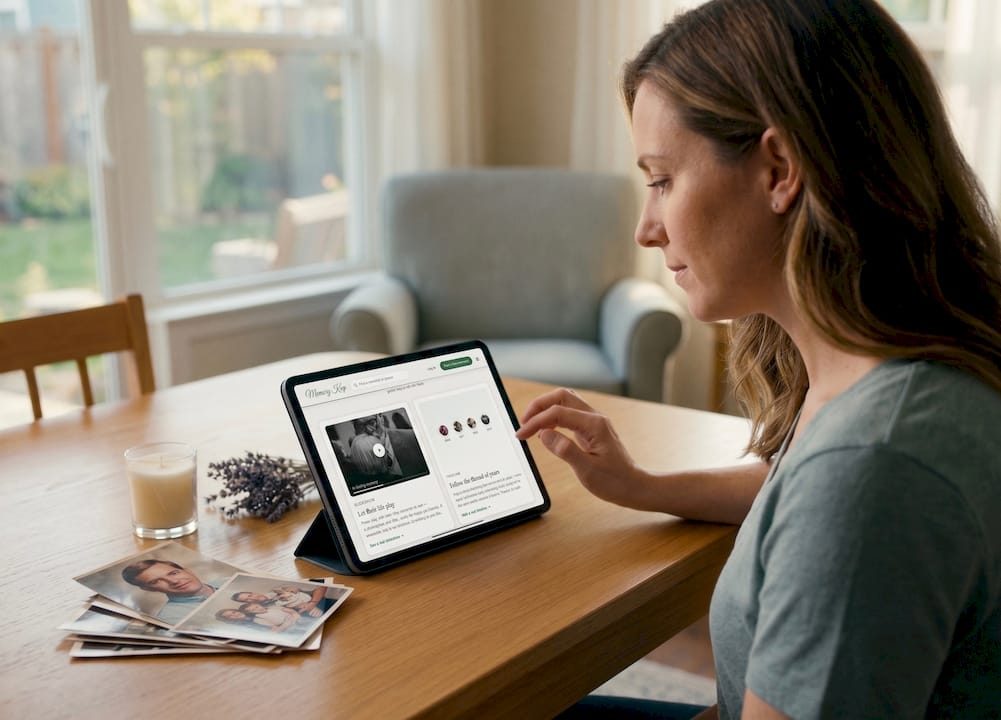
4. Turn on the guestbook. This is where the memorial becomes collaborative instead of a static page you built alone. Set upload permissions so approved contributors can add their own photos and notes, and decide whether you want to review posts before they go live.
5. Check the design basics. Pick a template with readable fonts and simple navigation. Elderly relatives and out-of-town friends are often the ones visiting the page, so simplicity beats visual flourish every time.
6. Test it on your phone, then share. A significant share of memorial visitors arrive through a smartphone, often right before or after a service, so pull up the page on your own phone before sending the link anywhere. Confirm the fonts are legible, the guestbook button is obvious, and photos load properly. Once it checks out, generate a shareable link or QR code and distribute it through email, printed funeral programs, or a private social media post.
A practical eight-step process like this one, choose a template, build the page, upload media, invite contributors, lets families publish something usable within an hour and then keep refining it for weeks. There’s no rule that says the memorial has to be finished before you share it.
- Quick launch: fifteen to sixty minutes for a basic page with photos and a short tribute.
- Curated memorial: days to weeks if you’re collecting stories from multiple family members and building out galleries by theme.
What Should Every Memorial Website Include?
A memorial page works best when it balances the practical with the personal. Visitors want to know how to pay respects, and they also want to feel something when they arrive.
The core content covers the basics: a biography or life story, a photo gallery, video tributes if you have them, and a timeline of important dates and events. Beyond that, the interactive layer is what turns a static tribute into a living one.
- Guestbook or tribute wall where visitors leave messages, with comment moderation so you control what’s posted.
- Collaborative uploads so cousins, coworkers, and old friends can add their own photos without needing your login.
- Service and practical details, including funeral or celebration-of-life information, plus donation or memorial fund links if the family has designated one.
- Personal touches: a favorite playlist, a signature recipe, meaningful quotes, or an interactive map marking places that mattered, a childhood home, a favorite fishing spot, the church where they were married.
For organizing media, chronological galleries work well for a life-story feel (childhood, career, family), while themed galleries (holidays, pets, travel) often resonate more with friends who knew someone in a specific chapter of life. Obituary directories such as Legacy offer a useful model for how much biographical detail is typical, enough to inform, with plenty of room left for personal memories.
Pro Tip: Don’t try to document everything. A handful of vivid, specific details, the way she laughed at her own jokes before finishing them, does more emotional work than a comprehensive list of accomplishments.
Should a Memorial Page Be Public or Private?
Privacy is not a one-time decision. It’s a setting you can adjust as the memorial evolves and as your comfort with sharing changes.
Public pages work well once the family is ready for the memorial to be found by anyone, former coworkers, distant relatives, classmates from forty years ago. Invite-only pages are the right choice in the early days, when you want a contained space for immediate family before the news has fully settled. Password-protected pages offer a middle ground: shareable broadly, but only accessible to people who have the password.
For invitations, you have a few practical options:
- Email invites sent directly from the platform to a contact list.
- A shareable link posted in a private family group chat or sent individually.
- A QR code printed on funeral programs, memorial cards, or even a headstone, so anyone visiting in person can pull up the page instantly.
Moderation keeps the space respectful. Most platforms let you approve guestbook posts before they go live, remove anything inappropriate after the fact, and designate one family member as the site administrator so decisions don’t get made by committee. If you’re collecting donations for a memorial fund, keep the process simple: link directly to a verified fundraising page rather than collecting payment details yourself.
- Set the privacy level that matches where the family is emotionally right now.
- Assign one administrator to handle moderation and settings.
- Choose your invitation method and share deliberately, starting with the closest circle first.
How Do You Collect Stories and Photos From Family?
The best memorials are rarely built by one person alone. They’re assembled from dozens of small contributions, a photo from a cousin’s phone, a two-line memory from a college roommate, that together paint a fuller picture than any single author could.
Start with a simple submission plan. Ask contributors for one photo, the approximate date it was taken, and a short memory, two or three sentences is plenty. Keeping the ask small increases how many people actually respond. Structured prompts tend to work better than an open-ended request, since guided questions help people submit specific, concrete memories rather than generic praise.
- Send a unique upload link or contributor invite rather than asking people to email files directly.
- Set a soft deadline, a week before the service, for example, and send one reminder.
- Use a consistent file naming convention (name, year, event) so galleries stay organized as submissions arrive.
- Review each submission before it goes live, and send a quick thank-you note back to the contributor.
If you’re coordinating interviews or a recorded memory session with someone who prefers talking over typing, a scheduling tool can simplify booking a short call. For families who also want a printed keepsake, services that compile collected stories into a physical memorial book offer a nice complement to the digital page.
How Do You Make a Memorial Slideshow or Tribute Video?
A tribute video doesn’t need to be elaborate to be moving. Start by gathering your strongest photos, then choose three to five songs that meant something to the person, not necessarily their “favorite” song, but ones tied to real memories.
- Sort photos into three to five thematic sections (childhood, family, career, hobbies, later years).
- Arrange each section chronologically within itself, then sequence sections to build toward the present.
- Add simple transitions and export at 1080p for a clean, shareable result.
Free slideshow tools and basic video editors handle this well, you don’t need professional editing software. Look for a simple photo-to-video exporter or a slideshow maker that supports music syncing and text overlays for captions.
When exporting, save an MP4 for easy playback on any device, and add captions if you plan to share the video on social platforms where autoplay is often muted. Generate a clear thumbnail image rather than letting the platform choose a random frame.
Pro Tip: Export two versions: a shorter clip (two to three minutes) for sharing widely, and a longer archival version with more photos for the family’s permanent record.
What Does a Memorial Website Cost?
Costs vary depending on how much media you’re storing and how many features you need. Free website builders and basic memorial page tools typically cap the number of photos or videos you can upload and limit access to premium templates.
Memorial platforms built specifically for this purpose usually follow one of three pricing shapes:
- Free plans with limited photo or video storage and basic guestbook features, fine for a small, simple tribute.
- Subscription models that charge monthly or annually for continued hosting and expanded storage.
- One-time upgrade fees that unlock unlimited photos, videos, and features for that specific memorial permanently, no recurring charge.
If you expect dozens of contributors uploading media over months or years, or you want a QR code for a headstone and a downloadable keepsake photo book, a one-time upgrade tends to make more financial sense than an ongoing subscription. If the memorial will stay small, family only, a handful of photos, a free plan may cover everything you need. Reviewing how different platforms structure their upgrades before committing helps you match the cost to what you’ll actually use.
How Do You Maintain a Memorial Website Over Time?
A memorial site isn’t a project you finish once. It’s a space that should still work five, ten, even twenty years from now, which means someone needs to own its upkeep.
Start with backups. Periodically export photos and videos, download guestbook entries, and save a copy of the written biography somewhere outside the platform itself. Set a simple annual habit: check the page on the person’s birthday or the anniversary of their passing, add any new photos that surfaced, and confirm the link still works.
- Designate one family member as the long-term steward of the page.
- Have that person renew any paid features and manage new contributor requests.
- Revisit the memorial each year around a meaningful date to add new material.
QR codes deserve a permanent place in this plan. A code printed on a headstone or memorial card means anyone visiting a grave decades from now can pull up photos and stories instantly, no searching required. Combined with thoughtful long-term stewardship, a memorial page becomes something closer to a family archive than a temporary tribute page.
Why Memory Keep Fits Families Building a Memorial Right Now
Memory Keep was built around the exact process described above: create a page, add photos and video without a hard cap, invite family to contribute, and keep it all in one permanent place.
- Unlimited photos and videos once a memorial is upgraded, so you’re never forced to delete older content to make room for new memories.
- Guestbook and collaborative uploads, letting extended family and friends add their own tributes and photos directly.
- Unique shareable links and QR codes, useful for headstones, memorial cards, or a simple text message to family.
- Downloadable keepsakes, including photo books and slideshow videos you can export and keep offline.
Pricing follows a freemium structure: start for free, then unlock unlimited storage and every feature with a one-time upgrade rather than a recurring subscription. Signing up takes a few minutes, and the page is live and shareable as soon as you publish it.
A Compassionate Note on Building This Page
Resist the pull toward completeness. A short, honest biography paired with five photos that capture real personality beats an exhaustive list every time. Invite contributions gently, a simple text saying “would you share a photo or memory?” works better than a formal request. And before you send the link to anyone, open it on your own phone one more time.
Start a Memorial Page Today
Memory Keep gives you a permanent, shareable home for photos, videos, and tributes, without the storage limits or recurring fees that come with a general website builder. Where a DIY site often means wrestling with templates built for businesses, Memory Keep’s templates are designed specifically for remembrance from the first click.
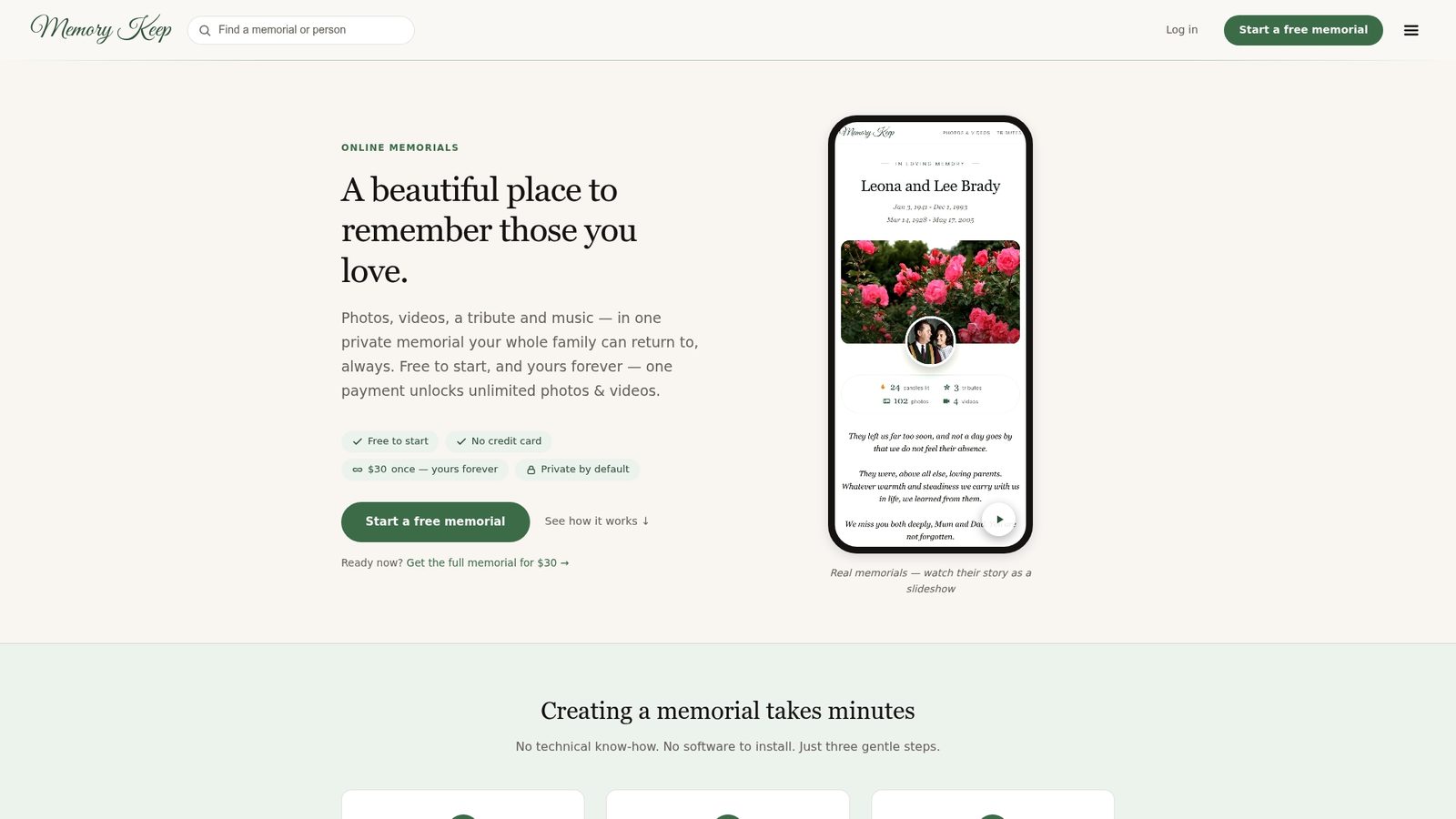
The free plan lets you publish immediately with a name, photos, and a short tribute. When you’re ready for unlimited storage, a QR code for a headstone or memorial card, and downloadable keepsakes, a one-time upgrade unlocks every feature permanently, no subscription to track or cancel later. You can see the format in action on existing pages, including a tribute for a beloved dog, which shows Memory Keep works for pets as easily as people. Create your memorial page now and have a shareable link ready before the day is over.
Frequently Asked Questions
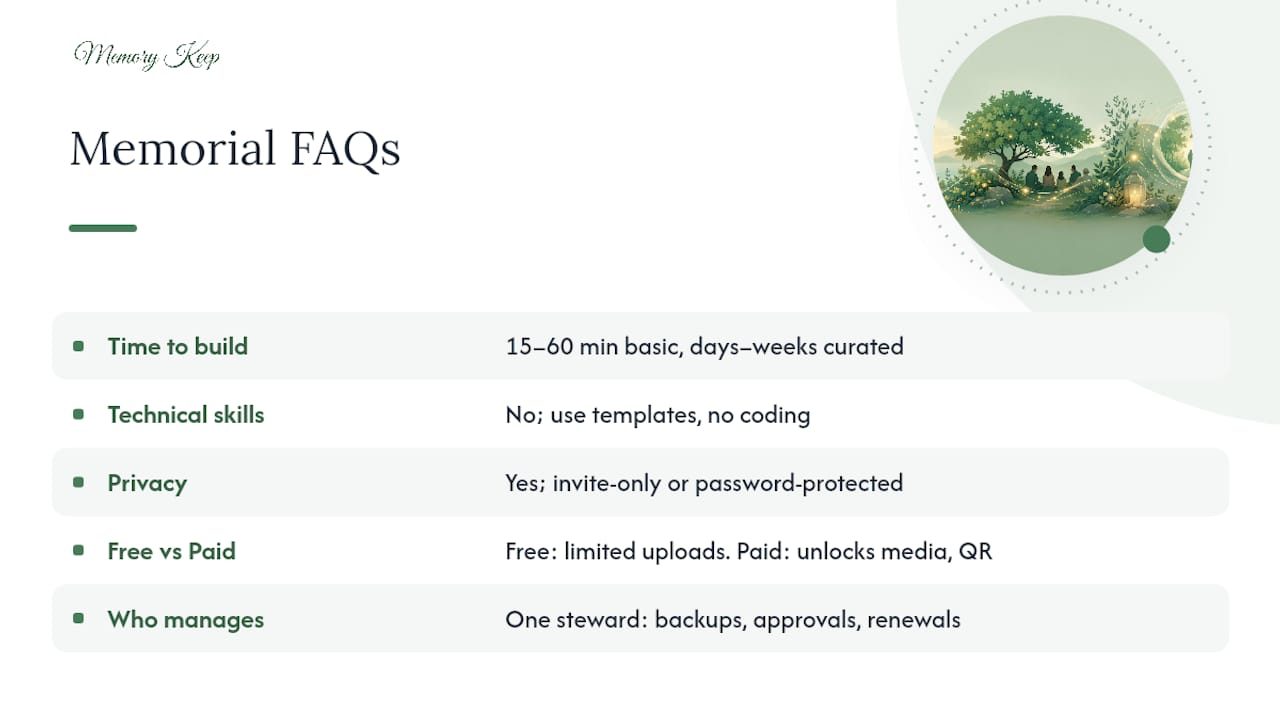
How long does it take to make a memorial website? A basic page with a name, a few photos, and a short tribute can go live in fifteen to sixty minutes. A fully curated memorial with organized galleries, video, and guestbook contributions from multiple family members usually takes days to a few weeks to feel complete.
Do I need technical skills to build a memorial page? No. Platforms designed for memorial pages, including Memory Keep, use templates built specifically for this purpose, so you’re filling in fields and uploading photos rather than coding anything.
Can I keep a memorial website private? Yes. Most platforms offer invite-only or password-protected settings, so only people with the direct link or password can view the page. You can open it to the public later if you choose.
What’s the difference between a free memorial website and a paid one? Free plans typically limit how many photos or videos you can upload and restrict some design features. Paid upgrades, often a one-time fee rather than a subscription, usually unlock unlimited media storage, QR codes, and downloadable keepsake exports.
Who should manage the memorial page after it’s created? Designate one family member as the steward. That person handles backups, approves new contributions, and renews any paid features so the memorial stays accessible for years.
Sources
A few resources are worth bookmarking as you build and refine your page:
- How to create a meaningful memorial website in 8 steps — Wix Blog
- 5 tips for creating an online memorial — Funeralocity