

An interactive memorial map is an embedded map on a digital memorial page where you drop pins at meaningful places and attach photos, videos, or short tributes to each one. It turns a life into geography you can revisit, and lets family and friends share their own stories at the places that mattered. Platforms like Memory Keep build this feature directly into a memorial page, so no separate app or technical setup is needed.
TL;DR:
- Most visitors access memorial maps on a smartphone, so platforms must prioritize mobile responsiveness and quick pin placement.
- Essential features include multimedia support, easy-to-use pin tools, visitor messaging, and privacy controls tailored to family preferences.
- Planning the map with well-chosen, well-captioned locations and gathering media beforehand enhances storytelling quality.
- Using QR codes at gravesites provides visitors instant access to the full digital memorial, with durable physical placement options.
- Regular backups, timely updates, and assigning responsibility for ongoing maintenance help keep memorial maps meaningful over time.
Table of Contents
- What an Interactive Memorial Map Includes
- Which Features Actually Matter?
- How to Plan Your Memorial Map
- Privacy, Permissions, and Etiquette
- Technical Options and a Setup Checklist
- Sharing, QR Codes, and Graveside Access
- Keeping the Memorial Map Alive Over Time
- Why Map-Based Memorials Resonate With Families
- Build Your Memorial Map With Memory Keep
- Sources
What an Interactive Memorial Map Includes
Every pin on a memorial map can hold more than a location. It typically carries a photo or two, a short caption, a date, and sometimes a voice memo or video clip that brings the place back to life. Interactive memorial sites commonly build in pins that hold photos, text, and audio, which lets a single spot on a map tell a small, complete story rather than just marking a coordinate.
Families use these maps for a few common purposes:
- A life timeline: birthplace, childhood home, wedding venue, first house.
- Favorite places: a lake cabin, a fishing spot, a coffee shop she visited every Sunday.
- The burial site or scattering location, often the emotional anchor pin of the whole map.
- Travel stories, where a string of pins traces a road trip or a shared journey.
Most people open these maps on a phone. Over 60% of memorial visitors access memorial pages from a smartphone, often standing at a gravesite or scrolling during a quiet moment at home, so the map has to work well on a small screen, not just a desktop browser.
Which Features Actually Matter?
Not every feature on a memorial map builder deserves your attention. Some are essential. Others are nice extras. A few are warning signs you’re on the wrong platform.
- Easy pin placement. You should be able to drop a pin and attach a photo in under a minute, no design skills required.
- Multimedia support. Look for photo, audio, and video attachments on each pin, not just text captions.
- A guestbook or visitor message option. This is what turns a static map into a living tribute, since interactive elements like maps and collaborative contributions deepen visitor engagement.
- Mobile responsiveness. Test any platform on your own phone before committing, since that’s how most visitors will experience it.
Beyond those basics, a few features are worth seeking out but aren’t dealbreakers: QR-code generation for headstones or memorial cards, permission settings for contributors, and export or backup tools.
Watch for red flags, too. Ad-heavy memorial builders interrupt a moment of grief with banner clutter. Platforms with clunky mobile layouts frustrate the exact visitors most likely to check in, people standing at a graveside with one hand on their phone. And any tool with no moderation controls leaves you unable to remove an inappropriate comment or edit a mistaken date.
Pro Tip: Before choosing a platform, open a sample memorial on your phone in airplane mode with a weak signal. If the map still loads cleanly, it’ll hold up during a real visit.
How to Plan Your Memorial Map
A good map starts before you touch any software. Planning the pins and gathering the media first saves hours of rework later, and practical guides recommend collecting photos, dates, and short biographies before building the page.
- List the milestone locations first. Birthplace, family homes, schools, wedding sites, and the final resting place anchor the whole map.
- Add favorite, less obvious places. A specific park bench, a diner booth, a fishing dock. These are often the pins visitors linger on longest.
- Gather your media in one folder. Pull photos at their original resolution rather than screenshots, keep captions to a sentence or two, and note who took each photo or recorded each audio clip so contributors get credit.
- Organize pins with structure. Group them chronologically, by category (family, travel, milestones), or with simple color codes if your platform supports it.
- Ask relatives for their own pins. A sibling or old friend may remember a place you’d never think to include.
This groundwork matters more than which button you click to add a pin. A map with five well chosen, well captioned locations tells a richer story than twenty pins with no context.
Privacy, Permissions, and Etiquette
A memorial map is deeply personal, and not every detail belongs on the open internet. Most platforms give you a choice between a fully public page, an unlisted link shared only with people you send it to, a password-protected page, or an invite-only list of contributors.
Moderation matters just as much as privacy settings:
- Assign one or two family members as reviewers for new posts or pins.
- Keep the ability to edit or remove a comment that feels out of place.
- Check for an edit log so you can see who added or changed what.
Etiquette deserves a conversation before you publish anything. Some families are comfortable sharing a gravesite location publicly. Others prefer it stay unlisted, especially for a child’s memorial or a location on private property. Talk with close family about what’s shared publicly versus kept for invited guests only, before the map goes live rather than after someone objects.
Pro Tip: If siblings or a surviving spouse disagree about what to include, start with an unlisted link. You can always open access later, but you can’t easily undo a public page that’s already been shared and screenshotted.
Technical Options and a Setup Checklist
You have three realistic paths to building a memorial map: a specialized memorial platform, a general website builder with a map plugin, or a fully DIY setup using a free map embed service.
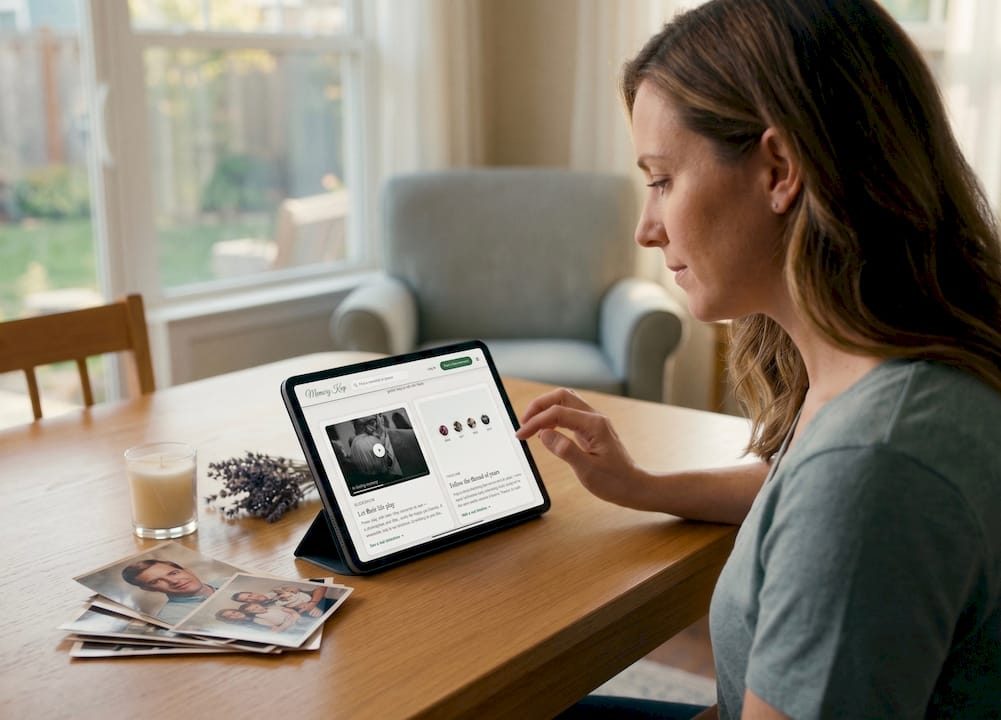
The tradeoffs are straightforward. A specialized platform trades some flexibility for permanence, privacy controls, and no technical setup. These platforms tend to offer privacy controls, collaborative uploads, and export options that make them well suited to something meant to last decades. A general website builder gives you more design freedom but usually means paying for hosting and maintaining it yourself indefinitely. A DIY map embed is free but fragile, and it depends on you keeping a separate service running that was never built with memorials in mind.
For most families, the setup checklist looks like this:
- Choose your platform based on how long you need the page to last, not just how it looks today.
- Gather your photos, captions, and any audio or video clips.
- Create your pins, starting with the milestones you listed while planning.
- Test the whole map on a phone, not just a laptop.
- Set your privacy level and invite contributors.
- Publish the page and share the link with family.
- Generate a QR code linked to the memorial for a headstone plate or printed card.
Memory Keep’s map feature and built-in QR-code generator cover the last three steps directly, without needing a second tool.
Sharing, QR Codes, and Graveside Access
A QR code turns a physical marker into a doorway to the full digital memorial. Scan it at the grave, and the whole map, with every pin, photo, and story, opens right there on a visitor’s phone. Pairing a physical memorial with a QR code gives visitors a low-friction way to access the fuller digital memory in the moment.
A few placement notes matter for durability:
- Use a weather-resistant plate, polished stainless option, or laminated card rather than paper.
- Avoid engraving a QR code directly into a headstone without checking with your stone supplier first, since preservation and readability can be affected.
- Print smaller versions on funeral programs or memorial cards for guests who visit later.
Sharing goes beyond the graveside, too. A short, memorable link works well printed on a card or spoken aloud at a service. Some families use the map for a guided walk, retracing a loved one’s favorite route, or leave a prompt in the guestbook asking visitors to add their own memory of a specific pin.
Keeping the Memorial Map Alive Over Time
A memorial map isn’t a one-time project. Media gets lost when phones break or accounts lapse, so export your photos, captions, and pin data periodically and keep a backup copy somewhere outside the platform itself.
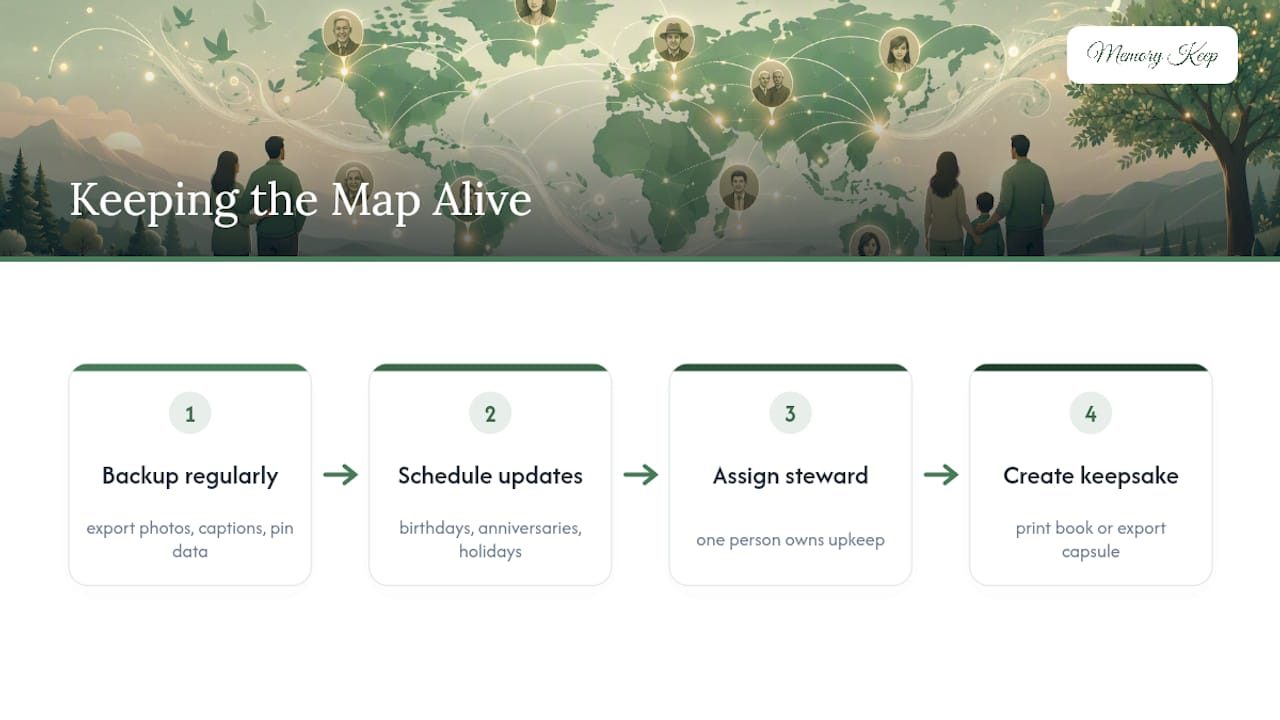
Set a rhythm for updates. Birthdays, anniversaries, and holidays are natural moments to add a new photo or story, and scheduling updates around these dates while assigning one steward for ongoing upkeep keeps the page from going stale. Pick one person, often the family member who set it up, to own that job long term, and let others know who to send new material to.
A few families go further and print a keepsake photo book or export a time-capsule version of the map for safekeeping, something physical to hold when the screen isn’t enough.
Why Map-Based Memorials Resonate With Families
A map does something a scrolling photo gallery can’t. It ties memory to place, and place has a way of holding context that a caption alone loses. A pin at a lake house means something different to a grandchild who never visited than it does to the sibling who spent every summer there, and the map lets both versions of that memory live side by side.
We’d add one caution: a map this personal deserves the same care in publishing as it does in building. Get consent before pinning a private address. Moderate what strangers can add. Memory Keep builds its map feature with those guardrails in mind, alongside unlimited photo and video storage, a guestbook for visitor messages, and QR-code support built directly into every memorial page.
— Memory Keep
Build Your Memorial Map With Memory Keep
Memory Keep gives you the map, the pins, the multimedia attachments, and the guestbook in one place, so you’re not stitching together a map plugin, a photo host, and a separate guestbook tool. Every memorial gets a unique shareable link and built-in QR-code support, ready to print on a headstone plate or memorial card the moment you publish.
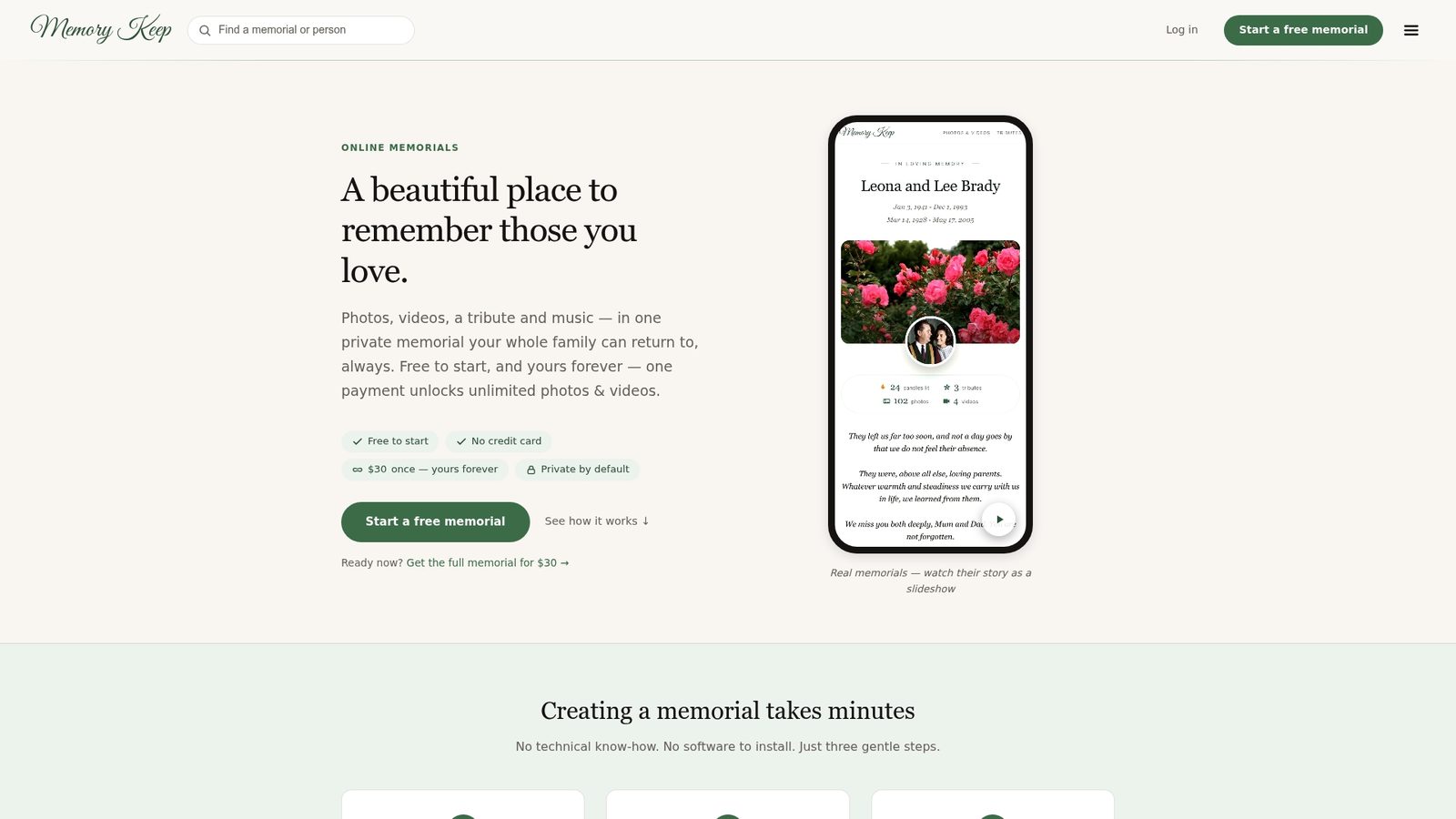
The platform runs on a simple freemium model: start for free with limited uploads, then unlock unlimited photos, video, and features with a one-time $30 upgrade per memorial, no recurring subscription. You can see the full feature set, including the interactive map and pin tools, or look at how other families have built theirs, including dedicated pet memorial pages for the animals who were family too. If you’re preserving memories tied to a school, club, or group project, the same pin-and-story approach works well for collaborative memory preservation beyond a single person’s life.
When you’re ready, create a memorial on Memory Keep and start placing your first pins today.
Sources
- Creating Memorial Websites in the Age of AI Grief and
- Designing Virtual Sanctuaries for Remembrance
- How to Create a Digital Memorial for a Loved One (2026) | Tribute