

Pet loss support online means creating a permanent online pet memorial page. A place to preserve photos and videos, gather a guestbook of messages, and share one lasting tribute through a single link. The right next step is simple: build a controlled memorial page you own, not a post that will vanish into a feed, and save a backup copy of everything you upload. There are platforms designed specifically for this purpose.
TL;DR:
- Dedicated memorial sites provide long-term accessibility and privacy controls, unlike social media posts that quickly get buried and are hard to restrict.
- Building a pet memorial involves selecting key photos, writing personal facts and stories, and choosing visibility settings, which can be done in about thirty minutes without design skills.
- Online memorials are not truly permanent, so regularly exporting and backing up photos, videos, and vet records protects against platform shutdowns or policy changes.
- Personalizing the tribute with a timeline, short videos, and physical-to-digital links enhances the memorial’s emotional significance and keeps it actively maintained.
- Starting with close family members before expanding contributions helps prevent oversharing and ensures controlled moderation of guestbook messages.
Table of Contents
- What Kind of Platform Should You Use for Pet Loss Support Online?
- How Do You Create an Online Pet Memorial Step by Step?
- How Permanent Is an Online Memorial, and Who Can See It?
- What Are Some Ways to Personalize a Pet Memorial?
- How Do You Invite Others to Contribute Without Oversharing?
- Why an Online Memorial Platform Helps More Than It Seems
- Is Memory Keep the Right Fit for Your Pet’s Memorial?
- Sources
What Kind of Platform Should You Use for Pet Loss Support Online?
Most people start grieving in public, on a social feed, and that instinct makes sense, especially when seeking extra support from resources like Emotional Support Animals & ESA Letters: Your Rights Guide. A social post brings friends and family in fast, with comments and hearts arriving within minutes. But families often pair a memorial page with a social post for exactly that reason: the post handles the immediate outpouring, while a dedicated page holds the memory long after the algorithm moves on.
Four types of platforms handle this job differently, and each one trades something for something else.
- Social media posts: Fast reach and easy sharing, but posts get buried by new content within days and offer no real privacy controls.
- Dedicated memorial sites: Built for permanence, with galleries, guestbooks, and shareable links designed to last, though most require some setup and a small fee to unlock full storage.
- Self-hosted pages or blogs: Full control over design and privacy, but they demand technical know-how and ongoing maintenance to stay online.
- Shared cloud albums: Simple for gathering photos from family, but they lack the guestbook, tribute writing, and public-facing polish a true memorial needs.
Permanence and privacy are the two dimensions that should decide your choice. A social post’s visibility fades as your feed refreshes, and there is no way to lock it down once it is shared. A memorial-site service, by contrast, keeps its own address, its own settings, and often the option to export your photos and captions if you ever want a copy elsewhere.
How Do You Create an Online Pet Memorial Step by Step?
Building a memorial does not require design skill. It requires a little organization and about thirty minutes of quiet focus.
- Gather your anchor media. Pick 3 to 6 photos that capture your pet’s personality, plus one cover image and any short video clips you want to feature.
- Collect the facts. Write down your pet’s full name, birth or adoption year, and two or three specific stories. Not generic ones. The time she stole a sandwich off the counter, or the way he always sat by the door at 5 p.m.
- Write the tribute. A strong pet obituary names the pet, gives an age, includes one or two personality details, shares a favorite memory, and ends with a simple invitation, like asking visitors to share a photo or light a candle.
- Upload and organize. Group photos into a gallery, add short captions under each one, and if you are building a slideshow, keep video clips to 1 to 3 minutes so it holds attention. Stick to common formats like JPEG and MP4 for lasting compatibility.
- Set your visibility. Decide between public, unlisted, or password-protected access, and choose whether guestbook messages need your approval before they appear.
- Launch and test. Click your own link from a different device, confirm the photos load, invite two or three close family members first, and save an export copy of the whole page to your own device.
Pro Tip: Write the tribute before you touch the layout. A short, honest paragraph written in ten minutes almost always beats one you labor over for an hour, because grief writing rewards plain language over polish.
How Permanent Is an Online Memorial, and Who Can See It?
Nothing online is permanent by default. Platforms change their policies, social feeds bury old posts within days, and anyone can screenshot a public page regardless of your settings. That last point matters most: once an image is shared, no privacy setting undoes it.
A few practical controls limit that risk without limiting who you actually want to reach.
- Use unlisted or password-protected links for anything you don’t want indexed by search engines.
- Keep guestbook entries moderated, so messages are reviewed before they go live.
- Avoid posting your home address or exact location, even in a caption meant lovingly.
- Choose a private group setting if the memorial is meant for family only, not the wider internet.
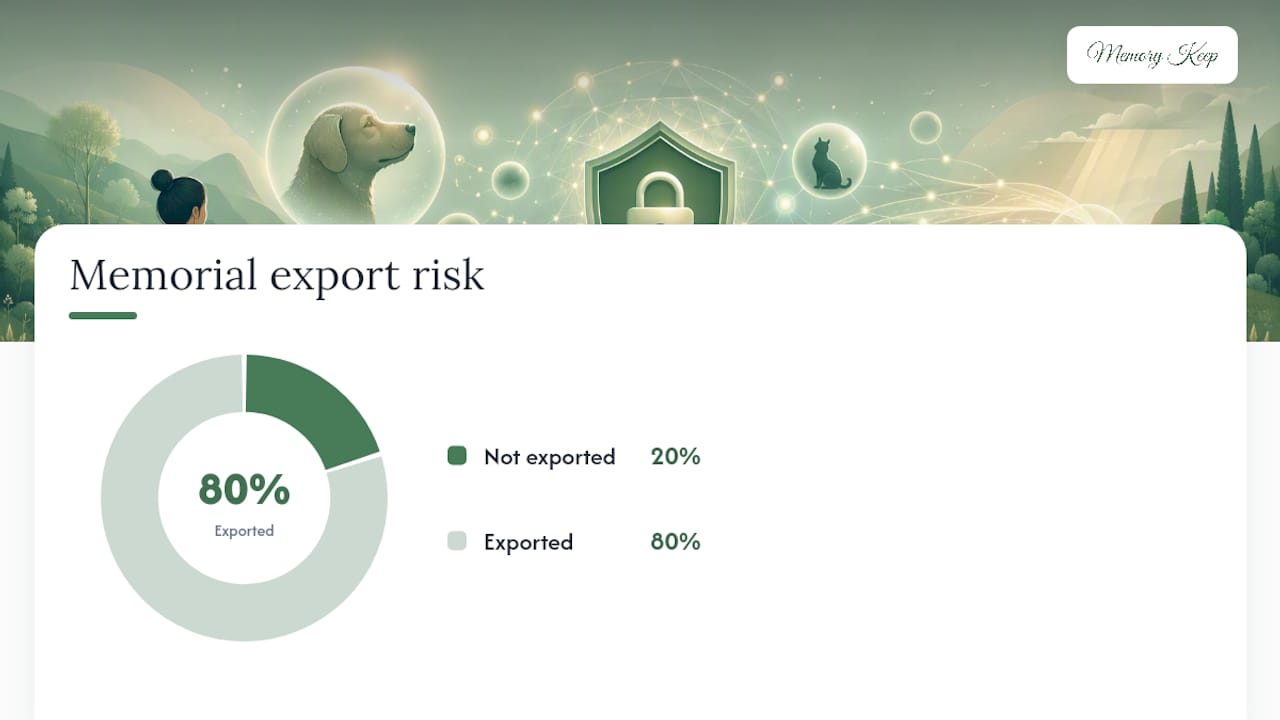
One in five online pet memorials likely never gets exported anywhere, an oversight that becomes painful the moment a platform shuts down or changes hands. The safer approach is treating your memorial like a living archive: combine photos, vet records, and milestone videos, and download a backup copy periodically, whether you’re using a memorial platform’s export tool or simply saving files yourself.
What Are Some Ways to Personalize a Pet Memorial?
The best memorials read like a life, not a headstone. A short timeline does that work quietly: a handful of milestone photos, each with a one-line caption, tracing the arc from adoption day to old age.
Virtual memorials support real personalization beyond a static photo page, and a few ideas are worth trying:
- Build a short timeline or living archive with 5 to 8 milestone images and brief captions under each.
- Add one or two short video clips, ideally under three minutes, with any audio you have of your pet’s bark, purr, or the sound of their collar.
- Bridge a physical keepsake, like a memorial stone, photo frame, or piece of jewelry, to the digital memorial with a QR code so anyone can scan and land straight on the page.
- Invite family to contribute through a shared album, with clear guidelines about what kinds of photos or stories fit.
- Mark the anniversary each year with one new photo or a short note. Small rituals like this keep a memorial feeling tended rather than frozen.
None of these require design software. They require deciding, in advance, what story you want the page to tell.
How Do You Invite Others to Contribute Without Oversharing?
Start small, then widen the circle. Invite the two or three people closest to your pet first, whether that’s a spouse, a sibling, or the friend who fed him every time you traveled. Once the page feels settled, extend it to broader friends and, if you’re comfortable, the public.
Wording changes depending on who’s receiving it:
- Private (family only): “I made a private page to remember [name]. Would you add a photo or a memory when you have a moment?”
- Friends-only: “We created a memorial for [name] and would love for anyone who knew them to leave a message or photo.”
- Public: “In memory of [name], who brought so much joy to our family. Feel free to share a memory below.”
A shortened URL and a QR code printed on a card make sharing effortless at a small gathering, and pinning the link to a social post keeps it easy to find later. Approve each guestbook entry before it posts, give trusted contributors upload permission rather than full editing rights, and save copies of submissions as they arrive.
Pro Tip: Ask one person, usually the family member closest to the pet, to be the sole moderator. Splitting that job across several people almost always leads to duplicate approvals and confusion about who said yes to what.
Why an Online Memorial Platform Helps More Than It Seems
Some platforms exist because writing a tribute while grieving is hard, and figuring out the technical side shouldn’t add to that weight. Memory Keep’s blog and resource library, including heartfelt pet memorial ideas and guidance on coping with pet loss, grew out of watching families struggle with the same two problems: they didn’t know what to write, and they didn’t know where the photos would end up in five years.
A platform built specifically for memorials solves both. It pairs the memorial page itself with grief resources, so writing prompts and templates sit right next to the upload tools. Some platforms support collaborative uploads, allowing family members to contribute photos to a shared page instead of emailing files. Certain platforms offer downloadable keepsakes, such as photo books or slideshow videos, as alternatives to on-screen viewing.
— Memory Keep
Is Memory Keep the Right Fit for Your Pet’s Memorial?
If that checklist sounds right for you—gathering photos, writing a tribute, managing visibility, and preserving a permanent copy—this kind of platform is designed to support that. Such platforms typically offer each memorial its own shareable link and QR code, galleries for photos and videos, moderated guestbooks for messages, and options to download keepsakes like photo books or slideshows.
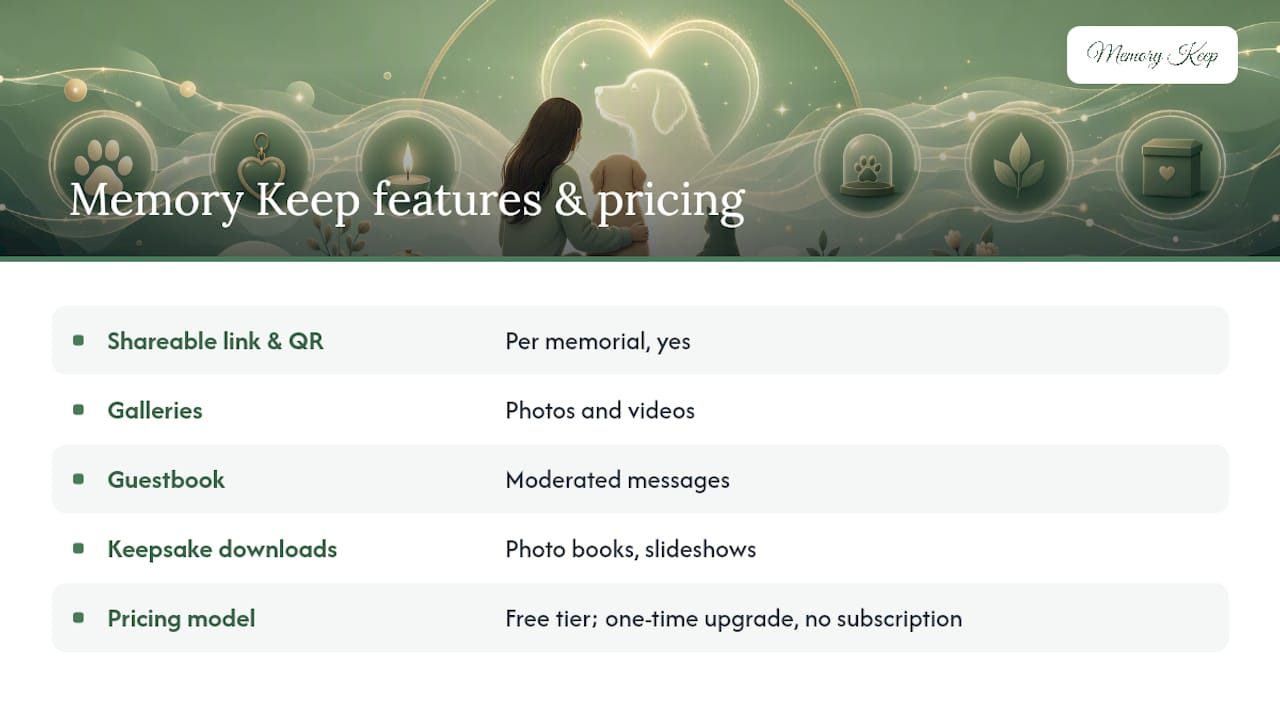
Pricing is often structured with a free starting tier offering limited uploads, with a one-time upgrade to unlock unlimited photos, videos, and storage for a memorial, without subscriptions or recurring fees. You can see what a finished page looks like by browsing real examples, including memorials for beloved pets, or review the full feature list before deciding. If you’re ready, start by creating a free pet memorial page today and add your first photos while the details are still fresh.
Sources
- Funeral
- Funeral
- Create a Virtual Pet Memorial Online – Whisker & Fang
- How to Build a Digital “Living Archive” of Your Pet’s Life | PetClues