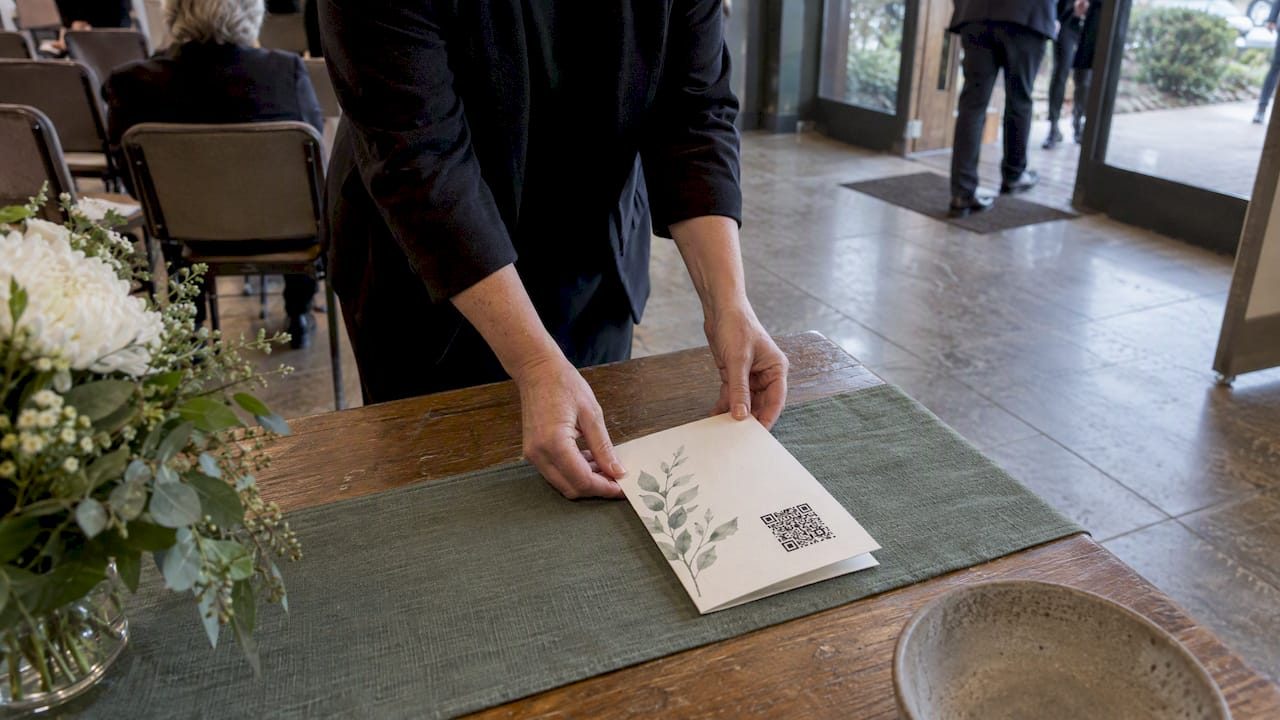

Yes, a QR code on a funeral program reliably connects guests to a permanent memorial page and guest book when you use a verified link and follow a few key design rules. We recommend pairing a tested, dynamic QR code with a lasting memorial page, like the kind Memory Keep creates, so guests can scan with confidence. Standard design guidance, including the sizing and quiet zone rules set out by GS1 and consumer safety guidance from the FTC, keeps the experience smooth and safe. Always test the code before it goes to print, and label it clearly so guests know what waits on the other side.
TL;DR:
- Dynamic QR codes are preferred for memorials because they allow updates to the destination page even after printing, unlike static codes.
- The QR code should link to a private, permanent memorial page to keep photos, stories, and messages secure and accessible over time.
- Proper placement, sufficient size, high contrast colors, and testing on multiple devices are crucial to ensure the QR code scans reliably at the service.
- Always verify the QR code is unaltered, avoid unfamiliar link shorteners, and prevent linking to pages requesting personal or payment information to protect guest privacy.
- Including clear labels and offering assistance for guests unfamiliar with QR codes helps make the experience warm, safe, and inclusive.
Table of Contents
- Why a QR code brings comfort and connection to a memorial service
- What to link your QR code to, and how to choose the right URL
- How to create a reliable QR code for a funeral program
- Design and print rules that keep your QR code scannable
- Where to place your QR code and how to test it before the service
- Keeping guests safe: privacy and scam awareness
- A simple workflow for building a memorial QR code with Memory Keep
- A note on keeping QR codes gentle, not clinical
- Create your memorial page, generate your QR code, and print it with ease
- FAQ
- Sources
Why a QR code brings comfort and connection to a memorial service
Grief has a way of arriving without warning, and a printed program only holds so much. A small scannable square tucked into the corner of a page can quietly hold everything else: the photos that did not fit, the voice in a recorded tribute, the space for a guest to leave a few words when they cannot find the right ones to say aloud.
Families use QR codes at memorials for a handful of warm, practical reasons:
- Extend the order of service with a longer biography, additional readings, or a full timeline of a life.
- Share photos and videos that bring color and memory to a day that can otherwise feel heavy and formal.
- Collect guest messages in a digital guest book that stays open long after the service ends.
- Link to a donation page for those who wish to give in memory rather than send flowers.
- Offer directions, parking information, or a livestream for guests who could not attend in person.
Not every guest will scan a code, and that is alright. Elderly relatives or those without a smartphone deserve the same warmth, so keep a printed insert or a staff member nearby who can help. A simple label works best: “Scan to view Grandma’s story and leave a memory” or “Scan to join our online guest book.”
What to link your QR code to, and how to choose the right URL
The safest, most meaningful destination for a funeral program QR code is a permanent memorial page built specifically for your loved one, rather than a generic social post or a page that might disappear in a year. A dedicated tribute page keeps photos, stories, and guest messages in one private, lasting place, and it avoids pulling grieving visitors into an unrelated feed of ads or unrelated content.
When choosing how the code is built, you will likely encounter two types of links:
- Static QR codes encode the destination directly and cannot be changed once printed.
- Dynamic QR codes route through a short redirect, which means you can update the destination page later without reprinting a single program.
For a memorial, dynamic is almost always the better choice. Programs often get printed weeks before a service, and a dynamic QR code keeps the encoded data light and lets you update the destination after printing, which matters if the memorial page address changes or if you want to redirect guests to a different section later.
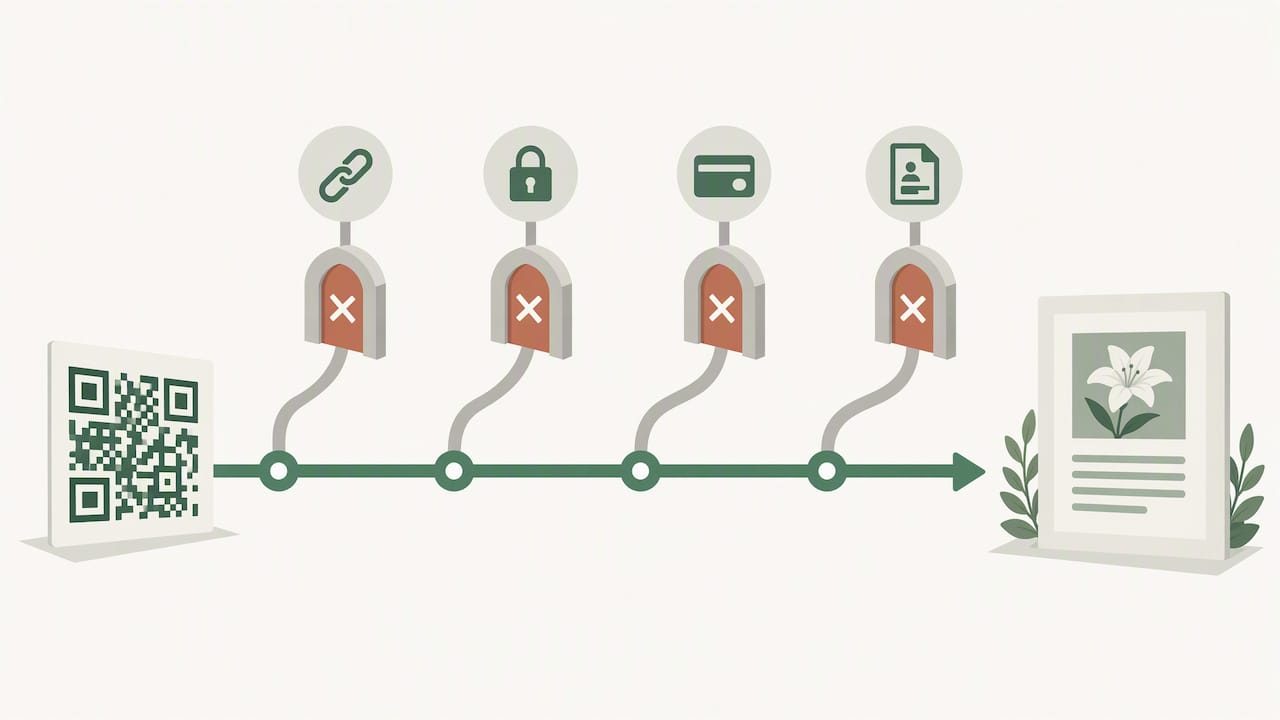
Avoid routing through unfamiliar link shorteners, since guests have no way to preview where an unrecognized domain leads. Whatever page you link to should never ask a guest to log in, enter payment details, or share personal information just to view a tribute. If you would like guidance on structuring the destination itself, our guide to using a memorial QR code walks through practical placement ideas.
How to create a reliable QR code for a funeral program
Building a QR code that works on the day of the service takes a little more care than simply generating one online and moving on. Follow these steps in order:
- Choose your destination page first. Decide on the permanent memorial or tribute page you want guests to land on, and confirm it is finished and live before you generate anything.
- Select a dynamic link type so you can adjust the destination later if needed, without touching the printed program.
- Generate the code using a trusted tool, entering the exact URL and double checking for typos before downloading.
- Set a higher error correction level when you plan to add any styling, since heavy customization or logos placed over a code can compromise decode reliability unless error correction is strong enough to compensate.
- Choose simple, high contrast colors, ideally dark modules on a light background, which hold up better under dim chapel lighting than inverted or pastel combinations.
- Export the correct file type: vector formats like SVG or EPS for anything going to a printer, and PNG for digital use such as an emailed order of service.
- Add a short, respectful label beneath the code so guests understand what scanning will show them, and consider one line of instruction for those less familiar with QR codes.
- Test on several phones, including an older device, from a normal reading distance and under lighting similar to the venue.
- Print a physical proof at final size and test that proof again before the full print run goes out.
Pro Tip: Ask a family member of a different generation to test the printed proof. If they can scan it in one try under your living room lighting, it will almost certainly work at the service.
Design and print rules that keep your QR code scannable
A beautiful program does no good if the code at the bottom will not scan, so a few technical rules are worth following closely.
Every QR code needs a clear margin of empty space around it, called a quiet zone, so the scanner’s camera can distinguish the code from the surrounding page. The accepted standard calls for a quiet zone at least four modules wide on all four sides, and the same four-module spacing is echoed in broader QR design guidance covering contrast and testing. Crowding text, photos, or decorative borders too close to the code is one of the most common reasons a scan fails.
For close handheld scanning, such as a program held a few inches from a guest’s face, the minimum printed size should be about 2 × 2 centimeters, and larger codes are needed whenever guests will be scanning from farther away, like a table tent or a sign near the entrance.
A few more habits protect reliability:
- Favor dark modules on a light background rather than the reverse, which many scanners struggle to read.
- Use the 10x distance rule as a sizing guide: a code meant to be scanned from ten feet away should be roughly ten times larger than one scanned from one foot away.
- Export at full print resolution in SVG or EPS format, never a low resolution screenshot, and always check a printed proof before the final run.
Where to place your QR code and how to test it before the service
Placement matters almost as much as the code itself. A code tucked into a fold, printed across a seam, or layered under glossy lamination can be nearly impossible for a phone camera to read cleanly.
- Place codes on flat, unfolded sections of the program, such as the back cover or an inside panel that opens fully.
- Avoid seams, staples, and glare prone glossy finishes, which distort the camera’s view of the code’s edges.
- Size for viewing distance using the 10x rule, so a program held close can use a smaller code while a standing sign needs a considerably larger one.
- Test on multiple phone models, including at least one older device, checking that the page loads without any unexpected login or payment prompt.
- Check the scan from a slight angle and from a normal arm’s length distance, not just straight on and up close, since guests rarely hold a program perfectly flat.
- Add a short printed web address beneath the code as a backup for guests who would rather type a link than scan one.
Keeping guests safe: privacy and scam awareness
QR codes are convenient, but the FTC has warned that scammers increasingly hide harmful links inside QR codes, sometimes by placing a fraudulent sticker directly over a legitimate code or sending a malicious code through text or email. A memorial service, with guests who are emotionally distracted and eager to help, is exactly the kind of setting worth protecting carefully.
A few simple habits go a long way:
- Only link to a verified memorial page you built or reviewed yourself, never an unfamiliar shortener.
- Never ask guests to enter passwords, payment information, or personal details just to view a tribute.
- Check printed codes for visible tampering, like a sticker placed over the original, when you arrive at the venue.
- Encourage guests to preview the destination URL before tapping further and to watch for misspelled or unfamiliar domains.
Pro Tip: If you ever find a QR code at an event that looks altered or covered by a sticker, do not scan it. Remove it if you can and alert venue staff, and if anyone did scan it and entered information, the FTC recommends changing passwords and enabling two-factor authentication right away.
A simple workflow for building a memorial QR code with Memory Keep
Our platform was built around exactly this moment: the need for a lasting, private place to hold a life’s story, paired with a simple way to share it. Every memorial page on Memory Keep can include a QR code and features such as a shareable link and a guest book for visitor messages, with options to upload photos, videos, and written tributes.
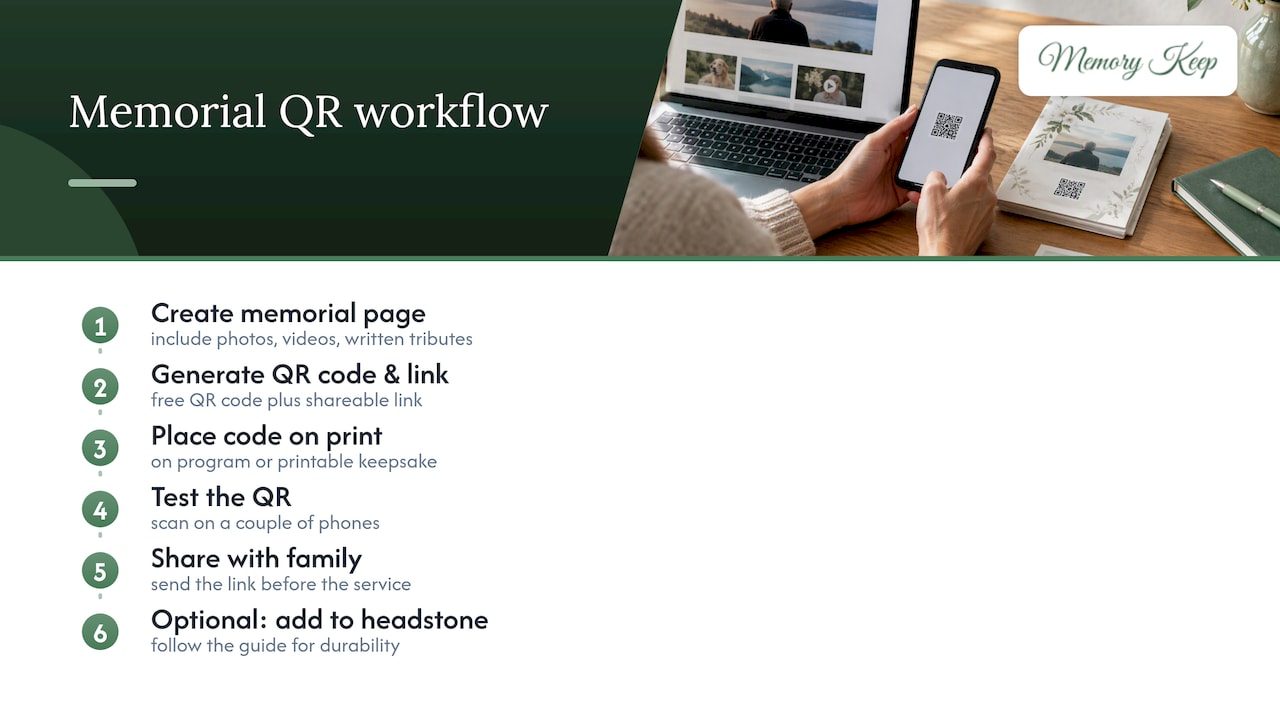
A typical workflow looks like this: create the memorial page, generate the free QR code and link, place the code on the printed program or an auto-generated printable keepsake, test it on a couple of phones, then share the link with family before the service. For families who want the code to live on a headstone or marker rather than only on paper, our guide to adding a QR code to a headstone covers the durability considerations worth knowing.
A note on keeping QR codes gentle, not clinical
A QR code on a funeral program should feel like an invitation, not an instruction. Wording carries most of that weight: “Scan to see more of her story” feels warm, while “Scan QR code for info” feels cold and out of place on a day meant for remembrance.
Treat the scan as optional, never expected. Some guests will prefer a printed memory card, a framed photo table, or simply a conversation with the family, and all of those deserve equal care. Where possible, offer a staff member or a close family friend who can gently help anyone unsure how to use their phone camera, so no one feels excluded from reaching the tribute inside.
— Memory Keep
Create your memorial page, generate your QR code, and print it with ease
Building a memorial page that holds up to a lifetime of visits takes only a few minutes with us, and the free QR code it generates is ready to place on a program, a table tent, or a keepsake card the same day.
With a Memory Keep page, you get a shareable link and QR code at no cost, a guest book where visitors can leave messages, and printable program exports pulled directly from the photos and stories already on the page. A one-time upgrade to our Full plan unlocks unlimited storage and features for $15, with no subscription to track or renew. If you would rather see the features laid out first, our features page covers what each memorial includes, and you can start building a page in memory of someone you love whenever you are ready.
FAQ
How do I make a QR code for a funeral program?
Create or confirm the destination page first, such as a memorial page, then generate a dynamic QR code through a trusted tool and download it as an SVG or PNG file. Place it on a flat, unfolded section of the program with a short label, and test it on a few phones before printing the final copies.
What is the best app for creating a funeral program with a QR code?
Several design tools can build the printed program itself, but the QR code works best when it comes directly from the memorial platform it links to, since that keeps the code, the page, and any later updates connected. Memory Keep generates a free QR code automatically for every memorial page, which can then be placed into a printable program layout.
How much does it cost to put a QR code on a gravestone?
The code itself typically costs nothing to generate, since it is simply a link to a digital memorial page, but durable engraving or a weatherproof plaque to display it on a headstone will carry its own separate cost from a monument provider. Our guide to adding a QR code to a headstone walks through what to consider for long-term placement.
How do I scan a QR code to make a donation in memory of someone?
Open your phone’s camera app and point it at the code, then tap the notification that appears to open the linked page, which should lead to a donation form or a memorial page with a donation link. Before entering any payment details, check that the page address looks legitimate and matches the memorial or organization you expect, and guidance on framing in-memory donations can help families decide how to present that option with care.
Sources
- QR code quiet zone
- Scammers hide harmful links in QR codes to steal your information | Consumer Advice
- 10 QR Code design rules for flawless scans
- GS1 2D barcode colour & quality guide