
The most meaningful online remembrance usually takes one of two forms: a shareable, multimedia memorial page that gathers photos, video, and voices in one place, or a recurring ritual, like an annual gathering or playlist, that mirrors who your loved one really was. Below, we walk through categorized ideas, setup steps, privacy guidance, and research-backed cautions so you can choose with confidence.
TL;DR:
- Research on bereavement found that memorials using prompts and curated sequences support deeper reflection than pages that simply store photos.
- Begin with access by link only, decide who may post, review new messages weekly, and download periodic backups outside the memorial platform.
- A narrated life story can run two to four minutes, while montage clips should last 8 to 20 seconds to give each memory room.
- Pair a digital page with a tangible keepsake, such as a printed photo package or QR enabled card, to give mourners a physical anchor.
- Researchers warn AI replicas can prolong grief and raise consent concerns; disclose them clearly and obtain close family consent before use.
Table of Contents
- 1. Creative ways to remember someone online
- 2. How to build and publish an online memorial
- 3. Setting sensible privacy and sharing defaults
- 4. Why pairing digital and physical memorials helps
- Our perspective on honoring memories well
- Getting started with your own memorial
- FAQ
- Sources
1. Creative ways to remember someone online
Grief looks different for everyone, so the best tributes borrow from several categories rather than sticking to just one format. Here are the approaches we see work best, grouped by what they ask of you and your community.
Multimedia tributes turn scattered photos and clips into something you can revisit.
- Build a slideshow that moves chronologically through childhood, milestones, and everyday moments rather than jumping around.
- Create a short narrated life-story video, two to four minutes, where a family member reads a few paragraphs over still photos.
- Compile a video montage using clips no longer than 8 to 20 seconds each so every memory gets its own breathing room.
Collaborative tributes invite the wider circle of people who loved them to add their own pieces.
- A shared photo album where cousins, coworkers, and old friends upload images you never knew existed.
- A digital guestbook for short written memories, the kind of thing people hesitate to say out loud but will happily type.
- An interactive memory map where contributors drop a pin on a meaningful location and attach a story to it.
Rituals and recurring tributes give grief somewhere to go on a schedule instead of only on hard days.
- An annual virtual gathering on a birthday or anniversary, even just a video call where everyone shares one memory.
- A commemorative playlist built from songs they loved, added to over time by anyone who knew them.
- Scheduled social posts on meaningful dates, written in advance so you’re not composing them while raw.
Hybrid ideas bridge the screen and the physical world, which research suggests matters more than it might seem (more on that below).
- A QR code on a headstone, urn, or printed card that links directly to the online memorial.
- A printable keepsake book generated from the memorial page, something to hold during a hard week.
- A small envelope of seed packets with a note asking recipients to plant something in that person’s memory.
Low-cost DIY options work well when you want something meaningful without much budget or technical skill: a templated social post for sharing the news and inviting memories, a printable bookmark with a favorite quote, or a short script of prompts you send to contributors so they know what kind of story to share.
A few practical notes on media: crop photos to show face and shoulders clearly for profile images, export video at 1920x1080 when possible, and keep individual audio clips short and focused on one story rather than a rambling recording. Free, appropriately licensed imagery for memorial layouts is available through sites like Pexels if you need to fill a visual gap.
Pro Tip: Ask each contributor for one specific memory rather than “anything you’d like to share.” Specific prompts produce richer stories than open-ended requests.
2. How to build and publish an online memorial
Once you’ve chosen your ideas, turning them into a finished memorial is mostly a matter of sequence.
- Gather your materials first. Collect photos, videos, and written memories in one folder, and label files with dates and names so you’re not guessing later.
- Sketch the page structure. Plan a headline, a short life summary, sections for media, and a space for guest messages, so contributors know where things belong.
- Decide who can see and add content. Choose between a link-only memorial visible to anyone with the URL, a fully public page, or a password-protected space for closer family.
- Launch and share it. Generate your unique link, print a QR code for physical materials, and send an invitation that explains how to view the page and how to contribute.
- Maintain it over time. Export or back up the content periodically, and consider naming someone as a legacy contact who can manage the page if you’re ever unable to.
Our own guidance on creating a lasting digital memorial walks through this sequence in more depth, including how to organize media sections so the page feels complete rather than cluttered.
Pro Tip: Write the life summary last, after you’ve reviewed the photos and stories. Themes tend to surface in family reminiscing that belong in that section.
3. Setting sensible privacy and sharing defaults
Most new memorials do best with a link-only visibility setting at first: it’s private enough to protect the family while remaining easy to share with anyone who has the URL.
- Decide upfront who can add content directly versus who can only view, and communicate that clearly in your invitation.
- Set a light moderation habit, checking new messages weekly, so a sensitive or off-topic post doesn’t sit unaddressed.
- Use only music or media you have rights to include, or stick to royalty-free sources to avoid copyright issues.
- Export or download your memorial periodically so you have a backup copy outside the platform itself.
4. Why pairing digital and physical memorials helps
Grief researchers have started paying close attention to how reflective technology shapes bereavement. A 2024 study on reflective technology in bereavement found that digital memorials designed around prompts and curated sequences, rather than simple storage, support deeper and more transformative reflection during grief.
Digital memorials built for reflection, not just storage, support more meaningful grief processing, according to HCI research on bereavement, which maps how people move from surface-level engagement toward dialogic and transformative reflection.

That pairing of digital and physical also shows up in design research. Projects studied by researchers at Georgia Tech show that fusing a digital page with a tangible object, a printed photo package, a mailed letter, a QR-enabled keepsake, gives grieving families a physical anchor that a screen alone can’t provide.
Caution is warranted elsewhere. A bioethics article on AI and grieving warns that AI tools simulating a deceased person’s presence can prolong grief and raise serious consent problems.
AI models that simulate a deceased person’s online presence risk blurring the line between memory and artificial presence, with unresolved questions about consent and psychological harm.
We’d rather you lean on curated, community-built memorials than interactive AI facsimiles. If a tool of that kind ever fits your situation, be explicit with visitors about what it is, and get consent from close family first.
Our perspective on honoring memories well
We built Memory Keep around the idea that a memorial should feel like a gathering place, not a feed. That means multimedia pages with clear, simple privacy controls, shareable links, guestbooks for messages, support for both people and pets, and printable keepsakes that turn a digital page into something you can hold. For more on the thinking behind this, our article on the benefits of an online memorial goes further into the emotional case for building one.
— Memory Keep
Getting started with your own memorial
Creating a memorial with us takes a few minutes, costs nothing to start, and never locks you into a subscription: a one-time $15 upgrade unlocks unlimited photos, video, and storage for that memorial, detailed on our pricing page.
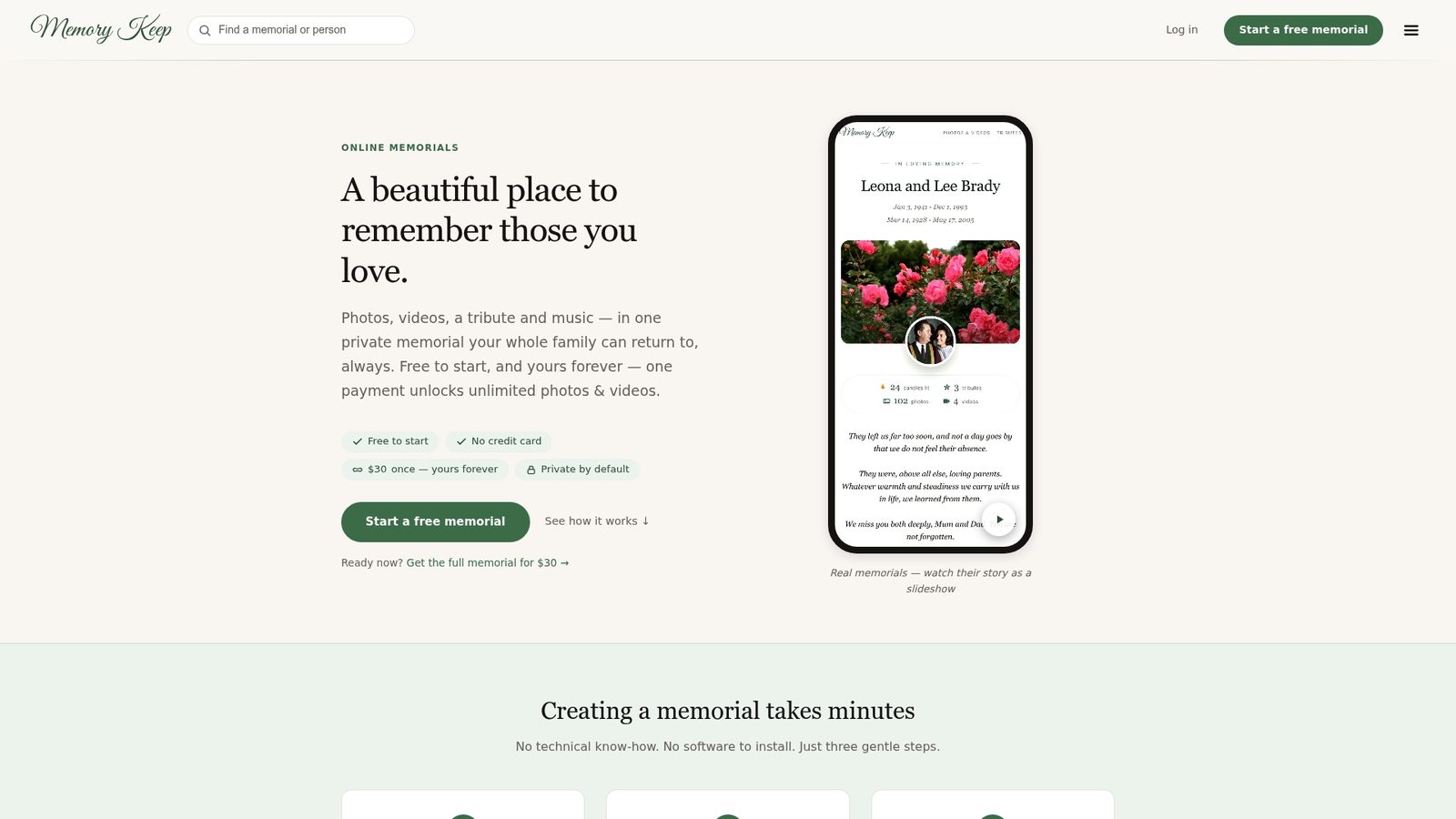
You can browse what a finished page looks like through examples like In Memory of Buddy or see the full feature set, including guestbooks and printable keepsakes, on our features page. When you’re ready, you can start a memorial today.
FAQ
What are some unique tribute ideas?
Beyond a standard photo gallery, consider an interactive memory map where contributors pin meaningful locations, a commemorative playlist built collaboratively, or a QR code on a headstone linking to a full online memorial. Seed-packet keepsakes and printable memory books also give a digital tribute a physical presence.
What is the best way to memorialize someone who has passed away?
The most effective approach usually combines a multimedia online memorial, photos, video, and written memories, with a physical or recurring element like a printed keepsake or an annual gathering. Research on reflective technology suggests memorials built around prompts and curated sequences support deeper meaning-making than simple photo storage.
What is the best online memorial site?
The right choice depends on what you need: some families want an easy, permanent page they can share once and revisit for years. We offer options that provide permanent memorial pages with various features for people and pet memorials.
How do I create an online tribute?
Start by gathering photos, videos, and written memories, then choose a platform that lets you organize them into sections with a headline and life summary. Set your privacy preferences, generate a shareable link or QR code, and invite family and friends to contribute their own stories.
How do I memorialize a pet online?
Pet memorials work much like human ones: gather photos and stories, write a short summary of their life, and invite family members to add their own memories. Our pet loss support guide walks through setting up a private pet memorial in about half an hour.
Sources
- New understandings of loss: examining the role of reflective technology within bereavement and meaning-making (CHI 2024)
- Artificial intelligence at the threshold of personhood, death, and grieving (Voices in Bioethics)
- Commemoration platform lets you determine how you’re remembered online (Georgia Tech research)
- Outdoor memorial photos (Pexels)