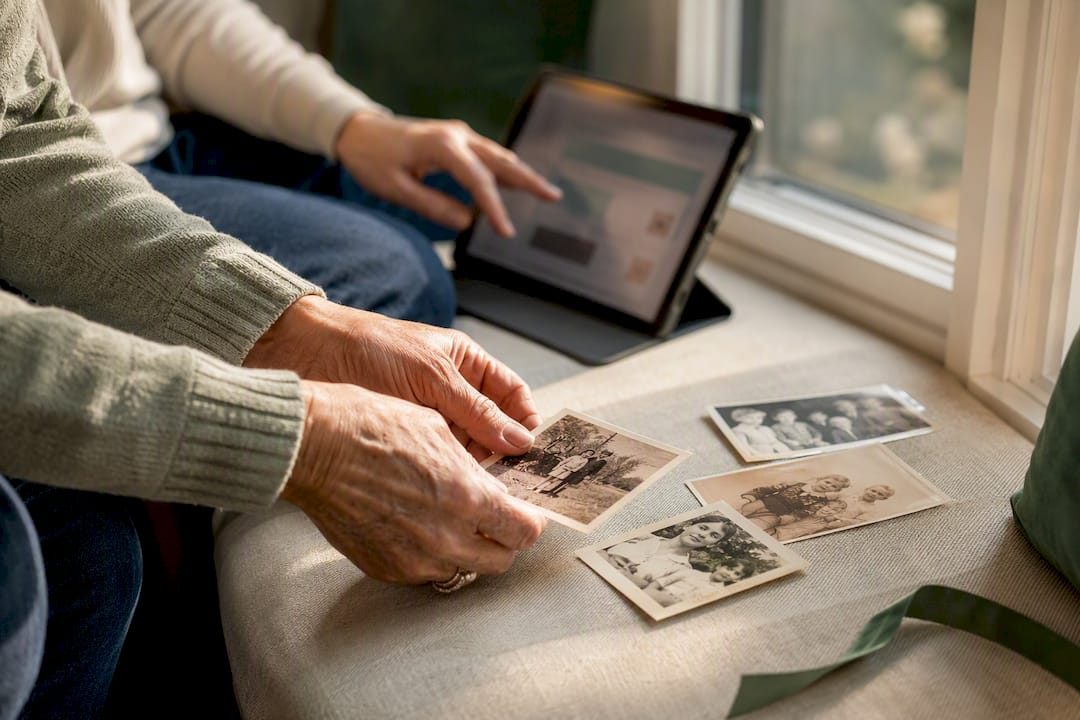

An interactive memorial timeline is a chronological, media rich record of one person’s or pet’s life, built inside a shareable memorial page and expandable for as long as you need it. You can start one right now with just a name, one or two dates, a single photo, and one short memory or quote. The page can stay private while you work on it, and there’s no deadline for finishing. Add more moments as they come back to you.
TL;DR:
- Building a memorial timeline with just a name, one photo, and a memory is enough to start, even if emotional readiness takes time.
- Collecting permission, ownership, and consent details early prevents legal issues when sharing recordings or sensitive content.
- Regularly backing up high-resolution masters and exporting the archive ensures the long-term preservation of the memorial.
- Using a phased approach to add events and contribute over time makes the process less overwhelming and more meaningful.
- Starting simple now with a free or one-time plan allows the timeline to grow organically and adapt as more memories are gathered.
Table of Contents
- What Is an Interactive Memorial Timeline, Exactly?
- What Should You Gather Before You Start?
- How Do You Build the Timeline, Step by Step?
- Who Owns the Photos, Videos, and Recordings You Want to Share?
- How Do You Make Sure the Timeline Survives Long Term?
- What Does Memory Keep Recommend for Getting Started?
- Why Starting Small Beats Waiting for the “Right” Moment
- Start Your Timeline Tonight, Not Someday
- Sources
- FAQ
What Is an Interactive Memorial Timeline, Exactly?
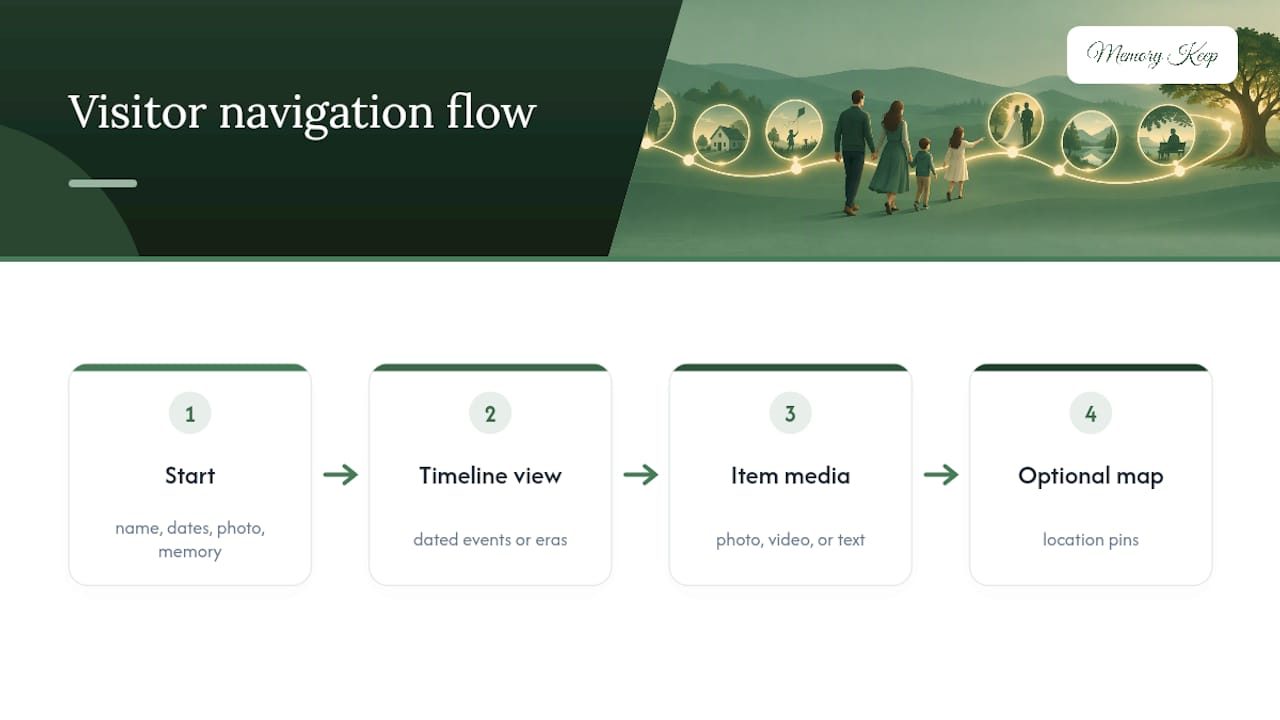
The phrase sounds technical, but the idea is simple. Instead of a static obituary or a single photo tribute, an interactive memorial timeline lets visitors move through a life story in order, clicking through birthdays, milestones, favorite trips, and quiet everyday moments, each one paired with a photo, a video, or a few sentences of context. Some families organize it by single dated events. Others prefer broader era markers (“childhood,” “the Navy years,” “retirement with the dogs”). Some use a life map with location pins, especially for someone who traveled or lived in several places.
Grief researchers and memorial guides consistently point to the same starting formula: a name, approximate dates, one photo, and one memory that captures who the person really was. According to Modern Loss’s guide to creating an online memorial, that minimal starting kit is enough to publish something meaningful, even if you’re still grieving and can’t face a full biography yet. You add the rest later, at whatever pace feels bearable.

What Should You Gather Before You Start?
Building a timeline is easier when you collect materials before you sit down to build the page. Think of it in two tiers: what you need, and what makes the timeline richer.
Starter set (the bare minimum):
- The full name and, if known, birth and death dates
- One clear photo, ideally something candid rather than a formal portrait
- One memory, quote, or short story that shows personality
Useful extras, gathered over time:
- Additional photos from different decades or seasons of life
- Short video clips, even shaky phone footage from a birthday or a walk
- Voice memos or old voicemail recordings
- Handwritten notes, letters, or a favorite recipe card
- Specific dates and locations tied to major life events
Modern Loss’s guidance on starting an online memorial notes that everyday, unposed photos often preserve someone’s personality better than formal portraits. That candid shot of your dad laughing at a barbecue usually says more than his graduation photo.
Before uploading anything, save files with consistent names that include the date and a short description (“1998_summer_lakehouse.jpg”), and keep photos in JPEG or PNG, videos in MP4, and any master audio in WAV. Pick one person to act as the content custodian, someone who manages uploads and approves new additions, and decide early whether the page will be public, link-only, or fully private. Then invite contributors with clear instructions on what to send and how.
Pro Tip: Ask two or three relatives to each send you their single favorite photo and a two-sentence memory before you build anything. You’ll have a working timeline skeleton in under an hour, and nobody has to write a full essay.
How Do You Build the Timeline, Step by Step?
Once you have your starter materials, the actual build moves faster than most people expect.
- Create the page skeleton. Add the name, dates, a short biography (even three or four sentences), and set the visibility to private while you work.
- Choose your timeline format. Single-date events work well for a life with clear milestones. Era markers suit someone whose story is better told in chapters. A life map with location pins fits anyone who moved often or whose story spans multiple places, an approach Memory Keep’s guide to interactive memorial maps covers in more depth.
- Add events in chronological order. For each one, include a date, a short title, one or two sentences of story, and attach a photo or clip.
- Write captions with real context. Who’s in the photo, where was it taken, and why does it matter? A caption like “Dad, Yosemite, 1987, his first solo road trip” tells visitors far more than “old photo.”
- Handle audio and video carefully. Use edited public copies for anything sensitive, keep original masters locked away, and add short transcripts or summaries so the content stays accessible to visitors using screen readers.
- Invite family and friends to contribute. Give them clear guidance on file types, size limits, and how you’ll moderate what gets added.
Chronological order matters more than most people assume. A jumbled timeline forces visitors to reconstruct the story themselves, while a clean sequence lets grief unfold the way memory actually works, one moment leading naturally into the next. If you’re memorializing a pet, Memory Keep’s guide to building a dog memorial page walks through the same structure with privacy settings suited to that situation.
Once the skeleton exists, resist the urge to finish it all at once. Add two or three events, publish, and come back next week. A personalized memorial timeline is meant to be a living document, not a one-sitting project.
Who Owns the Photos, Videos, and Recordings You Want to Share?
Before you publish anything, a few permission questions deserve real attention. This is where good intentions can accidentally create problems.
- Recording consent varies by state. Some states require only one party’s consent to record a conversation; others require everyone involved to agree. Check your state’s rule before posting recorded service audio, phone calls, or candid recordings of grieving relatives.
- Having someone’s password isn’t the same as having legal permission to publish their private content. According to the OpenID Foundation’s Digital Estate Planning Guide, account access and legal authorization are separate things; use authorized copies, legacy contact tools, or documented executor instructions instead.
- If a vendor or videographer recorded a memorial service, get written confirmation of who owns the raw files and who can publish or redistribute them.
- Choose visibility deliberately. Private for close family, link-only for a wider circle, or public if you want the page discoverable. Password protection adds another layer for sensitive content.
- Publish edited versions, keep masters private. A trimmed, edited copy of a service recording can go on the public timeline while the unedited master stays locked away.
Legal guidance on digital memorials consistently recommends written consent for recordings and clear vendor agreements before anything sensitive goes live. It’s a five-minute email that prevents a much harder conversation later.
How Do You Make Sure the Timeline Survives Long Term?
A memorial page is only as permanent as its backups. Platforms change, hard drives fail, and family members move, so a simple preservation habit protects everything you’ve built.
- Follow the three-copy rule: one copy on a local encrypted drive, one in cloud storage, and one held by a trusted family member.
- Keep high-resolution masters (MP4 for video, WAV for audio, JPEG for photos) separate from the compressed versions you upload for web viewing.
- Preserve metadata and timestamps. Future family historians will thank you for keeping dates and locations attached to files rather than stripped out.
- Export the full archive periodically, and write down where that archive lives for whoever becomes your digital executor.
- Add a QR code or printable keepsake linking back to the timeline, so a headstone, memorial card, or photo book can point visitors to the living page.
Farewell.live’s legal guide to digital memorialization recommends keeping masters offline in encrypted storage while compressed versions handle everyday viewing, a simple split that protects quality without risking loss.
Pro Tip: Set a recurring reminder, once a year, to export your memorial archive and check that your designated backup person still has current access. Ten minutes now saves a scramble later.
What Does Memory Keep Recommend for Getting Started?
Memory Keep’s own guidance mirrors what grief researchers recommend: start with one photo and one memory, then let the timeline grow. Families rarely finish a memorial in one sitting, and they shouldn’t try to. Our interactive memorial map guide walks through adding location pins for someone who lived or traveled widely, while our photo gallery resource covers captioning and organizing images so the story reads clearly to visitors who never met your dad or your dog. Families commonly lean on collaborative uploads, so cousins across the country can add their own photos, along with shareable links and printable keepsakes that turn the digital page into something you can also hold in your hands.
Why Starting Small Beats Waiting for the “Right” Moment
The biggest mistake families make isn’t choosing the wrong platform or the wrong photo. It’s waiting. People delay building a memorial because they want it to be complete, polished, and emotionally ready before they publish anything, and that instinct, while understandable, usually backfires. Grief doesn’t wait for a tidy narrative, and neither should a timeline.
Conventional advice tends to frame memorial building as a single project with a finish line. We’d argue the opposite: the timelines that mean the most to families are the ones that keep changing, where a cousin adds a photo eight months later, or someone finally finds the voicemail they thought was deleted. Treating the page as finished on day one undersells what it can become.
If there’s one thing to prioritize first, it’s permissions, not aesthetics. Get the consent and ownership questions settled early, because those problems only get harder to untangle after a page has been public for months. Everything else, the layout, the captions, the design choices, can be adjusted indefinitely. Legal exposure can’t always be undone.
— Memory Keep
Start Your Timeline Tonight, Not Someday
Some memorial platforms offer a one-time upgrade instead of a subscription you have to remember to cancel, so once you’ve built something worth keeping, you’re not paying for it every month. The Full plan unlocks unlimited photos, video, and storage for a single memorial with a one-time payment.
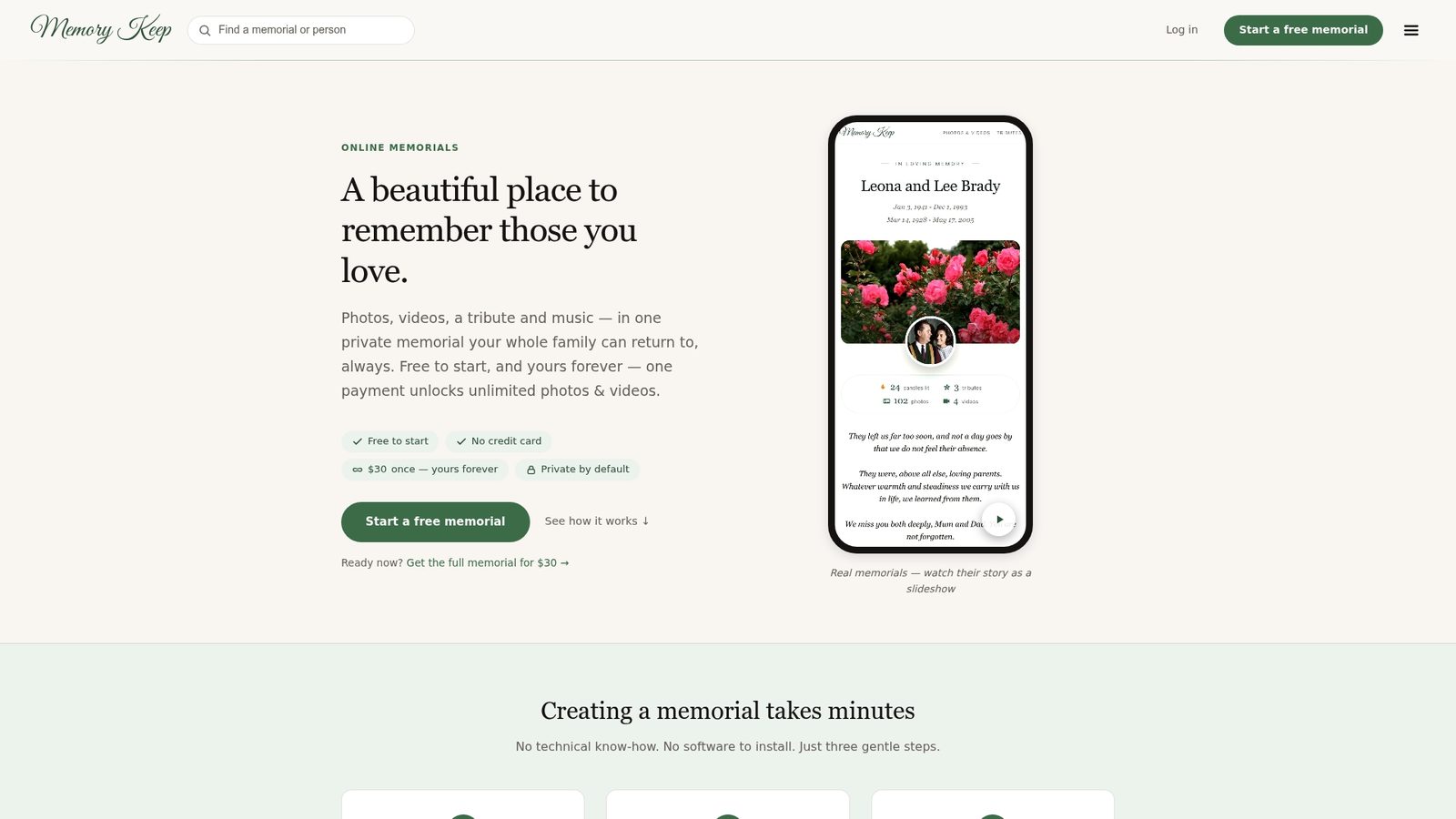
Many memorial pages come with tools that support workflows like interactive life maps for pinning locations, collaborative uploads so relatives can add photos and clips, and unique shareable links that can be sent to others. When you’re ready for something physical, printable keepsakes and scannable QR codes can let you connect a headstone, memory box, or program to an online memorial page. You can review the full feature set on the Memory Keep features page or start with the Free plan and upgrade only when you’re ready for unlimited storage.
Don’t wait for a complete story. Open a free memorial tonight, add one photo and one memory, and let the rest of the timeline build itself over the weeks and years ahead.
Sources
- How to Create an Online Memorial (At Any Point After Loss) - Modern Loss
- Digital Estate Planning Guide - OpenID Foundation (Public review draft)
- Farewell
FAQ
What Is the Difference Between a Memorial Timeline and a Regular Tribute Page?
A regular tribute page usually holds a single obituary and a photo or two, while a timeline organizes events chronologically so visitors can follow a life story in sequence. A digital memorial timeline also supports ongoing additions, so it keeps growing as family members contribute more memories.
Do I Need Every Photo and Detail Before I Publish?
No. You can publish with just a name, approximate dates, one photo, and one memory, then add more later. Guidance from Modern Loss treats this staged approach as the standard, not a shortcut.
Can I Make the Memorial Private for Close Family Only?
Yes. Most platforms, including Memory Keep, let you set a page to private, link-only, or public, and you can add password protection for especially sensitive content. Choosing visibility before you publish anything sensitive avoids awkward corrections later.
How Much Does Memory Keep Cost to Build a Timeline?
Memory Keep offers a Free plan to get started, and a one-time Full plan upgrade for $15 that unlocks unlimited photos, video, and storage for that memorial with no recurring fees.
Is It Legal to Post a Recording From a Memorial Service?
It depends on your state’s consent laws and whether everyone recorded agreed to it. Written consent from participants and a clear understanding of who owns the raw files, as outlined in Farewell.live’s legal guide, protects you before anything goes public.