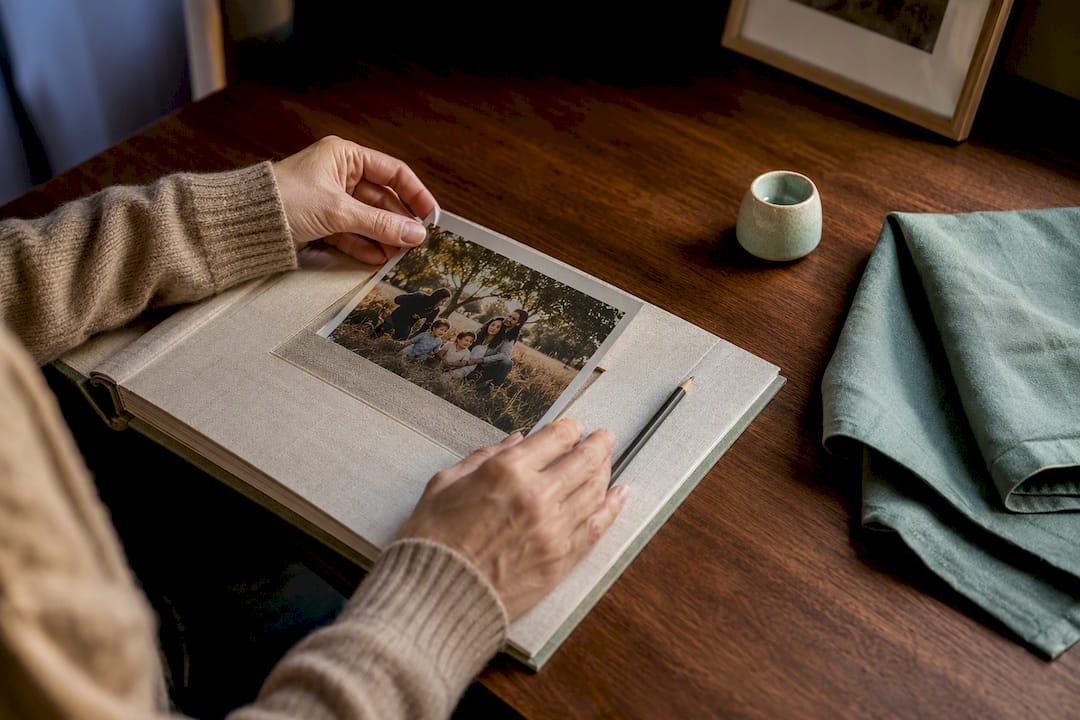

A memorial photo gallery is a permanent digital page created to hold a person’s or pet’s photos, videos, and tributes so family and friends can visit, remember, and add to it over time. You can start one right now: upload a single photo, write the name and dates, and save it. That single act, using a platform like Memory Keep, is often enough to begin the healing that comes with putting memories somewhere safe.
TL;DR:
- Most families should start with just one photo, name, and dates; expand gradually by adding meaningful stories and multimedia over time.
- Choosing candid, variety-rich photos from different life stages creates a more authentic and engaging memorial gallery.
- Privacy settings can be adjusted to public, invite-only, or contributor roles, with explicit consent required before posting sensitive or vulnerable images.
- Organize photos using chronological timelines or categories, and add descriptive captions and alt text to ensure accessibility for all visitors.
- Regularly backing up original files and exporting full content prevents loss from format obsolescence or platform shutdowns.
Table of Contents
- What to Include in a Memorial Photo Gallery
- How Do You Choose Photos That Actually Capture a Life?
- How Do Privacy Settings Work on a Memorial Page?
- Organizing the Gallery So Visitors Can Actually Find Things
- What File Formats Work Best for Photos and Videos?
- How Do You Invite Contributors Without Overwhelming Them?
- Will This Gallery Still Be Accessible in Ten Years?
- Templates and Tools to Help You Start Today
- Creating Themed Galleries for Milestones and Ceremonies
- Getting Children and Different Generations Involved
- Connecting the Digital Gallery to Physical Remembrance
- Why This Kind of Remembrance Matters
- Start Your Free Memorial Photo Gallery Today
- Sources
- FAQ
What to Include in a Memorial Photo Gallery
Start with the essentials, then build outward. A gallery with a few meaningful items already gives visitors something to hold onto:
- A main portrait that captures how the person or pet is remembered
- A handful of additional photos from different periods of life
- A short biography, even just a few sentences
- Birth and death dates
- A guestbook where visitors can leave written tributes
Once the basics are in place, richer layers add depth. Home videos, voice recordings, a favorite recipe, a map of meaningful places, or even a shared playlist all turn a simple online memorial into something closer to a living scrapbook. Nobody fills this in one sitting. How-to guidance from grief resources consistently recommends starting small and publishing early, then letting the gallery expand as more photos and stories surface.
How Do You Choose Photos That Actually Capture a Life?
The instinct is to upload the most flattering, formal photos first. Resist it. Candid shots, the ones taken mid-laugh or mid-chore, usually say more about who someone was than a posed portrait ever will. A gallery built entirely from holiday photos and graduation gowns tends to feel flat, because it leaves out the ordinary moments where personality actually shows up.
Aim for variety across life stages instead: childhood, young adulthood, the decades where routines and relationships settled in, and the smaller everyday scenes, like a pet curled up on a specific couch, or a grandparent at their usual kitchen table.
- Pull images from multiple sources: phone camera rolls, cloud backups, social media downloads, and physical albums scanned by relatives
- Ask family members directly for their favorite photo and a one-line memory attached to it
- Prioritize images that show interaction or activity over static poses
Pro Tip: For every photo you upload, jot down who’s in it, where it was taken, and why it mattered. A one-line caption like this does more to preserve meaning than ten more photos with no context ever will.
That caption habit matters more than most people expect. Practitioner guidance on digital memorials notes that families often end up with plenty of photos but very little memory of the stories behind them, which is exactly the gap captions are meant to close.
How Do Privacy Settings Work on a Memorial Page?
Not every family wants the same level of openness, and that’s fine. A public memorial page can be found and shared widely, which helps distant relatives, old coworkers, and childhood friends stumble across it and add their own memories. A private or invite-only page trades that reach for control, keeping the content visible only to people who have the direct link.
Most platforms offer a middle path worth using:
- Public pages work well for well-known figures, community members, or anyone whose life touched many circles
- Invite-only links suit families who want to share within a tight circle without search engines indexing sensitive details
- Contributor roles let you decide who can only view versus who can upload photos or leave messages
- Moderated guestbooks hold new messages for approval before they go live, which matters when grief brings out strong emotions in comment sections
Consent matters here too. Before posting photos of someone in a hospital bed, during illness, or in a vulnerable moment, ask whether the family would want that moment public. The same caution applies to pet memorials involving other people’s animals or shared custody situations. When in doubt, ask first.
Organizing the Gallery So Visitors Can Actually Find Things
A gallery with fifty unsorted photos becomes a maze. A few simple structures fix that fast:
- Build a chronological timeline that moves from birth or adoption through major life chapters, letting visitors scroll through a life in order
- Create themed albums for categories like “Family,” “Travel,” “Holidays,” or “Everyday Moments” so specific memories are easy to locate
- Add tags and searchable captions to link related photos, so a search for a nickname or a place pulls up every connected image
Accessibility deserves a line too. Add alt text describing each photo and captions on any videos, so visitors using screen readers or watching without sound can still take part in the remembrance.
What File Formats Work Best for Photos and Videos?
Getting the technical side right now saves frustration later, especially once a gallery has dozens of contributors uploading from different phones and devices.
- Use JPEG or HEIC for photos. Both preserve strong image quality while keeping file sizes manageable for upload
- Use MP4 with H.264 encoding for video. It’s the most widely supported combination across phones, laptops, and browsers, so nobody hits a “can’t play this file” error
- Avoid over-compressing images before upload. Heavy compression saves a few seconds of upload time but leaves photos blurry when printed or viewed on a larger screen later
- Rename files with the subject’s name and approximate date (like
mom_beach_1998.jpg) before uploading, so the gallery stays organized even if captions get lost during a platform switch
How Do You Invite Contributors Without Overwhelming Them?
Getting relatives to actually upload photos is often the hardest part of the whole process. The fix is friction reduction, not more reminders.
- Share one link along with simple instructions: what kind of photos to send, and roughly how many
- Offer non-technical options for relatives who aren’t comfortable uploading directly, like emailing photos, texting them, or mailing physical prints to be scanned
- Set a soft deadline if you’re preparing for a specific event, like a service or an anniversary gathering
- Assign one moderator to review incoming submissions, add captions, and tag people, since consistency slips fast when everyone edits independently
A single shareable link paired with clear prompts tends to pull in far more contributions than a vague group text asking people to “send some pictures when they get a chance.”
Will This Gallery Still Be Accessible in Ten Years?
Digital files are more fragile than people assume. Formats fall out of support, platforms shut down, and hard drives fail. A little planning now prevents a painful discovery later.
- Keep original, uncompressed files backed up in at least two places: a cloud service and a local drive
- Choose a platform that lets you export or download your content, rather than locking everything inside one proprietary system
- Export a full backup of the gallery periodically, not just the individual photos
- Consider a physical keepsake, like a printed photo book or a QR code plaque at a gravesite or garden marker, that links straight back to the online gallery
Digital preservation researchers point out that file formats can quietly become unreadable over time, which is exactly why keeping originals in standard formats matters more than choosing the flashiest platform.
Templates and Tools to Help You Start Today
You don’t need design skills or hours of free time to begin. A basic starter checklist gets most families moving within minutes: one photo, a name and set of dates, one short memory written in your own words, and a chosen visibility setting.
From there, Memory Keep offers several resources built specifically for this:
- Memorial slideshow templates for turning a photo collection into a tribute video
- Slideshow ideas and creative prompts for families who aren’t sure where to begin
- A dedicated step-by-step guide to creating a lasting memorial that walks through the full process
- Separate formats for pet memorial pages, since a life spent mostly at home and in the yard calls for a different set of prompts than a human biography
Downloadable keepsake photo books and slideshow videos let families hold something physical, too, which matters for relatives who process grief better through touch than through a screen.
Creating Themed Galleries for Milestones and Ceremonies
A memorial gallery doesn’t have to stay static after the initial setup. Many families build smaller, focused sections tied to specific dates or events, which keeps the page feeling alive rather than frozen at the moment of loss.
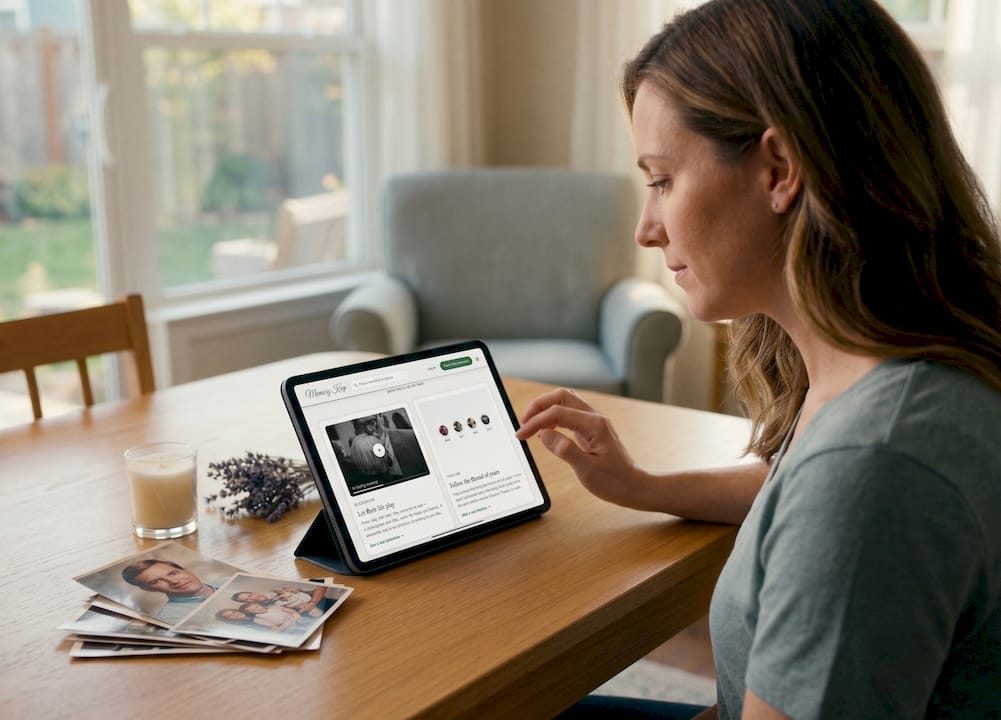
A first anniversary is a natural trigger point. Families often add a short album of photos from the year that followed, letting relatives see how life continued alongside the grief. Birthdays work the same way. Instead of a single static tribute, some families invite everyone to add one photo or memory every year on that date, turning the gallery into an ongoing ritual rather than a one-time project.
Memorial services and celebrations of life are worth building a dedicated album around too. Photos from the service itself, the flowers, the program, the gathering afterward, capture a different kind of memory than childhood snapshots do. They document how the person was honored, not just how they lived.
For pets, milestone albums might mark the anniversary of adoption day rather than a birthday, or gather seasonal photos, like every summer at the lake, into their own themed section.
The key is treating these as additions, not replacements. Keep the core biography and main portrait in place, and layer themed albums around them. This gives returning visitors, especially those who check the page each year on the anniversary, something new to find each time they come back.
Getting Children and Different Generations Involved
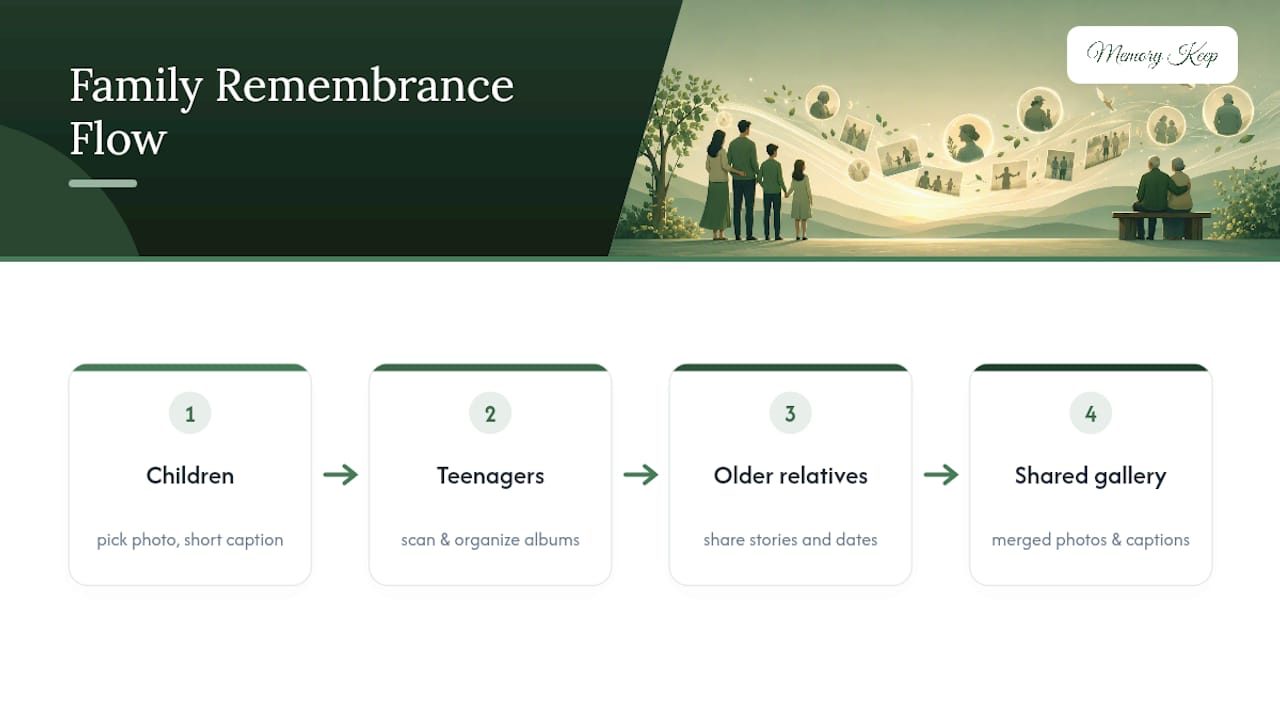
Grief looks different at every age, and a memorial gallery can actually give children a concrete, low-pressure way to participate when the rest of the process feels too big or too abstract for them.
Young children often connect best through a simple task: picking their favorite photo of grandma or the family dog and explaining in their own words why they chose it. Their caption doesn’t need to be polished. A five-year-old’s line about “the dog who let me pull his tail and never got mad” often becomes one of the most quoted lines on the whole page.
Teenagers tend to engage more with the technical side. Let them help scan old photographs, organize albums by decade, or build the tribute slideshow. Giving them ownership over a task, rather than just asking them to “look at some pictures,” turns a passive activity into something they’re invested in finishing.
Grandparents and older relatives usually hold the deepest well of context. They remember the stories behind the photos nobody else recognizes, the nickname’s origin, the year a photo was actually taken, the joke that made everyone laugh. Sitting down with them, even for twenty minutes, to record a few of these stories directly into captions preserves information that would otherwise disappear.
Spreading the work across generations also spreads out the emotional weight. Nobody has to build the entire tribute alone, and everyone gets a small, manageable piece of the remembrance to carry.
Connecting the Digital Gallery to Physical Remembrance
An online memorial doesn’t have to live separately from graveside visits, memory gardens, or annual gatherings. The two reinforce each other when they’re connected deliberately.
A QR code on a headstone, memorial bench, or garden marker is the simplest bridge. Anyone visiting in person can scan it and land directly on the full photo gallery, guestbook, and tribute videos, turning a quiet cemetery visit into access to a much fuller story. Some families include the same QR code on funeral programs or thank-you cards, so guests who couldn’t attend can still connect afterward.
Memorial services themselves can loop back into the gallery too. Playing a slideshow built from gallery photos during the service, then adding the same slideshow to the online page afterward, means guests who missed the service can still experience part of it. Print an easy web address or QR code on the program itself, and grieving relatives don’t have to field the same “how do I find the memorial page” question over and over.
Annual remembrance events, a graveside gathering on the anniversary, a lantern release, a dinner where everyone shares a story, generate new photos and memories that belong right back in the gallery. Building that loop into a yearly habit is what keeps a memorial page from feeling finished the day it’s published, and starts it feeling like an ongoing part of how the family remembers together.
Why This Kind of Remembrance Matters
Grief researchers describe something called continuing bonds, the idea that healing doesn’t mean letting go, but finding new ways to stay connected. A shared photo gallery does exactly that. It gives scattered family members a place to return to, add to, and lean on, long after the funeral flowers have faded. The effort doesn’t need to happen all at once. One photo today, one story next month, one more relative invited next year, all of it adds up to something lasting.
— Memory Keep
Start Your Free Memorial Photo Gallery Today
Memory Keep gives you a place to build this without needing design skills, a budget, or a deadline. The free plan lets you create a memorial page, add photos, and invite family right away. When you’re ready for unlimited photos, videos, and storage, you can upgrade with a one-time payment to unlock everything, with no subscription or recurring fee.
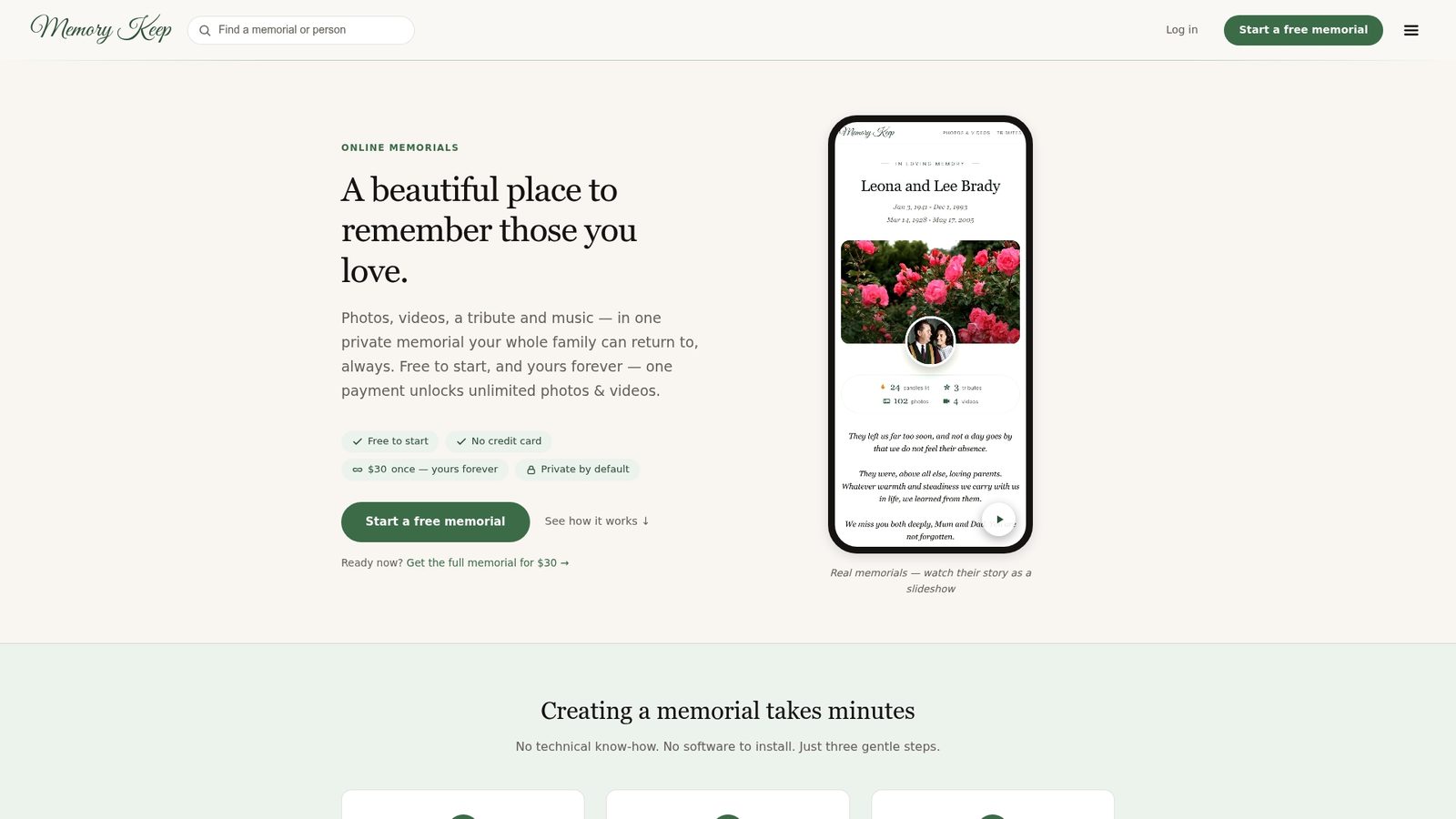
Each memorial page comes with a unique shareable link and a QR code, allowing relatives to find it easily and connecting physical keepsakes back to the online gallery. The guestbook feature lets visitors leave tributes, while collaborative uploads mean cousins across the country can add their own photos without needing an account of their own. Curious what a finished page actually looks like? Browse a completed pet memorial or see the full list of what’s unlocked with the one-time upgrade. When you’re ready, start a free memorial page and upload your first photo tonight.
Sources
Further reading on continuing bonds, practical memorial building, and digital preservation: Continuing bonds and online memorials, Modern Loss’s how-to guide, and the Grief Support Center’s technology guide.
FAQ
What Is a Memorial Photo Gallery?
It’s a permanent digital page for a person or pet where family and friends can view and upload photos, videos, and written tributes, accessible anytime through a unique shareable link.
How Do I Start a Memorial Gallery With Very Little Time?
Upload one photo, add the name and dates, write a single short memory, and publish. You can add more content, like additional photos, videos, or captions, whenever you have time.
Should a Memorial Page Be Public or Private?
Public pages reach a wider circle of friends and community members, while invite-only links keep sensitive content visible only to people you’ve directly shared it with; many families use a mix through contributor permissions.
What File Format Should I Use for Uploading Photos and Videos?
Use JPEG or HEIC for photos. Use MP4 with H.264 encoding for video, as these formats are widely supported across devices and browsers.
Can I Create a Memorial Page for a Pet, Not Just a Person?
Yes. Memory Keep offers a dedicated pet memorial format built around the milestones, photos, and everyday moments that matter most for a pet’s life.