

A meaningful memorial page needs five things: a name and dates, a short life story, a handful of photos, a few heartfelt tributes, and a guestbook where others can add their own memories. If you’re starting from scratch, save three to eight photos and write a 150-word life summary first. Everything else, the layout, the quotes, the privacy settings, builds outward from that foundation.
TL;DR:
- A life story of 150 to 300 words focusing on specific memories or traits resonates more than lengthy biographies, especially when written conversationally.
- Guestbooks must be open to public or family-only access, with moderation to prevent private disputes or sensitive details from appearing publicly.
- Sharing the memorial link via social media or printed QR codes keeps the page accessible for years, making it a lasting record for future generations.
- Using prompts like “What small thing did they do that revealed who they were?” helps start heartfelt tributes without the overwhelm of a blank page.
Table of Contents
- Core Content Elements a Memorial Page Should Include
- How Do You Write a Meaningful Tribute?
- Arranging Photos, Videos, and Layout on a Memorial Page
- Who Should Be Allowed to Post, and What Should Stay Private?
- How Do You Publish and Share a Memorial Page?
- Short Message Examples and Prompts You Can Use Today
- Memory Keep’s Feature-Backed Workflow for Building a Page
- What Most Memorial Pages Get Wrong
- Build Your Memorial Page With Memory Keep
- Sources
- FAQ
Core Content Elements a Memorial Page Should Include
Every lasting memorial page rests on the same handful of building blocks. Get these right first, and the rest of the page falls into place.
- Name and key dates. Put the full name, birth date, and passing date near the top, where visitors see it before anything else. Some families add a nickname or nickname the person went by with friends.
- A short life story. One tight paragraph works better than a long biography. Cover who they were, what they loved, and one or two details that made them unmistakably them, a favorite phrase, a Sunday ritual, the way they laughed.
- A public guestbook. This is where extended family, coworkers, and old friends leave their own memories. Keep it separate from anything private; the guestbook is meant to be read by anyone who visits.
- Service details, donation links, and keepsakes. Place funeral or celebration-of-life information near the top for visibility, and put donation links (memorial funds, causes the person cared about) in a clearly labeled section rather than buried in the life story.
Reading through how online memorials preserve stories over time helps clarify why these elements matter beyond the funeral week. A well-built page becomes something grandchildren read years later, not just something shared once and forgotten.
How Do You Write a Meaningful Tribute?
Write the way you’d talk to the person if they were still across the table from you. That’s the single best piece of advice memorial-writing specialists give, and it holds up: authenticity beats formality almost every time. A specific, plainly worded sentence about someone’s terrible puns lands harder than a paragraph of polished condolences.
Keep tributes short. Two to five sentences is the sweet spot, long enough for one real memory, short enough that a reader scanning a guestbook actually finishes it. A short life story can run 150 to 300 words. Skip the formal, funeral-program language (“beloved patriarch of…”) unless that’s genuinely how you’d describe them out loud.
Here’s a simple process for drafting either one:
- Pick one specific moment or trait, not a general summary of their personality.
- Write the memory first, in plain language, before worrying about the opening line.
- Read it aloud. If it sounds like a eulogy template, cut the stiff phrases.
- Add one sensory or concrete detail, a smell, a saying, an object they always carried.
- End on warmth, not grief, unless the tribute is meant to sit with the sadness intentionally.
Funeral-tribute guides often suggest a simple three-part shape for longer pieces: a brief introduction, a couple of memories, and a closing line of thanks or hope. That structure works for a 250-word life story as well as it does for a spoken eulogy.
Pro Tip: If you’re stuck on where to start, write down one sentence that finishes “I’ll never forget the time she…” That single sentence is often the whole tribute.
Arranging Photos, Videos, and Layout on a Memorial Page
Choose photos that show range, not just a formal portrait. Include candid shots, group photos with the people who mattered most, and at least one image that captures a hobby or everyday habit. Caption each one with a date or context line rather than leaving it blank; “Fishing trip, summer 2019” tells a story a bare photo can’t.
- Short video clips work best in 15 to 30 second segments arranged as a slideshow rather than one long unedited file.
- A timeline layout suits people whose lives had clear chapters (career, family, travel); a themed gallery works better for someone defined by hobbies or relationships more than milestones.
- A memory map, pinning meaningful locations, adds context for family scattered across different cities, and pairs well with a slideshow-style video tribute.
- Place the guestbook and donation section below the photo galleries, not above them, so visitors see the person’s life before being asked to act.
- Add alt text or brief captions to photos and transcripts to video clips, so visitors using screen readers or slower connections can still follow the story.
Who Should Be Allowed to Post, and What Should Stay Private?
Decide early whether the page is fully public or password protected for family and close friends only. Public pages reach more people, extended relatives, old classmates, coworkers from decades back, but they also mean anyone can read what’s posted.
- Set contributor permissions so new posts require approval before they appear, especially in the first few weeks.
- Keep disputed facts and private family conflicts off the page entirely; a memorial is not the place to settle old disagreements.
- Avoid detailing the cause of death publicly unless the family has already spoken about it openly on the page itself.
- Allow edits later. Grief writing often needs revision; a line that felt right the week of the funeral sometimes reads differently a year on.
Pro Tip: Remember that a memorial page is a public, potentially permanent record. Write with every future visitor in mind, not just the people you expect to read it this week.
How Do You Publish and Share a Memorial Page?
Publishing takes minutes once the content is ready. Here’s the order that works:
- Review the page for typos, missing dates, and any content that should stay private.
- Set sharing permissions, public link, password protected, or invite only.
- Add service details and donation information if applicable.
- Generate the unique share link and QR code, useful for printed cards, programs, or even a headstone plaque.
- Share the link across text, email, and social media, and invite close family to contribute their own photos or memories.
A hosted memorial page differs from a social media post in a few important ways: it stays permanent rather than disappearing into a feed, it isn’t subject to a platform’s algorithm or ad placement, and contributors can add photos and stories long after the first week of mourning. Sharing a QR code on a printed program also lets someone who wasn’t online for the funeral visit the page months or years later.
Short Message Examples and Prompts You Can Use Today
Sometimes the hardest part is simply starting to type. Borrow one of these, or use it as a template:
- Coworker: “You made even the dullest Monday meetings bearable. I’ll miss your terrible jokes and your genuine kindness.”
- Friend: “Twenty years of late-night phone calls and you always answered. Rest easy, old friend.”
- Neighbor: “You were the first person to welcome us to the street, and the porch light was always on when we needed it.”
- Distant relative: “We didn’t see each other often, but every visit felt like no time had passed. Thank you for the memories.”
For photo captions or program text, a single line often works better than a paragraph. Try: “Loved fiercely, laughed often, missed always.” If you want more options, a curated collection of tribute quotes offers plenty of tone-appropriate lines for slideshows and printed programs.
A useful prompt for anyone struggling to write: What small thing did they do that revealed who they really were? That question tends to surface better material than “describe their personality.”
Keep humor light and affectionate rather than at anyone’s expense, and if the family includes people of different faiths or no faith at all, favor inclusive language over anything tied to one specific tradition.
Memory Keep’s Feature-Backed Workflow for Building a Page
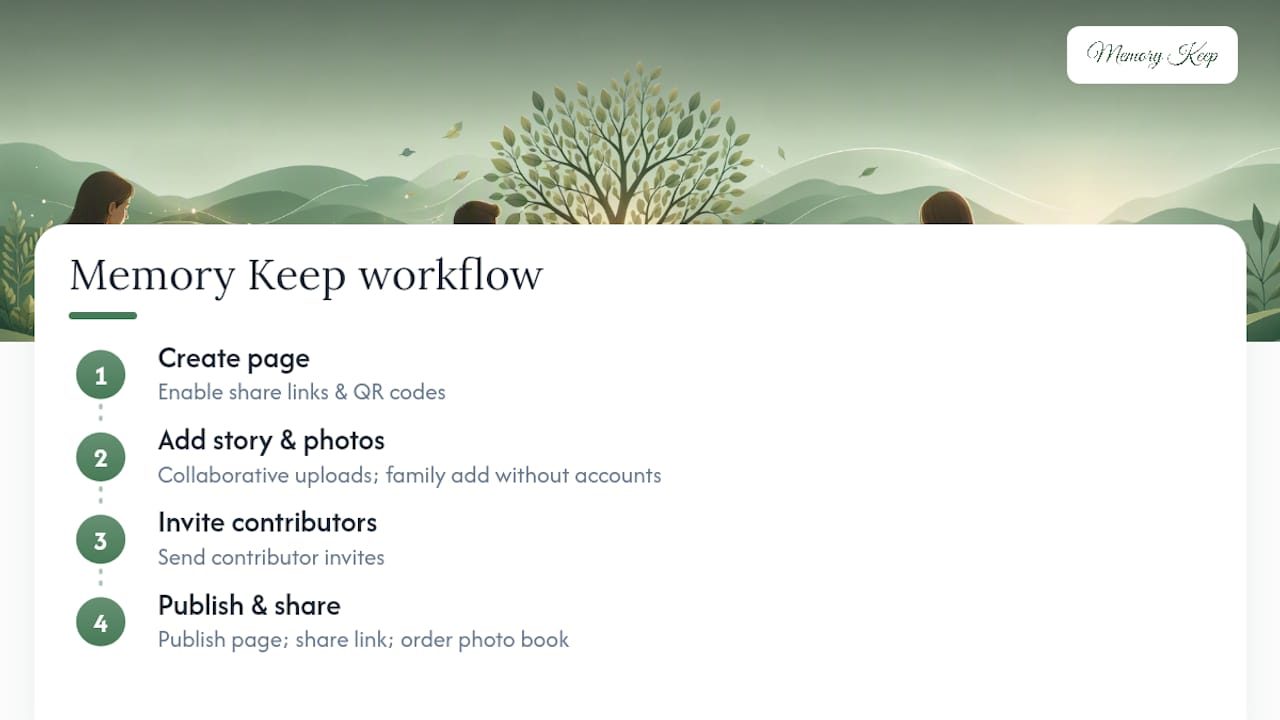
Memory Keep maps directly onto this guide: unique shareable links, QR codes, and collaborative uploads let family members add photos without needing an account, while keepsake photo books turn the finished page into something physical. The practical sequence: create the page, add the life story and photos, invite contributors, then publish and share the link.
What Most Memorial Pages Get Wrong
Most guidance on this topic tells you to “write from the heart,” which is true and also not particularly useful when you’re staring at a blank text box at 11 PM. The actual gap isn’t sincerity, it’s structure. People don’t struggle because they lack love for the person they lost; they struggle because nobody handed them a shape to pour that love into.
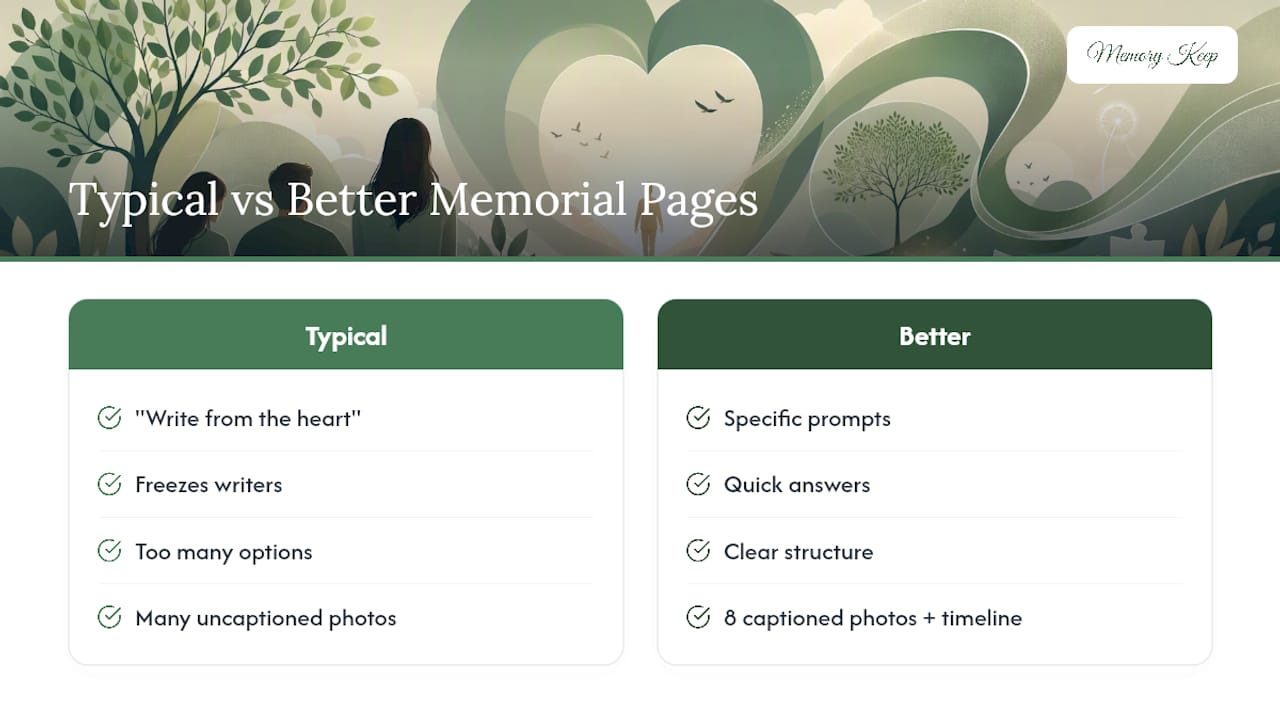
That’s why specific prompts beat general encouragement every time. “Write about their personality” freezes people. “What small thing did they do that revealed who they were?” gets an answer in thirty seconds. The conventional advice treats memorial writing as an emotional problem. It’s often a mechanical one: too many options, no starting point, and a fear of getting the tone wrong.
The other underrated piece is media pacing. Families often dump forty photos into one long, uncaptioned scroll and call it done. A page with eight well-captioned photos and a short timeline tells a fuller story than an unedited flood of images ever will. Restraint, paired with a clear layout, does more for a memorial than volume ever does.
— Memory Keep
Build Your Memorial Page With Memory Keep
Memory Keep gives you a direct way to put everything in this guide into practice, without stitching together a website builder, a separate photo host, and a printed program service. It’s built specifically for memorial content: unique shareable links, free QR codes for headstones or printed cards, collaborative photo and video uploads from family anywhere in the world, and downloadable keepsake photo books when you’re ready to hold something physical.
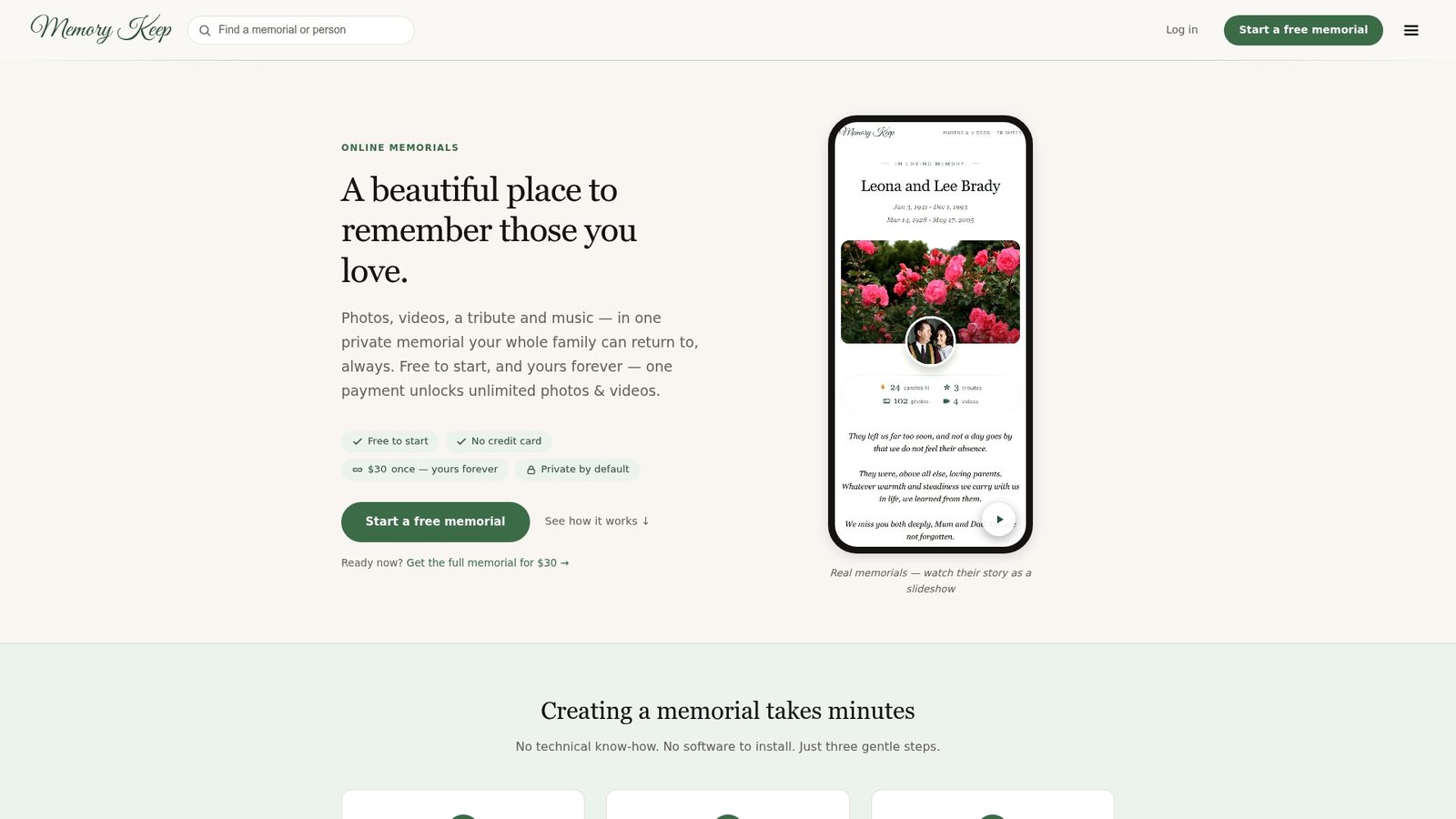
Every memorial starts on the Free plan, and families who want unlimited photos, videos, and storage can upgrade with a one-time $15 payment, no subscription, no renewal. If you’d rather see a finished example first, browse a completed page like Maurice J. Wizniak’s memorial for a sense of layout and tone. When you’re ready, start your own free memorial page and add the first photo today.
Sources
- What to write on an online memorial page — FuneralQuestions
- Tips for writing a thoughtful and heartfelt memorial tribute — Memorial Funeral
FAQ
Can You Give an Example of a Facebook Memorial Page?
A Facebook memorial page typically shows the person’s name with “Remembering” added above it, keeps their existing photos and posts visible, and allows friends to continue posting messages on the timeline. It doesn’t offer the same permanence, layout control, or printable keepsakes as a dedicated memorial page built for that purpose.
How Do I Create a Memorial Page?
Start with a name, key dates, three to eight photos, and a 150 to 300 word life story, then add one or two short tributes and open a guestbook for others to contribute. Platforms like Memory Keep let you build this in minutes, generate a shareable link and QR code, and invite family to add their own photos afterward.
What Are Some Short Messages I Can Write on a Tribute?
Keep it to two to five sentences naming one specific memory or quality, such as “You made even the dullest Monday meetings bearable” or “The porch light was always on when we needed it.” Specific, conversational lines consistently read as more genuine than generic condolences.
How Do I Turn My Facebook Profile Into a Memorial?
Facebook lets a designated legacy contact or immediate family member request memorialization through the platform’s own support process, which adds “Remembering” above the name but keeps the profile’s original privacy settings. For a page built specifically to gather photos, stories, and guestbook messages in one permanent place, a hosted memorial page is generally easier to manage long term.
How Long Should a Memorial Page Life Story Be?
Aim for 150 to 300 words, enough to cover who they were, what they valued, and one or two specific details that made them recognizable. Longer biographies tend to lose readers; a tight paragraph with concrete details holds attention better than an exhaustive account.