

Index Memorial Page: One Place for Every Tribute
An index memorial page is a single home page for someone you have lost. It gathers their photos, videos, stories, music and messages in one place, and it points family and friends to each part. It is also different from an obituary index, which is a searchable list of death notices. If you are here to build a tribute, this guide walks you through it. If you are here to find a notice, we cover that too.
Grief arrives without warning, and so do the scattered pieces of a life: photos on three phones, a video in an old email, a eulogy in a notes app. A good hub page gathers them gently, so no one has to hunt for them later.
TL;DR
- An index memorial page is the front door to a person’s or pet’s memorial: one link that leads to photos, videos, stories and visitor messages.
- It is not the same as an obituary index, which lists death notices by name, county or newspaper.
- Start with a short story, a few favorite photos and one shareable link, then let family add more over time.
- Decide who can see and contribute before you post, and keep addresses and daily routines off the page.
- Keep a private copy of everything you upload, so the memorial is never your only archive.
Table of Contents
- What an index memorial page is
- Index memorial page or obituary index?
- What to put on the page
- How to create the page, step by step
- Creating an index page for a pet
- Organizing a page that many people contribute to
- Privacy: decide before you post
- Keeping the memorial for the long run
- Our perspective
- Start your memorial with Memory Keep
- FAQ
- Sources
What an index memorial page is
Think of the first page of a photo album, the one with the name, a portrait and a few words, followed by chapters. An index memorial page works the same way. It opens with who the person (or pet) was, then guides visitors to the pieces: a photo gallery, a video, a written tribute, a map of places they lived, and a space for messages.
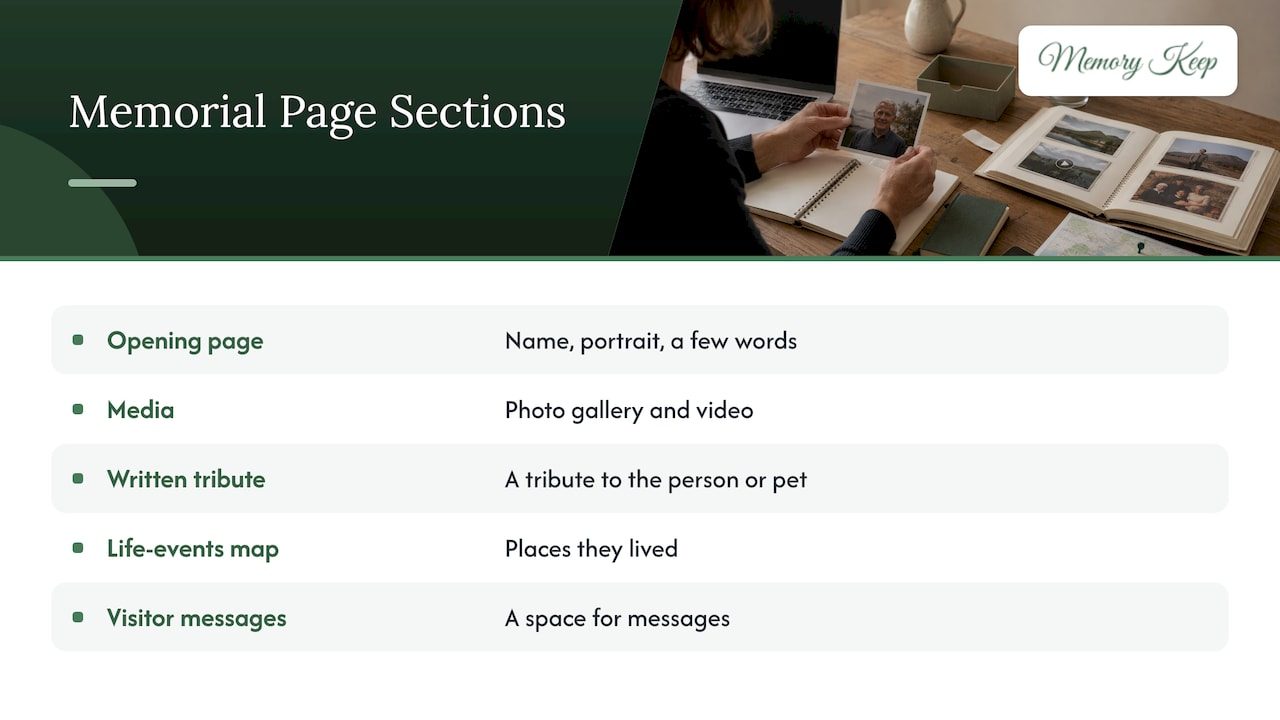
The word “index” matters because a memorial tends to grow. A single wall of photos is fine on day one. After a year, with dozens of contributions from cousins, coworkers and neighbors, visitors need a way to find the story they came for. A clear opening page with labeled sections does that.
At Memory Keep, each memorial has its own unique link, so you can send one address to relatives across the country or across the world. Visitors can leave messages of remembrance, and the page stays there for them to return to.
Index memorial page or obituary index?
The two phrases look similar, and people searching for one often land on the other. Here is the difference.
| Index memorial page | Obituary index | |
|---|---|---|
| Purpose | Celebrate and keep memories of one life | Help you find death notices for many people |
| Who builds it | Family and friends | Newspapers, libraries, historical societies |
| Content | Photos, videos, stories, messages | Name, dates, publication, sometimes a short text |
| Grows over time | Yes, as people contribute | Usually fixed once published |
If you are researching a family tree or looking for a specific notice, search by the person’s name, the county where they lived and the local newspaper. Many county libraries and historical societies keep their own searchable lists, and the pages Google ranks for this phrase are mostly directories of that kind.
If you want a place to remember someone, a memorial page is the right tool. A newspaper notice is brief and fixed. A memorial page can keep growing as people add stories, which is why many families create one alongside the obituary, not in place of it.
What to put on the page
You do not need to write everything at once. A strong first version has five parts.
A name, a portrait and a few warm sentences
Choose a photo that looks like them on an ordinary good day. Add their full name, the dates, and two or three sentences that sound like them: what made them laugh, what they cooked, what they never left the house without.
A written tribute
Tell one story well. Dr. Karen Fine, a veterinarian and author, writes that no memory is too small or insignificant, and that the tiny, intimate details are often what people miss most. Her words were about pets, but they apply to people as well. The way your grandfather folded the newspaper, the way your dog waited at the window: those details are the tribute.
Photos and videos
Pick a handful for the front, then organize the rest by season of life: childhood, family, work, travels, later years. Memory Keep memorials accept unlimited photos, videos and audio on the Full plan, so you can include the home movies as well as the portraits.
Music and a map
A favorite song can set the mood for the whole page. Our curated music library is organized by feeling, which helps when you cannot think of the right piece. An interactive map of life events lets visitors follow the places that mattered: where they were born, met their partner, raised their family.
A place for visitors
Leave room for messages. For many families, reading what others wrote becomes part of healing, because it shows how far one life reached.
How to create the page, step by step
- Gather before you build. Collect photos and videos from relatives into one folder. Ask two or three people for a short memory each.
- Choose the opening. Pick the portrait, write the first few sentences, and decide on the name as you want it shown.
- Add sections. Create a gallery, a tribute, and any extras such as a map or music.
- Set the privacy. Decide whether the page is open to anyone with the link or limited to invited family. More on this below.
- Share the link. Send it in a family message or put it in a funeral program. Our memorials can also generate a free QR code, which you can print on a card or place near a headstone.
- Invite contributions. Ask relatives and friends to upload their own photos and videos so the page reflects every relationship.
- Return to it. The Association for Pet Loss and Bereavement notes that you can come back any time and update a memorial with more memories, feelings or photos. Birthdays and anniversaries are natural moments to do so.
Most people can finish a first version in an afternoon. If you are tired or overwhelmed, stop after step 2 and come back. The page will wait.
Creating an index page for a pet
Pets are family, and their memorials deserve the same care. The structure is the same: a portrait, a story, a gallery and a space for messages. Best Friends Animal Society says that when you create an online memorial, you open a space where friends and family can honor your companion with photos, favorite memories and poems.
If faith is part of how you grieve, a blessing can be a quiet addition to the page. Some families include St. Francis blessings for pets, since the saint is traditionally remembered for his love of animals.
For step-by-step ideas, our guides on creating a private pet memorial, building a dog memorial page and adding a QR code to a pet memorial go deeper. If you are still in the first days of loss, coping with the loss of a pet may be the place to begin.
Organizing a page that many people contribute to
The more people add, the more the opening page matters. A few habits keep a shared memorial calm and easy to read.
- Name the sections plainly. “Childhood,” “Family holidays,” “Work and friends” tell visitors where to look.
- Pin the best story to the top. One short tribute at the front gives newcomers the heart of the person before they scroll.
- Put a date on memories when you know it. Years and places help later generations.
- Ask contributors to caption. A photo with a name and a sentence is worth ten without.
- Keep one person as the gentle editor. Someone in the family can tidy captions, thank contributors and keep the tone warm.
If the memorial honors two people, such as a couple who shared sixty years, a joint memorial lets you tell their stories side by side on one page instead of two.
The same structure can help when you want a keepsake. Memory Keep can auto-generate printable programs, downloadable photo books and slideshow videos from the memorial, so the work you put into the page can also become something to hold at a service or give to a grandchild.
Privacy: decide before you post
A memorial invites people in, which is its purpose. It still deserves the same care you would give any photo album you hand to a crowd.
- Choose your audience. Decide whether the page is open to anyone with the link or shared only with people you invite.
- Leave out the practical details. Skip home addresses, daily routines and anything about who is home when. We suggest this even though the page is a gentle one, because a public page can be read by strangers.
- Think about the living. Be thoughtful with children’s names and photos, and ask relatives before posting pictures they are in.
- Follow the person’s wishes. If they left instructions about photos or recordings, honor them. If they did not, start with a small circle of family and open the page more widely once everyone agrees.
- Be careful with fundraising links. If you want to share a donation link, pause and make sure it is going where you think it is.
We built Memory Keep with strict privacy in mind: no ads and no selling of your data. A memorial should not be a place where grief is used to sell something.
Keeping the memorial for the long run
Many families worry about one thing: will this still be here in twenty years? Two answers help.
First, choose the payment model carefully. Before you commit to any memorial platform, look at whether the fee is one-time or recurring, who can see the page, and whether you can download your files. We designed Memory Keep around a single payment per memorial, with no subscriptions and no renewals to remember during a hard season of life.
Second, keep your own copies. A memorial page is a place to share and gather memories. A private archive on an external drive or in a cloud folder, kept in a separate place, is the safety net. Save your original photos, scan old prints, and download your finished photo book or slideshow so something lives on in your own hands as well as online.

A small annual habit helps: on the person’s birthday or a family holiday, open the page, read the newest messages, and save a fresh copy of what has been added.
Our perspective
We have sat with many families as they decided what to do with a lifetime of photos and stories, and one thing is consistent: people do not want a database. They want a place to go.
That is why we think of a memorial’s opening page as an act of welcome. It should feel like a quiet room where someone has set out the photographs, where a visitor knows within seconds who is being remembered and where to look next. Everything else we build, from the unlimited uploads and the music organized by feeling to the life map, exists to make that room easy to build and easy to visit.
We also believe grief should not come with a meter running. A single one-time payment, no ads and no data selling are not features we added for marketing. They are the conditions we would want for our own families. The free scannable QR code is there so that a memorial can step out of the screen and onto a headstone, a program or a card.
Whether you are remembering a parent, a partner or a dog who waited by the door every evening, the best memorial is the one that gets started. Begin with one photo and one sentence. The rest can come in its own time.
Memory Keep
Start your memorial with Memory Keep
You can begin a memorial for free, with limited uploads and features, and upgrade only if you need more room. The Full plan is a one-time payment of $15 per memorial, with no subscription and no renewals, and it unlocks unlimited photos, videos and storage for that page.
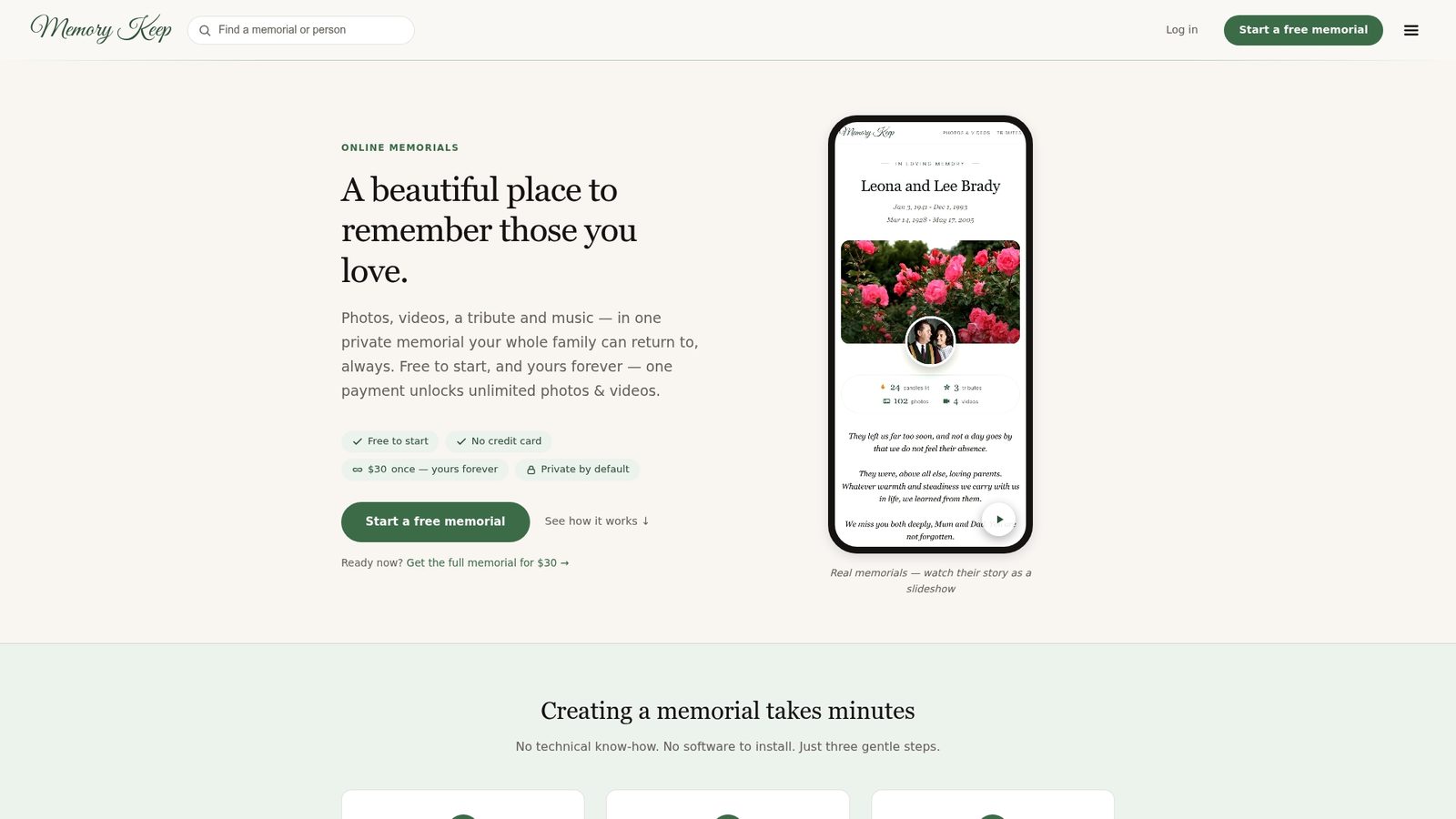
If you would like to see how it feels first, visit Memory Keep and start with a name, a portrait and a few words. You can also browse our memorial and remembrance ideas for low-cost ways to honor someone, or our pet memorial pages if you are remembering a companion.
FAQ
What is an index memorial page?
It is the opening page of a memorial that introduces the person or pet and guides visitors to the photos, videos, stories and messages. It works like the first page of an album, with chapters behind it. It is different from an obituary index, which lists death notices.
How do I find an obituary in an index?
Search by the person’s full name, the county or city where they lived, and the likely newspaper. Many county libraries and historical societies keep searchable lists of local notices. Narrow by year if the name is common.
Can family members add to the page?
Yes. Memory Keep supports collaborative uploads, so relatives and friends can add photos and videos, and visitors can leave messages of remembrance. You decide who receives the link, so you can begin with close family and widen the circle later.
How much does a Memory Keep memorial cost?
There is a free plan with limited uploads and features. The Full plan is $15, paid once per memorial, with no subscription or renewal. The pricing page shows what each plan includes.
Can I use a QR code with the page?
Yes. Every memorial comes with a free scannable QR code. Families print it on funeral programs, remembrance cards or a headstone plaque, so visitors can open the page from their phones.
Sources
- Creating Your Own Memorial, Association for Pet Loss and Bereavement
- How to Write a Meaningful Memorial for Your Pet, Next Avenue
- Pet Loss Grief Support, Best Friends Animal Society
- St. Francis for Pets: Blessings, Prayers, and Art